We are glad your issue is resolved, if you have any further questions or concerns please create a new ticket.
If you have a moment, we would greatly appreciate if you could kindly leave us a review at codecanyon! from your account > downloads. Cheers!
Hello,
Could you try following:
To update eventon to latest version: If you are unable to do autoupdate, you can go to codecanyon your account > download and get the latest eventon version as zip file. Then you can go to your website > make sure “Delete eventon settings & data when EventON is uninstalled” is Deslected from eventon settings, delete old eventon, install new one and activate. This link will further explain the process it. Also you can follow us on twitter to get real-time announcements on updates!
It seems that your archive contains the main zip + documentation. Could you uzip the current archive and check if EventON.zip is inside?
Hello,
Login info stopped working.
Please send us wp-admin access to your site as a private message for us to further assist your situation.
Also I cannot find EventON on the page:
https://joiabeachmiami.com/events/
Hello,
Can you please send us a direct link to where the actual issue is happening? We need to check the HTML code of the page.
Perfect! Do you need our help with anything else or can I close the ticket?
Thank you, is it possible to look at the question above 2, 2a, 2b and the one underneath about the gap, many thanks
Sure, I will wait. Thanks.
Amazing launch of the new wishlist 1.1.1! Congratulations!
In order to let users, to REGISTER or LOGIN, if they are not yet registered or not yet logged in, if I am using a CUSTOM URL to the login-register page, WHERE could I save such info so that when trying to add a new event to the wishlist, user is REDIRECTED to the real register-login page?
And also, are you coding on next release a popup window to let user register-login on the site (so he could stay on same single event page and add such event directly from there?
Please, let me know. Thanks
Best,
Alberto.
Ok, I will look into what you sent.
Another question I have is that when a user logs into the the form to fill it out, why does it take them to the dashboard and not back to the form?
How do I fix that so that it takes them right back to the form?
I created this as a private event which is why you got 404. Here is the event that is published.
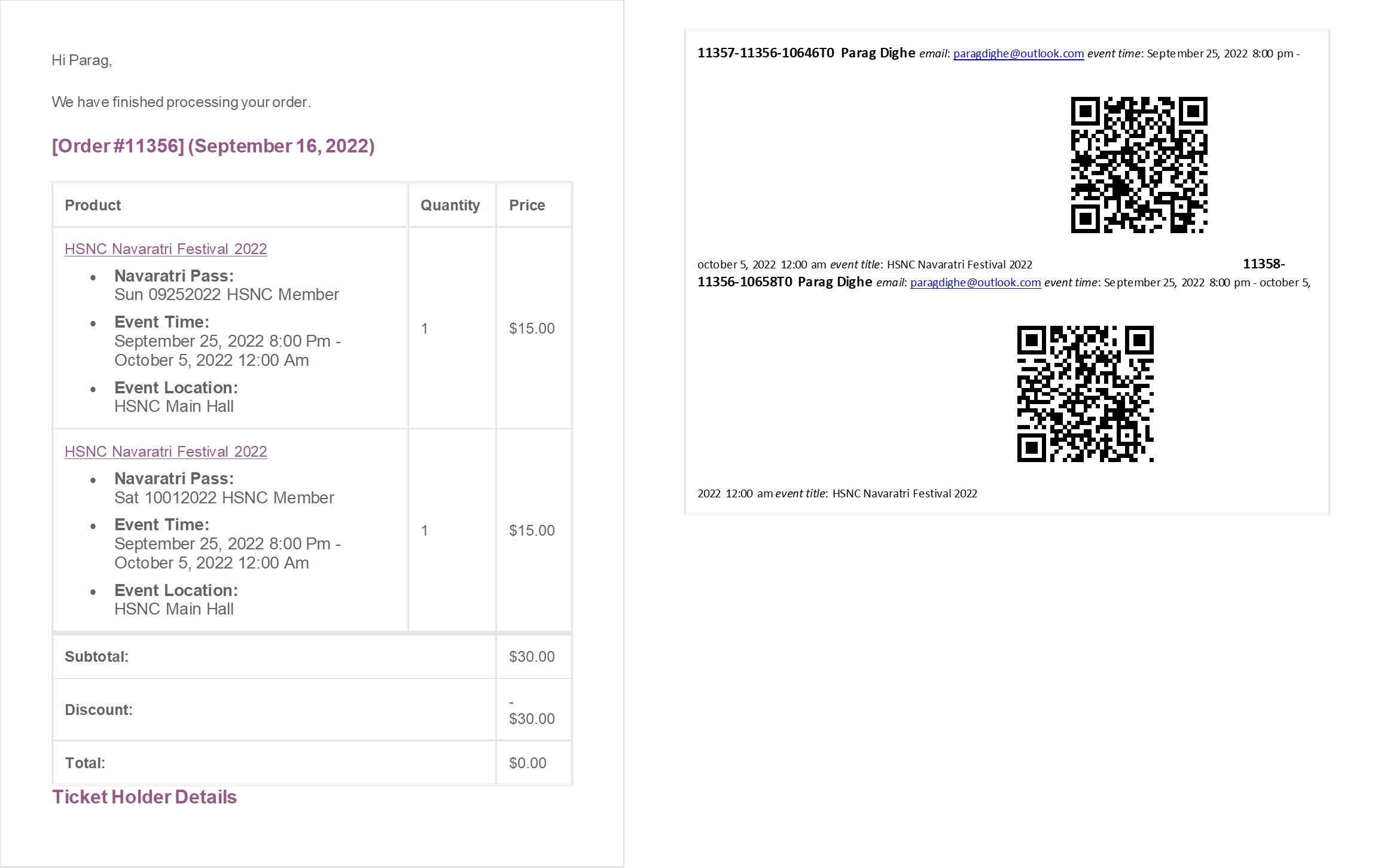
We have created a multi-day event with ticketing and QR Code generation. While validating/checking in the ticket holder, we want to validate the ticket for the date it was purchased for. Please let us how can we achieve this? For now, when we scan the QR code it simply checks in without looking up for the date the ticket was purchased.
Another request:
For this multiday event, the ticket details near the QR Code shows the Event Name, Event Start Date and Event End Date. Is there a way we can show the date for which this ticket was bought near the QR Code image? As of now, it shows the date in the tickets purchased table in the email. Please refer to the image from the ticket email