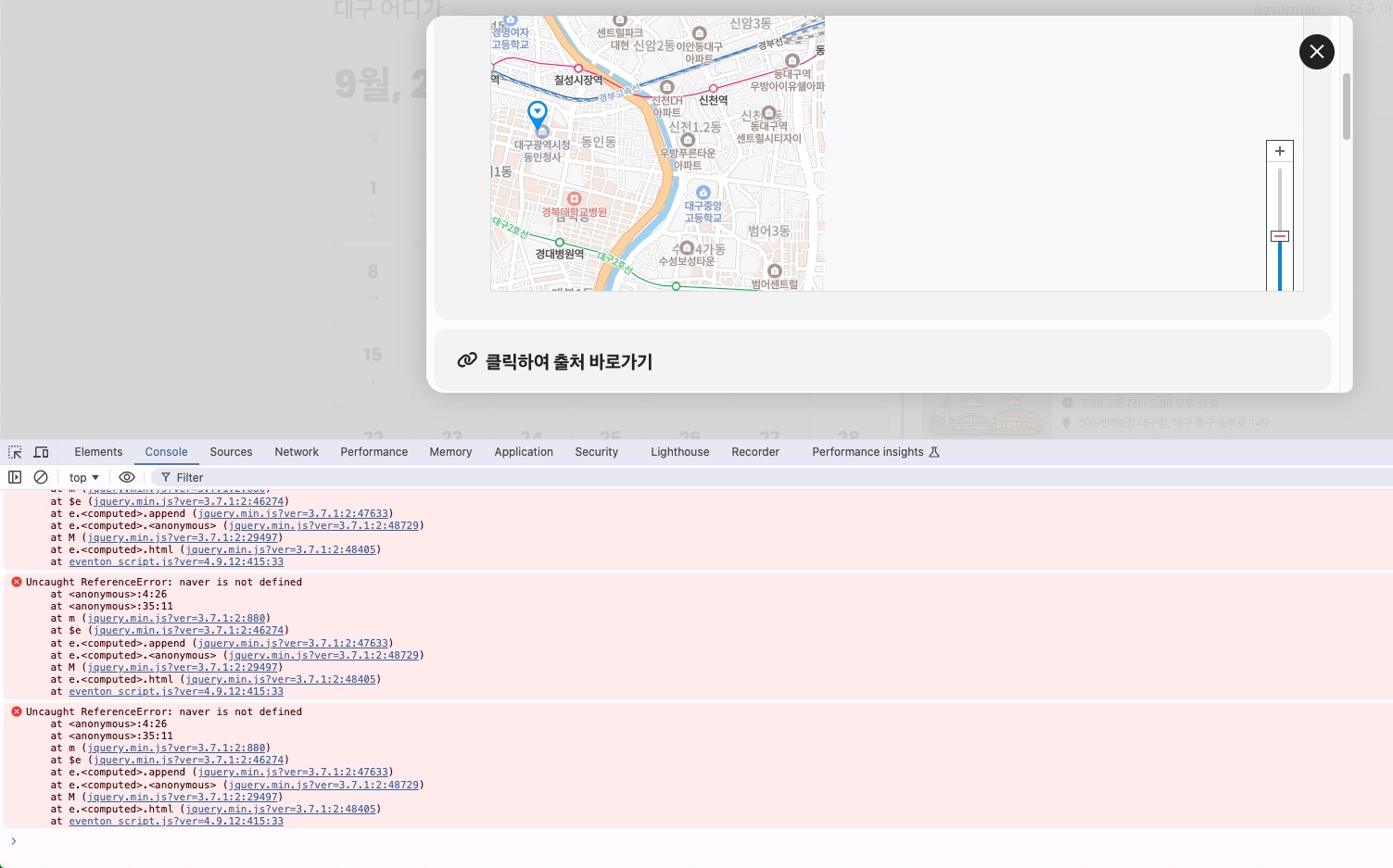
Unfortunately, only warnings. Errors should start with “PHP Fatal error: Uncaught Error:”.
I believe that 512M is minimum required. But depending on plugins installed and enabled and also how heavy the theme is, usually, 512M isn’t enough.
Have you tried increasing the memory limit?
Hello,
There are errors related to EventON in debug.log, however when I tried re-creating the issue I had no issues making new pages and events:
https://www.customhousebaptist.org.uk/test/
https://www.customhousebaptist.org.uk/events/test/
Could you tell us more about how can we see the issue?
Please also try the instructions mentioned in this documentation.
Hello,
Could you please tell us about any issues with the add-on? Maybe we can somehow help you?
Please also make sure to cancel your subscription:
https://docs.myeventon.com/documentations/how-to-cancel-addon-subscription-before-auto-renew/
These are the errors I got, they all seem related to the theme (Enfold), but also show on every page. I reduced the number of events back down to 99, anything above that still seems to slow the site, though. My memory limit is set at 512M.
Notice: Function _load_textdomain_just_in_time was called incorrectly. Translation loading for the avia_framework domain was triggered too early. This is usually an indicator for some code in the plugin or theme running too early. Translations should be loaded at the init action or later. Please see Debugging in WordPress for more information. (This message was added in version 6.7.0.) in /home/vfw7845/public_html/wp-includes/functions.php on line 6121
Deprecated: Creation of dynamic property Avia_Popup_Templates::$resp_sizes_options is deprecated in /home/vfw7845/public_html/wp-content/themes/enfold/config-templatebuilder/avia-template-builder/php/base-classes/class-popup-templates-responsive.php on line 65
Deprecated: Creation of dynamic property Avia_Popup_Templates::$resp_titles is deprecated in /home/vfw7845/public_html/wp-content/themes/enfold/config-templatebuilder/avia-template-builder/php/base-classes/class-popup-templates-responsive.php on line 81
Warning: include(/home/vfw7845/public_html/wp-content/uploads/avia_fonts/justice/charmap.php): Failed to open stream: No such file or directory in /home/vfw7845/public_html/wp-content/themes/enfold/config-templatebuilder/avia-template-builder/php/class-font-manager.php on line 659
Warning: include(): Failed opening ‘/home/vfw7845/public_html/wp-content/uploads/avia_fonts/justice/charmap.php’ for inclusion (include_path=’.:/opt/alt/php83/usr/share/pear:/opt/alt/php83/usr/share/php:/usr/share/pear:/usr/share/php’) in /home/vfw7845/public_html/wp-content/themes/enfold/config-templatebuilder/avia-template-builder/php/class-font-manager.php on line 659
Deprecated: Function wp_targeted_link_rel is deprecated since version 6.7.0 with no alternative available. in /home/vfw7845/public_html/wp-includes/functions.php on line 6121
Deprecated: Function wp_targeted_link_rel_callback is deprecated since version 6.7.0 with no alternative available. in /home/vfw7845/public_html/wp-includes/functions.php on line 6121
What I see when I open an event twice:
http://akgi.shop/#
Ashan,
Could you help with
Could you advise:
The correct EventON hook or method to initialize a third-party map only after the Event Card is fully visible?
How to ensure the map resizes correctly so that scroll/drag/zoom works on the first click?
Login info still doesn’t work for me.
Is this the correct login page:
http://akgi.shop/wp-login.php
Could you try adding this to the shortcode to open modal windows with Ajax:
ux_val=”3a”
 Could you advise:
Thank you for your messages, I am going to assign this ticket to Ashan and he will be able to take it from here and find you a solution. Please allow some time for him to get back to you, we greatly appreciate your patience and thank you for being a eventon customer!
Please add this CSS code to EventON > Styles (If you don’t see any change, EventON > Scripts & Styling > turn off Write dynamic styles to header > save settings > turn on Write dynamic styles to header). You can also add this code to wp-admin > Appearance > Customize > Additional CSS.
em.evoetet_val.evoet_dataval[data-id=”40″] { background: black; padding: 5px 5px; border-radius: 5px; } em.evoetet_val.evoet_dataval[data-id=”43″] { background: black; padding: 5px 5px; border-radius: 5px; } span.evoet_eventtypes.evcal_event_types em:nth-child(1) { display: none !important; }
Take Event Type id from wp-admin > Events > Event Type and put it to data-id.
With Event Photos add-on you can put them into a separate section, see “Secondary Image Gallery” on:
https://www.myeventon.com/addons/event-photos/
However, let’s try making thumbnails more visible with CSS code.
Please add this CSS code to EventON > Styles (If you don’t see any change, EventON > Scripts & Styling > turn off Write dynamic styles to header > save settings > turn on Write dynamic styles to header). You can also add this code to wp-admin > Appearance > Customize > Additional CSS.
.evo_event_images span { width: 150px; height: 150px; } .evocard_fti_in { background: linear-gradient(#3330 0%, #00000091 100%); }