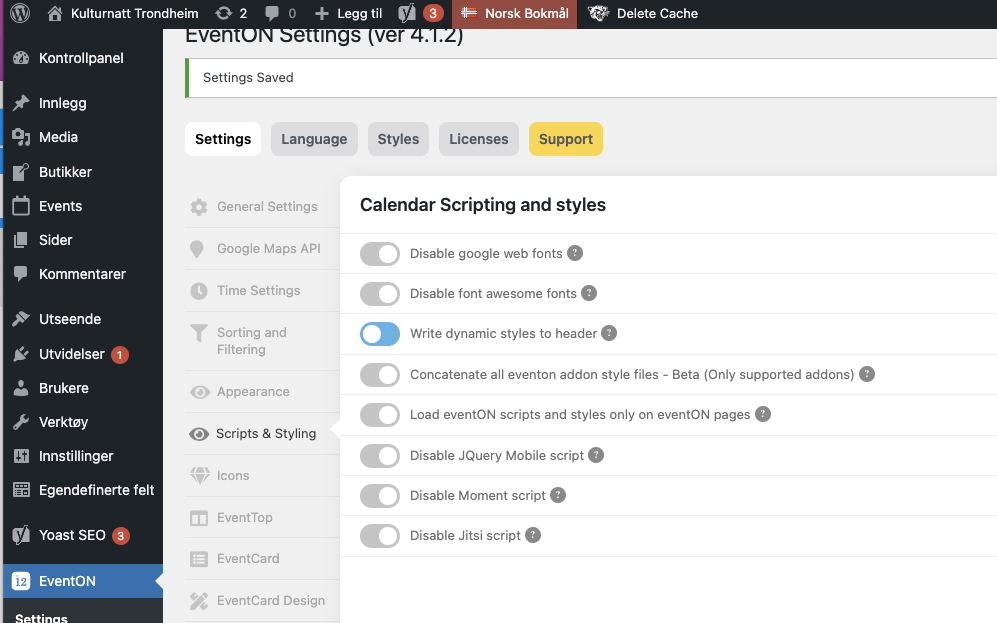
I assume you mean ‘Write dynamic styles to header’? See picture.
The CSS worked for the filters.
We still have problems with titles and map navigation in the event card still being white and unreadable. See picture. Where do we change this or does this also have to be changed with CSS?
If styling in the theme affects color styling in EventOn, then I have to say that this is a major weakness in the solution. Then there could potentially be problems in every single website that uses EventOn.
Can you please send me an exact documentation of where colors change for the different parts of the calendar and in the events. Then thinking about what lies under ‘General Frontend Calendar Appearance’. I can’t find a good description of this anywhere.
Hello,
Thanks for your answer. Is there a free trial version for this add-on, in order to test it before purchase?
Thanks for your help.
Noted, I have revert it to 4.1.1 already. Thanks.
Thanks
I checked the style.css file and it includes the following
.eventon_filter_dropdown p{
font-size: 17px !important;
padding: 8px !important;
}
This seems like the code causing the problems and it says it is eventon code – should I just delete the padding line then?
Thx
https://www.osc-kranzusch.de/wp-login.php
User: Admin
Passw: %yWTZOS!+28a
I saved it again and now the link should be in and you can test the problem I described earlier.
Should be all the permissions set:
User: EventonTeam
PW: FixEventon111!!!
https://www.promoternow.com/wp-admin/
Let me know what you find – thanks again
Hi Ashan
The Login works
I have just tested it and i was able to log in
Kind Regards
René