Hello,
Please go to https://www.itinarrando.com/wp-admin/admin.php?page=eventon#evcal_011 > disable Stop using eventON single event template for single event pages.
Replies for tickets on suppota
Hello,
Please go to https://www.itinarrando.com/wp-admin/admin.php?page=eventon#evcal_011 > disable Stop using eventON single event template for single event pages.
Hello,
Could you update EventOn to 4.1.2?
To update eventon to latest version: If you are unable to do autoupdate, you can go to codecanyon your account > download and get the latest eventon version as zip file. Then you can go to your website, deactivate old eventon, activate (Do not delete eventon settings & data when EventON is uninstalled) from eventon settings, delete old eventon, install new one and activate. This link will further explain the process it. Also you can follow us on twitter to get real-time announcements on updates!
Thank you Dave. That worked.
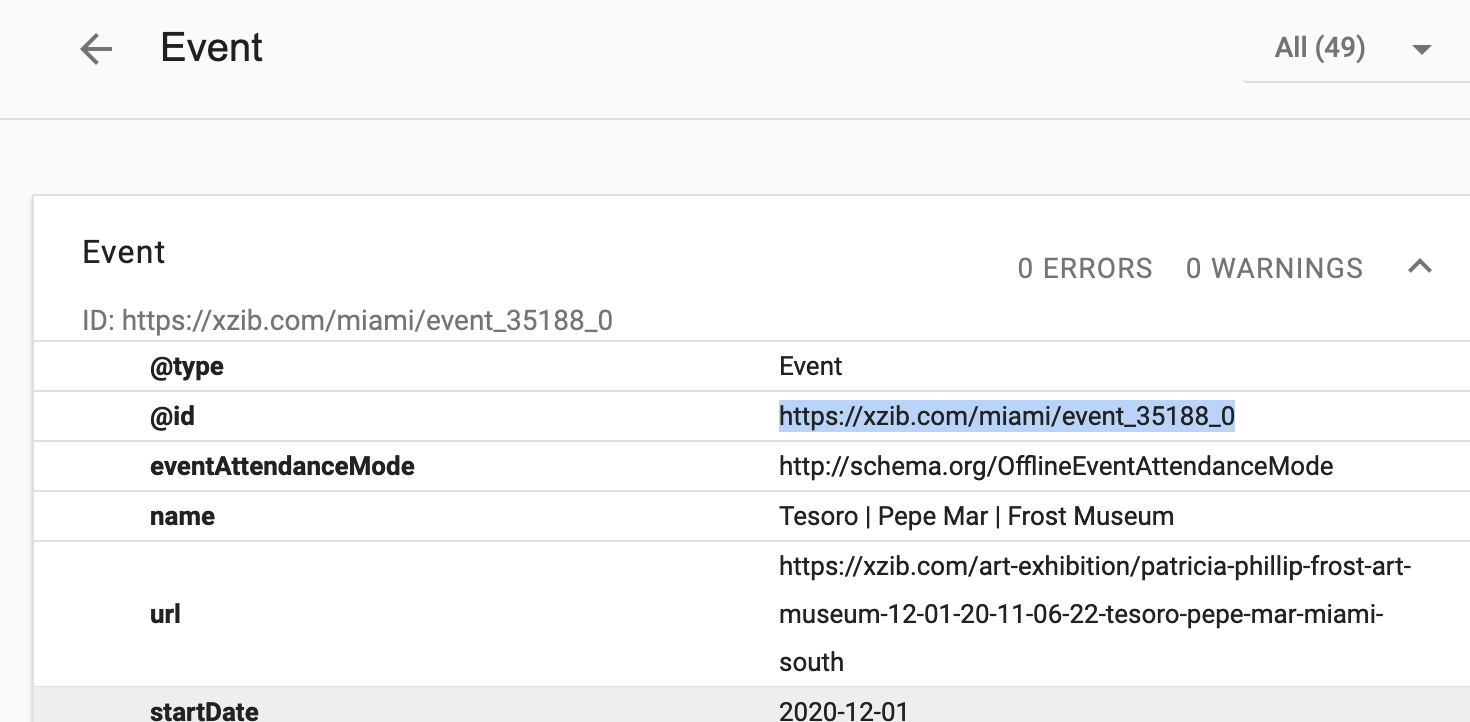
Im still not seeing any of my events getting indexed as event on Google. I notice the @id that is listed for my hundreds of events is not resolving to a URL, they are all 404.
Should this @id URL be a 404 page? Or does that indicate a problem?
https://xzib.com/miami/event_35188_0
Hello,
Unfortunately, I cannot find the speakers section. Could you add one?
Hello,
It seems there is an incompatibility issue with Avada Builder.
Please follow the instructions in this documentation to activate debug in your site to see any PHP errors recorded that can provide insight on to whats going on. Please reply with a link to debug.log file. If you are not able to do this please send us FTP access to your site so we can do this for you.
Hello,
I am sorry, the access information you have provided did not work for us. Please check them and post the correct login information as a private message, thank you!
I have done as suggested; but I do not think that is the only issue happening here. It does import but there are still duplicated events happening. PLUS, they do not appear in the events list where they can be deleted. Take for example 9/7/2022. (TAG Men’s Dinner does not appear in the calendar import NOR the events section, yet shows on the calendar.)
Does the ICS file not have a unique identifier that can be compared on import since we do have A LOT of events with the same name? Is the problem in scheduling reoccurring events with google calendar?
Why when I make changes manually in the Events area do they not consistently get changed on the calendar? (Also why are events showing on the calendar the are not in the Events?)
What do I need to do in order to get this remedied? You have admin access to my website. You have the means to see this happening first hand. Can you PLEASE help me to rectify this situation?
~ Matthew
Hello,
I am sorry, the access information you have provided did not work for us. Please check them and post the correct login information as a private message, thank you!
Hi Kenneth
Here it comes
EventOn57
i*546Jd$4u)fMkR%Xlc!9ts3
https://historiskmarked.dk/wp-admin/
Hi Lars,
Please send us wp-admin access to your site as a private message for us to further assist your situation.