I have two places for custom css.
1. Appearance /Global options/ Custom Css
2. Eventon / Settings Styles
on both places I cannot find this code
please help
Replies for tickets on suppota
I have two places for custom css.
1. Appearance /Global options/ Custom Css
2. Eventon / Settings Styles
on both places I cannot find this code
please help
Hello, i am sorry for dealy 🙂 Now i need it again, SOme event need show time and some not, is possible make it somehow?
Thank you a lot. Best regards.
Lukas
m sorry, not running
I have insertet the code under EVENTON Settings/Styles/custom styles with the color #eb4034
I do not find Apperance in my admin menue
Please see attached the two latest versions of the CSV I uploaded.
Thanks
Hi Jean,
Thank you for your message, I am going to assign this ticket to Ashan and he will be able to take it from here . Please allow some time for him to get back to you, we greatly appreciate your patience and thank you for being a eventon customer! .
Okay it’s on PHP version 7.4 now. The issue is still there.
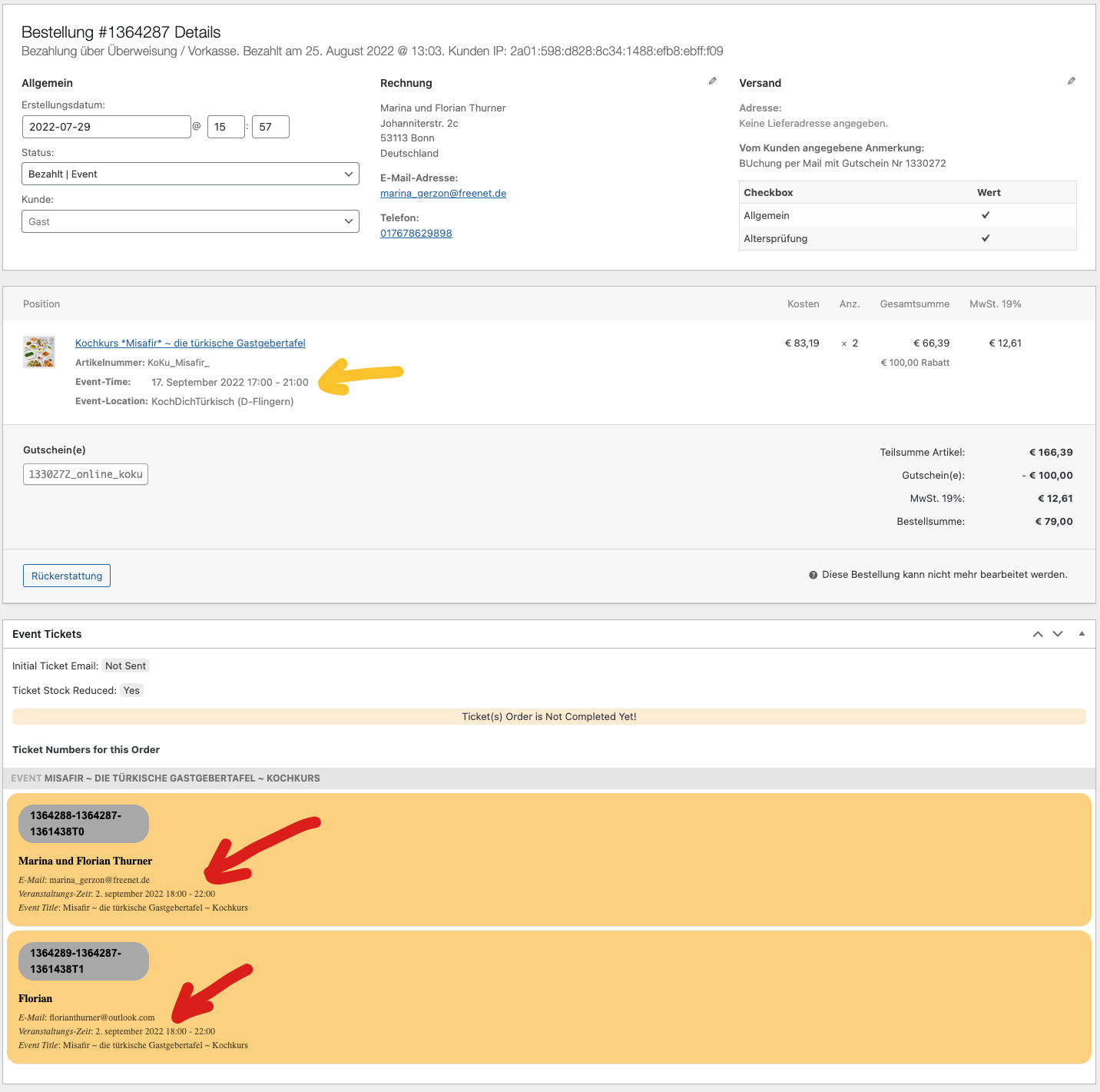
Hi,
still there is no solution for this problem. i have some more bookings with this.
in the screenshot you see the difference between ticket and booking date.
please help us!
Seems to be fixed? At least I see the event for the current month now. Was this a global or local error that was fixed? I use the calendar function on several websites, so if this was a local error, it must be corrected on these websites as well.
Our next release is in 2 days, September 1st. Will it be out by then?
Previously you told me to run 4.0.6 rather than 4.1.1, so just want to ensure I use the most stable option for the next release.
Hello,
You can either apply this patch:
https://docs.myeventon.com/patch-fixes/4-1-in_array-error/
Or go to EventON > EventTop > EventTop Main Day block fields > enable Event Day Name or any other you like.
We are going to include the fix to the next version.