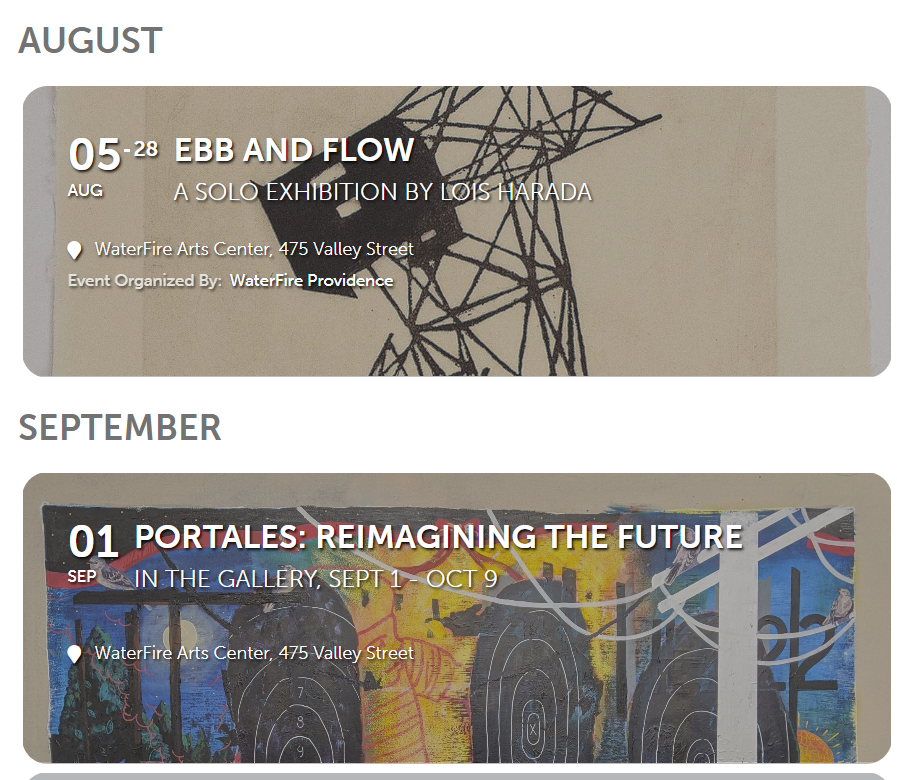
These are both recurring events, but only one is showing the “end date” as we’d prefer.
Replies for tickets on suppota
These are both recurring events, but only one is showing the “end date” as we’d prefer.
Hi Jim,
Please follow the instructions in this documentation to activate debug in your site to see any PHP errors recorded (after both plugins are activated) that can provide insight on to what’s going on. Please reply with a link to debug.log file. If you are not able to do this please send us FTP access to your site so we can do this for you.
Dear Ashan,
thank you very much for the reply, and thanks for pointing in the right direction to find a solution, it would be awesome if your team implements a feature like that.
Kind regards and stay safe,
Sam
Hello,
Please take a look at https://docs.myeventon.com/documentations/terms-and-conditions-and-refund-policy/ > 7. Subscriptions & Automatic Renewal > 7.4 Subscription Refunds.
A renewal reminder mail was sent before the charge was made. We had given you the opportunity to cancel. Please go ahead and cancel the renewal so that you are not charged again.
Here is a tutorial on how to do that
https://docs.myeventon.com/documentations/how-to-cancel-addon-subscription-before-auto-renew/
Basilis doesn’t work on the helpdesk anymore
the last email address we know of is basiliskan@gmail.com
1. Could you try clearing your cache? On my side on mobiles:
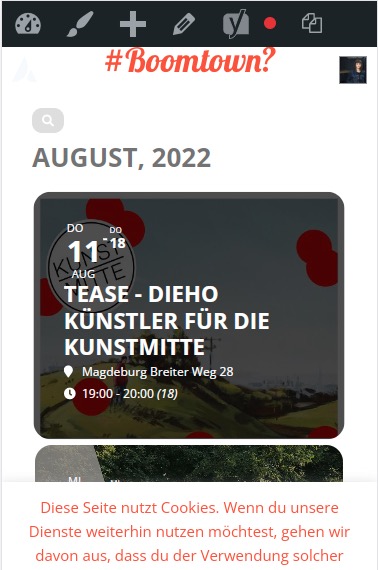
2. Just go to https://magdeboogie.de/wp-admin/admin.php?page=eventon&tab=evcal_3 > change opacity:.4. If you don’t see any change, EventON > Scripts & Styling > turn off Write styles to header > save settings > turn on Write styles to header.
Colors can be controlled from EventON > Appearance. If you don’t see any change, EventON > Scripts & Styling > turn off Write styles to header > save settings > turn on Write styles to header.
1. What are you trying to achieve with this one?
Try adding the code to wp-admin > Themes > Appearance > Customize > Additional CSS.
2. Please use this code:
.eventon_events_list .eventon_list_event .evoet_cx span.evcal_desc2, .evo_pop_body .evoet_cx span.evcal_desc2 { font-size: 20px !important; }
You can either apply this patch:
https://docs.myeventon.com/patch-fixes/4-1-in_array-error/
Or go to EventON > EventTop > EventTop Main Day block fields > enable Event Day Name or any other you like.
We are going to include the fix to the next version.
Hello,
Please try Event Lists shortcode:
[add_eventon_list number_of_months=”2″ hide_empty_months=”yes” hide_month_headers=”yes”]
Hello,
Does it show the correct time on EventON’s tickets?
Can we take a look at wp-admin? Please send us wp-admin access to your site as a private message for us to further assist your situation.