as always, thanks for your great support.
So:
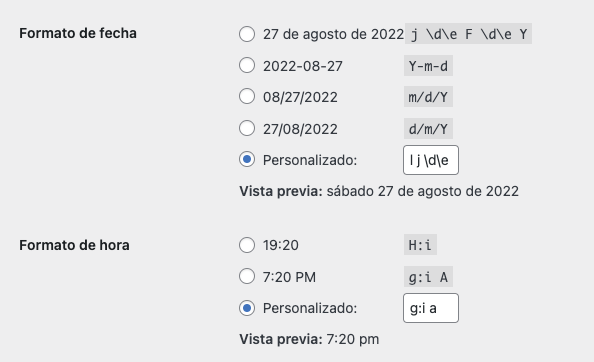
1 & 2: date time problems. I need to refer to one my very first tickets asking on HOW to configure date to display it correctly on the site, and you send me this code for DATE: “l j de F de Y” which I am using since the day I bought the plugin, and TIME as “g:i a” see screenshot.
So what can I do to FIX the problem inside the EventON plugin to get it working as expected?
3. About the “event_tag” thing, as I am not being able to use it anywhere, although I am saving such information, based on your comment, it isn´t yet on the roadmap to be able to use it, is this correct? -can you provide an url to such roadmap, please?
Thanks in advance.
Best,
Alberto
Thank you for your messages, I am going to assign this ticket to Ashan and he will be able to take it from here and find you a solution. Please allow some time for him to get back to you, we greatly appreciate your patience and thank you for being a eventon customer!
sorry the later part i stoped moving the camera at one point
see video below on the changes I made and how you can tweak the numbers yourself
also try this shortcode instead
[add_eventon accord=”yes”]
let us know if theres anything else you wish to resize

Hi, i am running the site local and am getting this
FATAL ERROR: UNCAUGHT TYPEERROR: IN_ARRAY(): ARGUMENT #2 ($HAYSTACK) MUST BE OF TYPE ARRAY, BOOL GIVEN IN /USERS/MICHAEL/LOCAL SITES/ZORGENWELZIJN/APP/PUBLIC/WP-CONTENT/PLUGINS/EVENTON/INCLUDES/CALENDAR/CLASS-CALENDAR-EVENT-STRUCTURE.PHP ON LINE 61
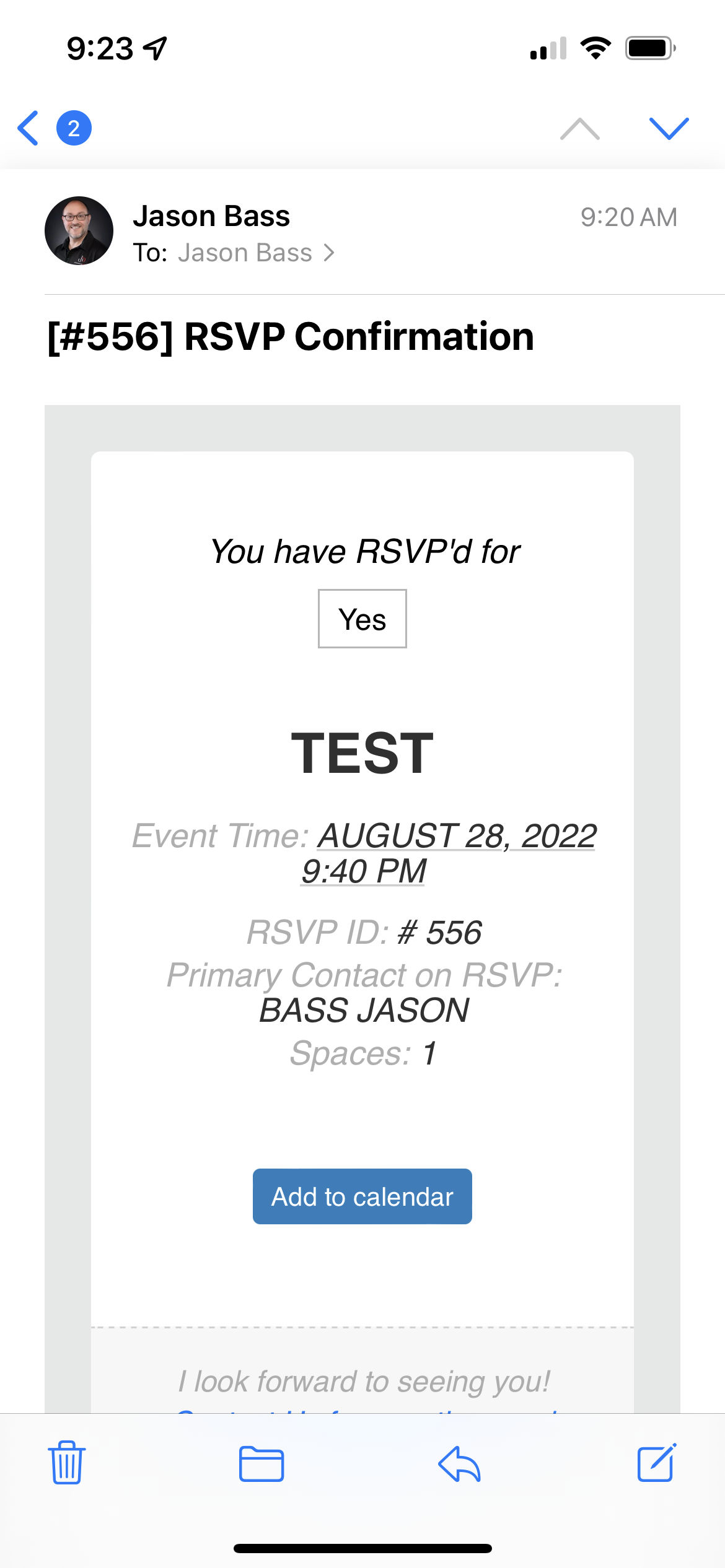
I think it is actually working as it’s supposed to but what’s confusing is that the email the waitlisted person gets doesn’t say that a spot has opened up for them – it just says they RSVP’d yes. So where in the language settings would I change that?
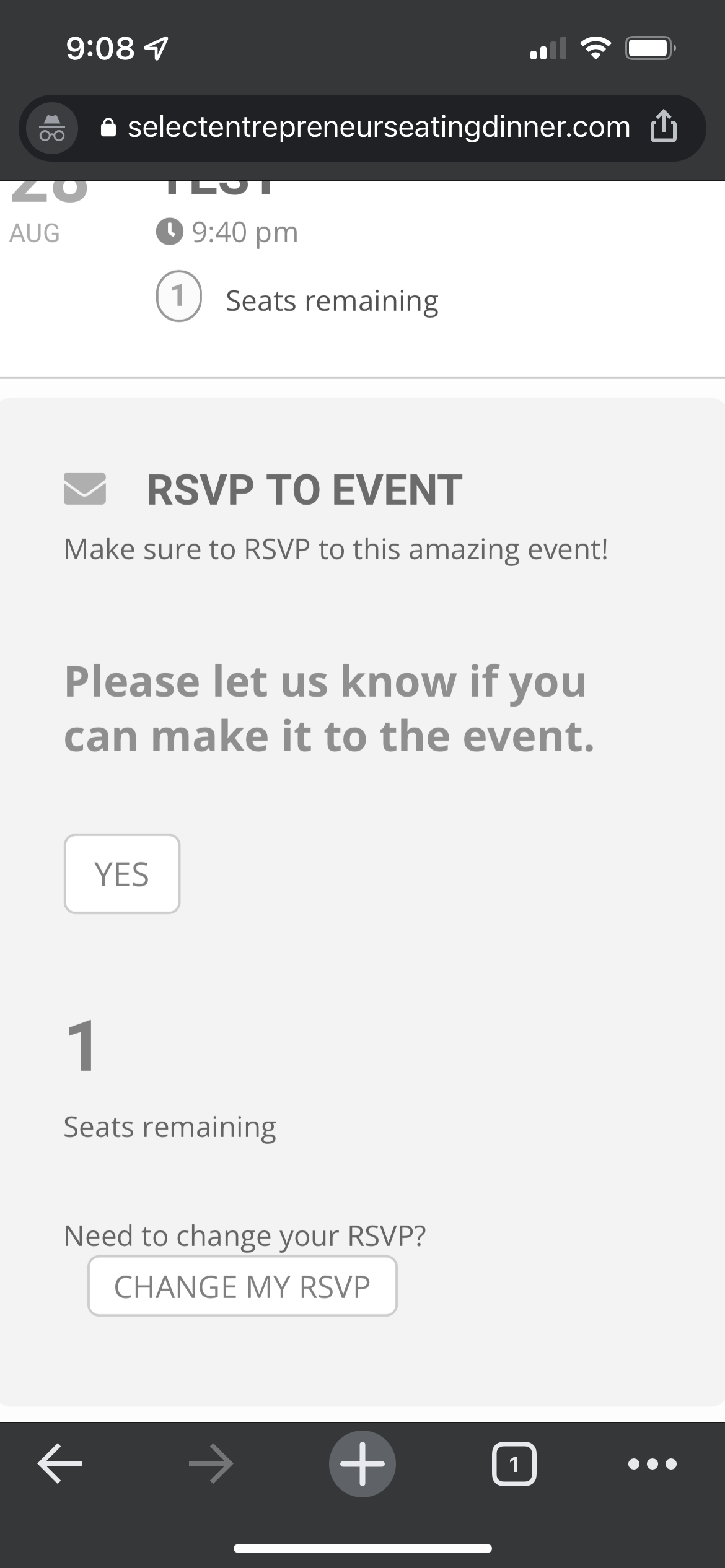
So because the waitlisted people aren’t automatically filling the open spaces created by others changing their rsvp to no, new people are able to take the spot.
It is now at recruitlook.com
Yes it loads fine for me.