We are very sorry for the delay. Could you try this solution: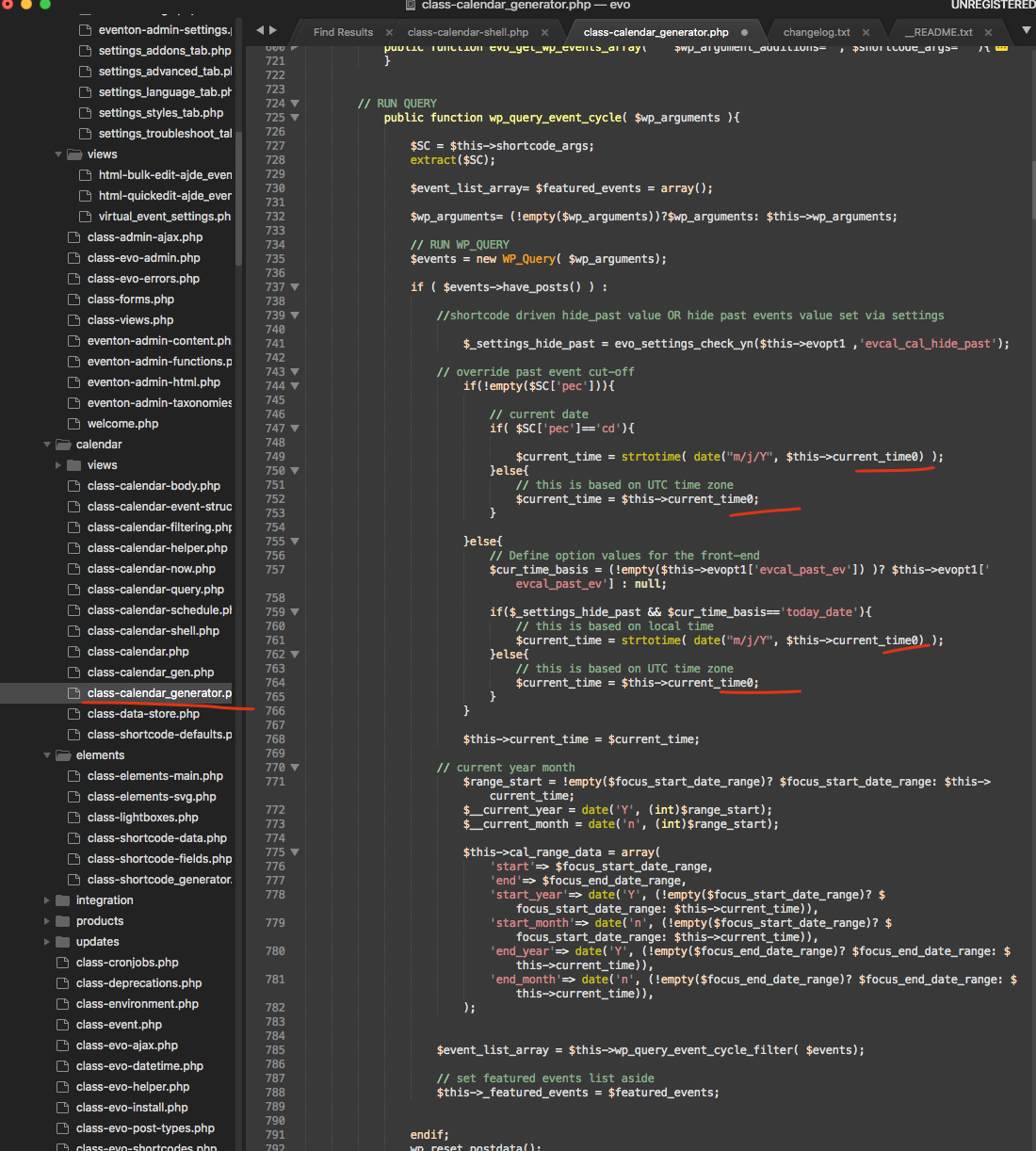
Please remove underlined zeros.
Replies for tickets on suppota
We are very sorry for the delay. Could you try this solution:
Please remove underlined zeros.
It seems that everything works. We are glad your issue is resolved, if you have any further questions or concerns please create a new ticket.
If you have a moment, we would greatly appreciate if you could kindly leave us a review at codecanyon! from your account > downloads. Cheers!
We are glad your issue is resolved, if you have any further questions or concerns please create a new ticket.
We are very sorry for the delay. Could you try this solution:
Please remove underlined zeros.
You’ll have to redo all the styling. EventON uses a local copy of FontAwesome. Doesn’t it follow GDPR this way?
You need to customize it by following:
https://docs.myeventon.com/documentations/customize-eventtop-date-format/
We are glad your issue is resolved, if you have any further questions or concerns please create a new ticket.
If you have a moment, we would greatly appreciate if you could kindly leave us a review at codecanyon! from your account > downloads. Cheers!
Hello,
Please take a look at
https://docs.myeventon.com/documentations/event-post-meta-variables/
evcal_srow UNIX event start value
evcal_erow UNIX event end value
Hello,
Please add show_year=”yes” to the shortcode.
Besides at this draft post:
https://calendario.elcampo.com/wp-admin/post.php?post=913&action=edit
the EVENT on september 9 is NOT being displayed,
this event:
https://calendario.elcampo.com/agenda/35-remate-anual-cabana-los-angeles-9-septiembre-2022-en-azul/
although I have used this code on the draft:
[add_eventon_yv event_type=”13,” event_tag=”14″ fixed_year=”2022″ loading_animation=”yes” hover_style=”1″ heat_circles=”yes”]
while this event is on september 9:
https://calendario.elcampo.com/agenda/35-remate-anual-cabana-los-angeles-9-septiembre-2022-en-azul/
so it seems event_tag is NOT working too, as on that event I am using the tag number: 14