Hello,
When enabling Repeating Event, EventON uses times and dates from the repeats only. It does’t use Event Start and Event End anymore. That’s why Ebb & Flow doesn’t have End Date.
When the first repeat is still there it shows two dates Event Start and End date (Aug 5th – Aug 28th):
https://dev2.myeventon.com/events/test-24/
Unfortunately, what you are trying to achieve isn’t possible with the current functionality. However please create a new ticket and select Feature Request as category so others can vote on your idea and get it moved into development faster.
Hello,
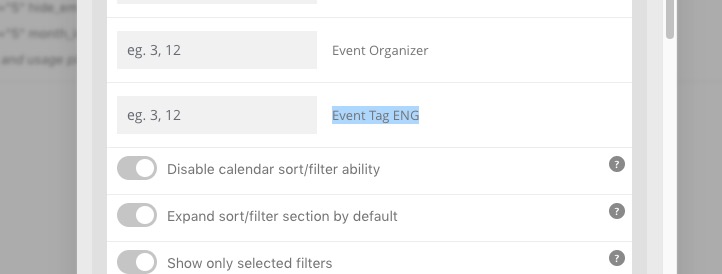
2.2 You can use Tags the same way as Event Type:
[add_eventon event_tag=”3″]
Try adding it to Event API the same way as
Supported Additional Parameters:
event_type (int) event type category term ID(s) separated by commas
event_type_{x} (int) event type {x} category term ID(s) separated by commas
Exported .ics file has the correct time in UTC-0:
When I add the event into my Google Cal it adjust the time accordingly. Can you check if Outlook has the correct timezone similar to Google Cal?

Here’s a thread with users experiencing similar issue with Outlook: https://answers.microsoft.com/en-us/outlook_com/forum/all/outlook-cant-read-timezone-in-ics-file-a-slew-of/495cadf9-4630-48b5-99ce-88d94980f289?page=2
Please take a look at these guides:
https://docs.myeventon.com/documentations/confused-event-type-categories/
https://docs.myeventon.com/documentations/how-to-use-event-types-to-do-more/
Hello,
Thank you for your great suggestion, at the moment it is not supported. However please create a new ticket and select Feature Request as category so others can vote on your idea and get it moved into development faster.
Ashan,
Not sure how to disable Event Type Single Event page Event Top background override.
https://dev2.myeventon.com/events/tttttttttt/
https://dev2.myeventon.com/wp-admin/term.php?taxonomy=event_type&tag_ID=1036&post_type=ajde_events&wp_http_referer=%2Fwp-admin%2Fedit-tags.php%3Ftaxonomy%3Devent_type%26post_type%3Dajde_events
Not sure if there is an option to turn it off, so event can use Event Color.
Could you help?
Hello,
This is because of assigned Event Type.
For example,
https://dkpl.org/event/stem-structural-engineering-with-society-of-women-engineers/
https://dkpl.org/wp-admin/term.php?taxonomy=event_type&tag_ID=949&post_type=ajde_events&wp_http_referer=%2Fwp-admin%2Fedit-tags.php%3Ftaxonomy%3Devent_type%26post_type%3Dajde_events
There is should be a way of changing this. I am going to assign this ticket to Ashan and he will be able to take it from here and find you a solution. Please allow some time for him to get back to you, we greatly appreciate your patience and thank you for being a eventon customer! Also please disable any IP blocking on your site if there are any.
Hello,
Please go to EventON > EventTop > add Event Time. With Event Card it’s similar: go to EventON > EventCard Design > add Time.
Hello,
Please go to EventON > Scripts & Styling > disable fonts and enable Disable Jitsi script. Now go to EventON > Google Maps API > Disable Google Maps API.
Hello,
Please add this CSS code to EventON > Styles (If you don’t see any change, EventON > Scripts & Styling > turn off Write styles to header > save settings > turn on Write styles to header):
.slide:last-child .eventon_list_event { margin-right: 0px !important; }