Please send us wp-admin access to your site as a private message for us to further assist your situation.
Archives: Replies
Replies for tickets on suppota
Reply to: tickets(286929)
It could be an issue with the payment feature – the test event worked.
Reply to: tickets(286929)
It seems to work for a little bit and then stop working again.
this is the feedback we are getting from customers:
” I’ve tried to purchase 4 tickets from 4 different systems and I am unable to purchase as every time I go to “place order,” nothing happens. Can you please help? I’ve tried 2 diff computers, my ipad and my cell and 2 different cards. nothing is working. “
Reply to: tickets(286918)
Hello
Ad 1) On both my Samsung Mobile the Get Diection icon donw show – please se thi screen:
Medievisning (gyazo.com)
Ad 2) Found it, didnt know I could change the text this way.
Ad 3) Woking for mobile you css, do you have code for the same just for PC screen ?
Ad 4) Event image – when chosing a like 2:1 format, this changes on mobile til 4:1 or something.
PC Screen: Events på Mallorca | Mallorca Guide | Rejs til Mallorca – Google Chrome (gyazo.com)
Mobile: Medievisning (gyazo.com)
I dont like it to change the format, as it cuts the image. Cupping half the image away.
Thanks
Jan
Reply to: tickets(286836)
Thanks. About 2.2 I am asking for both cases, to display a calendar using API and tags, OR just display a calendar based on tags on main site, too.
Reply to: tickets(286615)
Thank you very much.
Reply to: tickets(287095)
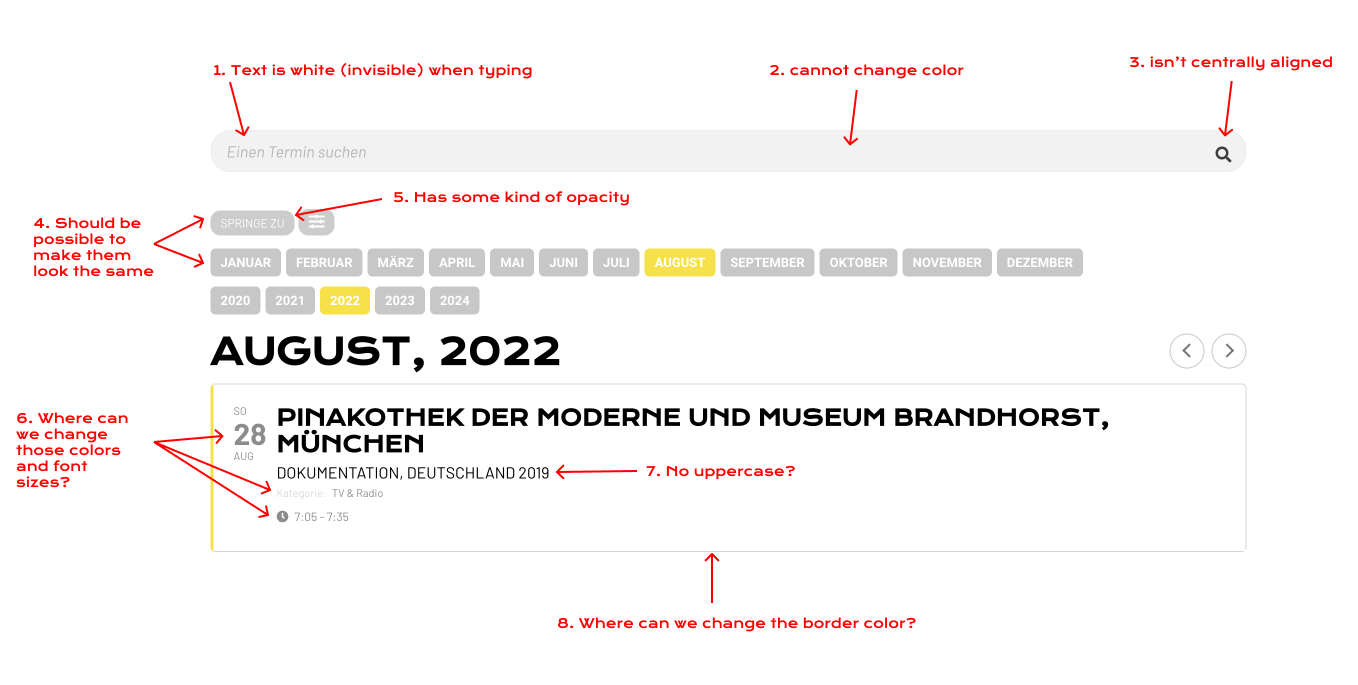
Hey again,
I think it’ll be easier to understand with this picture
Reply to: tickets(286907)
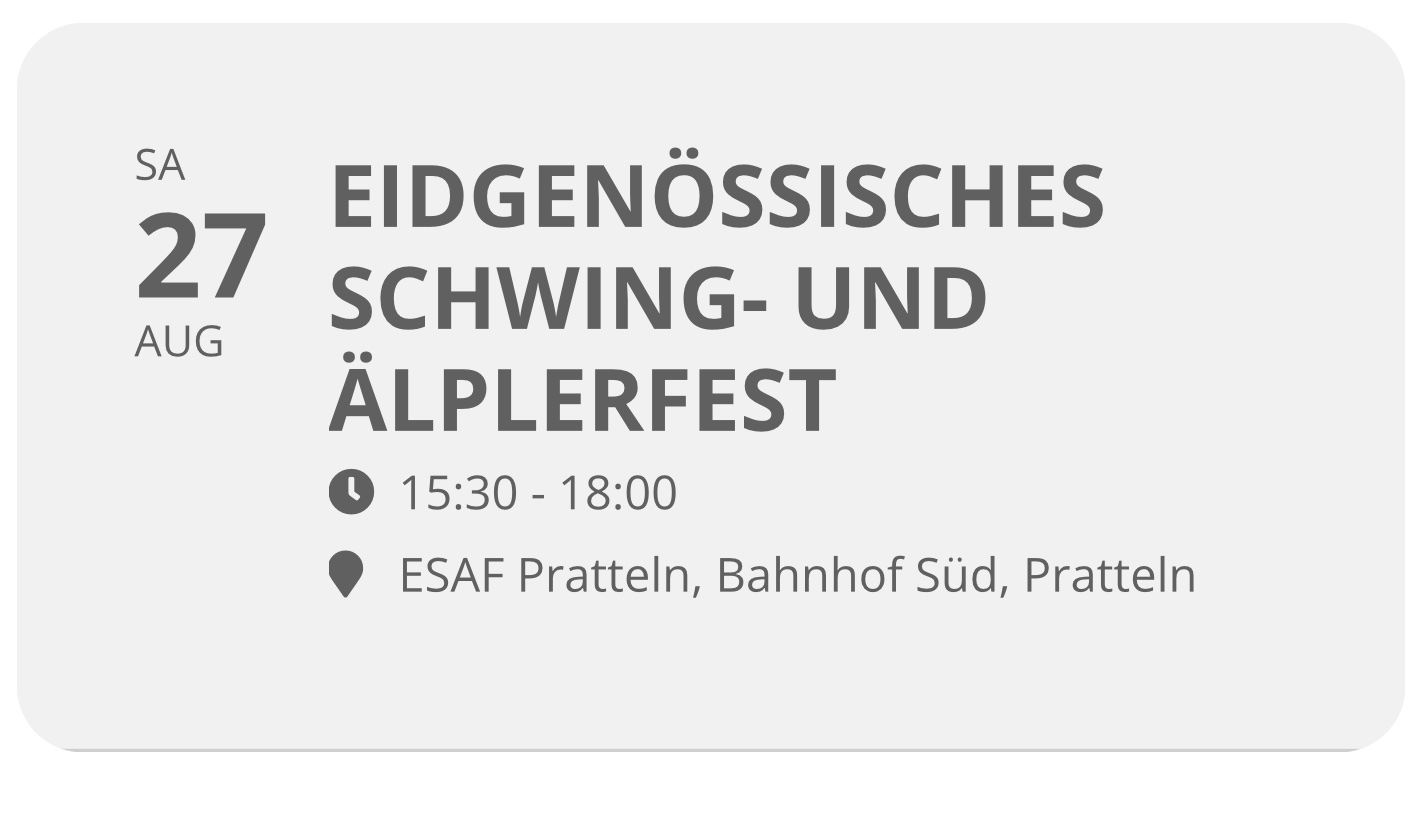
one (hopefully last one)
i can target the event tiles not quite well with:
.ajde_evcal_calendar.boxy.boxstyle0 #evcal_list .eventon_list_event .desc_trig{background-color:#f3f3f3 !important}
.ajde_evcal_calendar.boxy.boxstyle0 #evcal_list p.desc_trig_outter, .ajde_evcal_calendar.boxy.boxstyle0 #evcal_list .evcal_cblock {background-color:#f3f3f3 !important}
however, the small bottom shadow remains.
Reply to: tickets(286907)
all good so far. tnaks. pity about the french, that would have helped us quite a bit
Reply to: tickets(286650)
Hi, are there any updates? I don’t want to rush you, I guess it’s not easy.