Hello,
Please follow the instructions in this documentation to activate debug in your site to see any PHP errors recorded that can provide insight on to whats going on. Please reply with a link to debug.log file. If you are not able to do this please send us FTP access to your site so we can do this for you.
In most cases the issue is with memory limit:
https://docs.myeventon.com/documentations/increasing-wordpress-memory-limit/
Hello,
You can either apply this patch:
https://docs.myeventon.com/patch-fixes/4-1-in_array-error/
Or go to EventON > EventTop > EventTop Main Day block fields > enable Event Day Name or any other you like.
We are going to include the fix to the next version.
Hello,
Could you give us admin rights?
Unfortunately, we unable to help with customizations.
When it comes to events, Google and other search engines use Event Schema instead of h1 and other SEO tags. So there is no point of changing anything.
Also you can just add H1 to Single Event Page by following
https://docs.myeventon.com/documentations/customize-single-events-page/
This code is to change color and background of fields:
.evors_lightbox_body #evorsvp_form .form_row select, .evors_lightbox_body #evorsvp_form .form_row input, .evors_incard_form #evorsvp_form .form_row input, #evorsvp_form .form_row textarea { color: yellow !important; background: green !important; }
This code is to change placeholder text color:
.evors_lightbox_body #evorsvp_form .form_row input::placeholder, .evors_incard_form #evorsvp_form .form_row input::placeholder, .evors_lightbox_body #evorsvp_form .form_row textarea::placeholder, .evors_incard_form #evorsvp_form .form_row textarea::placeholder{color:#fff}.evors_lightbox_body #evorsvp_form .form_row input:-moz-input-placeholder, .evors_incard_form #evorsvp_form .form_row input:-moz-input-placeholder, .evors_lightbox_body #evorsvp_form .form_row textarea:-moz-input-placeholder, .evors_incard_form #evorsvp_form .form_row textarea:-moz-input-placeholder{color:#fff}.evors_lightbox_body #evorsvp_form .form_row input:-ms-input-placeholder, .evors_incard_form #evorsvp_form .form_row input:-ms-input-placeholder, .evors_lightbox_body #evorsvp_form .form_row textarea:-ms-input-placeholder, .evors_incard_form #evorsvp_form .form_row textarea:-ms-input-placeholder{color:#fff}
When a user registers, they receive a confirmation and a password. What’s the password for? how can I prevent the communication of the password?
Please go to EventON > RSVP > enable Disable creating new account for new RSVP user.
Hello,
EventON > Time Settings > Use UTC offset time globally on calendars is supposed to fix this. Could you try enabling it and let us know?
When a user registers, they receive a confirmation and a password. What’s the password for? how can I prevent the communication of the password?
at RSVP Styles I now found some possibilities to adjust the colors. What I couldn’t: I would like to change the background of the input fields independently of the form background. Then some inscriptions are still white. How can I change this? e.g. City, address, and the title of the form.
I ran evo_cron_daily_actions from the cron job: but the event still appears the same
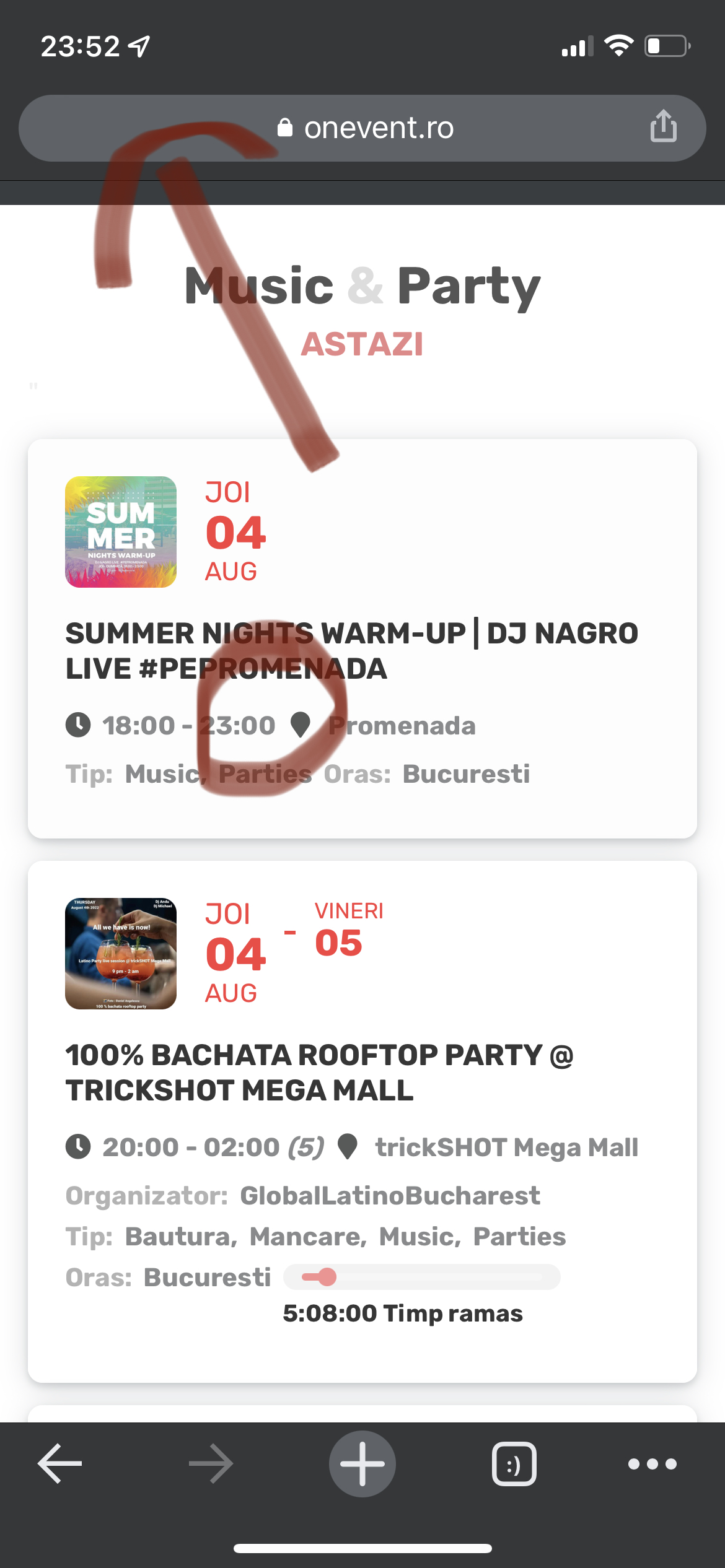
shouldn’t events that have ended be marked as deleted?