Thank you for your prompt reply, but my question was slightly different actually. I already set up several repeat instances (dates) in which I offer an event. However, the way I work is that I allow users to REQUEST a new date that was not published on our website. So, in short, if none of the dates we offer suit the user, they are able to request a new one. But since I already set up, say, weekly repeats of my event, I need to add a new, repeat instance/date but it may be any random date, not a specific day of the week in which repeat is already set. So, if it is understood now, what would be the best way to do this?
Thank you
Archives: Replies
Replies for tickets on suppota
Reply to: tickets(268143)
Reply to: tickets(268143)

Reply to: tickets(268143)
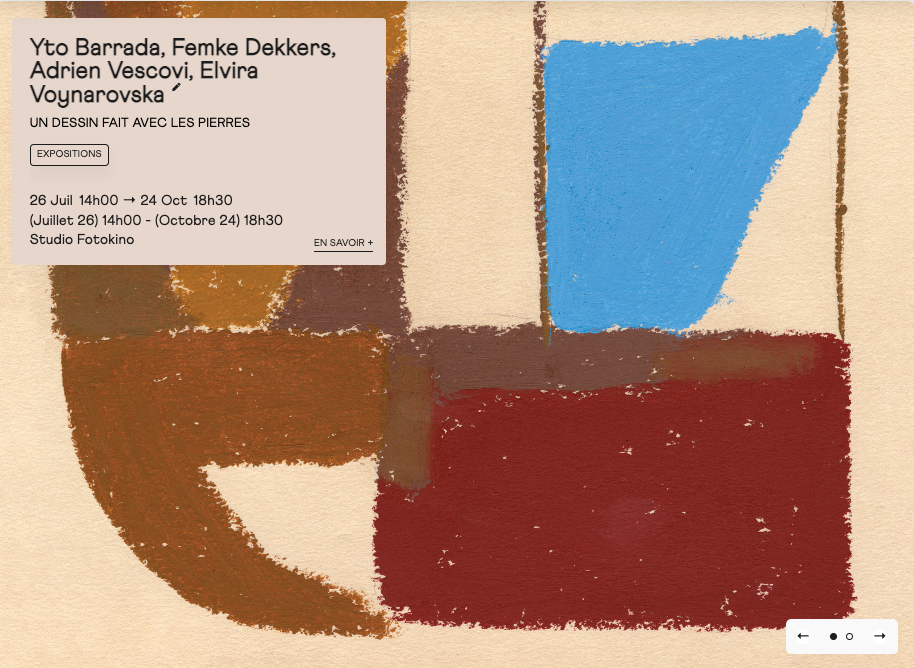
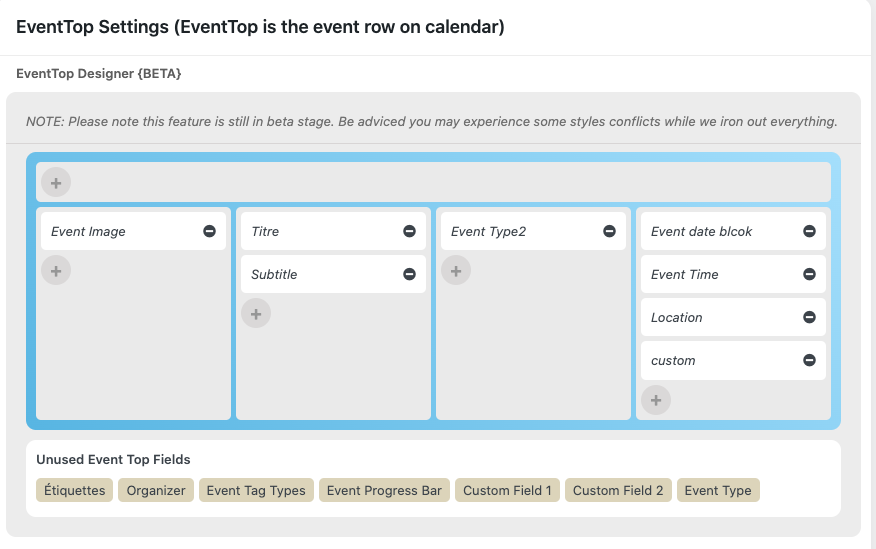
Okay understood, thanks. I also would like to show the date format of Event time fields (EventTop).
I would like to obtain the result that you can see on screenshot-2.png. My work is visible on screenshot-1.png and the EventTop settings are visible on screenshot-3.png
Thanks
Reply to: tickets(284461)
And what should I put off this shortcode so it would be without month?:
[add_eventon_list number_of_months=”12″ ux_val=”3a” event_type=”7,3,” show_et_ft_img=”yes” hide_empty_months=”yes” month_incre=”-3″ event_order=”DESC” event_past_future=”past”]
Reply to: tickets(284549)
I’m not asking you to do any customization, I’m asking you to CONFIRM that the code and page I referenced in my last message (see below), is the correct place to start and I’ll do the rest.
Found in the file eventon-action-user>includes>form>class-form.php
break;
case ‘learnmore’:
$default_val = str_replace(“‘”, ‘”‘, $default_val);
echo “<div class=’row learnmove’>
<p class=’label’><label for=’”.$__field_id.”‘>”.$__field_name.$__req.”</label></p>
<p class=’input_field’><input type=’text’ class=’fullwidth{$__req_}’ name=’”.$__field_id.”‘ “.$_placeholder.” value='{$default_val}’ data-role=’none’/></p>
<p class=’checkbox_field’>
<input type=’checkbox’ “.($default_val?’checked’:”).” name=’”.$__field_id.”_target’ value=’yes’ data-role=’none’/>
<label>”.eventon_get_custom_language($opt_2, ‘evoAUL_lm1’, ‘Open in new window’, $lang).”</label></p>
</div>”;
Thanks!
Reply to: tickets(284060)
I am sorry, it seems that this functionality was available in a previous version.
Unfortunately, the only way is to add capacities for each repeat manually.
Reply to: tickets(284632)
The issue:
Fatal error: Allowed memory size of 134217728 bytes exhausted (tried to allocate 20480 bytes) in /kunden/561137_14195/webseiten/wp-includes/meta.php on line 1175
Please follow
https://docs.myeventon.com/documentations/increasing-wordpress-memory-limit/
Reply to: tickets(284461)
This is because event_order sorts events within a month. If you also want to sort months, then you need Event Lists: Ext add-on.
Reply to: tickets(284771)
We are glad your issue is resolved, if you have any further questions or concerns please create a new ticket.
If you have a moment, we would greatly appreciate if you could kindly leave us a review at codecanyon! from your account > downloads. Cheers!