Thank you for your messages, I am going to assign this ticket to Ashan and he will be able to take it from here and find you a solution. Please allow some time for him to get back to you, we greatly appreciate your patience and thank you for being a eventon customer! Also please disable any IP blocking on your site if there are any.
Could you tell us more about how do you duplicate the seat map? Because if you just duplicate en event, Tickets and Seats are usually disabled in the copy.
Hello,
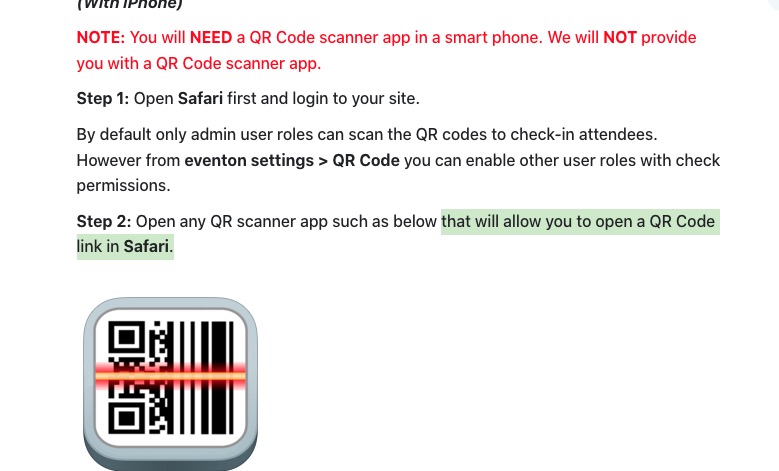
Please take a look at “How to check-in Attendees“:
https://docs.myeventon.com/documentations/use-qr-code-addon-check-attendees/
You just need any app that “allow you to open a QR Code link in Safari.”

Please check and let me know.
Hello,
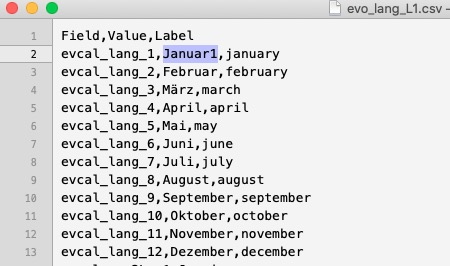
Which column do you change?
Please make sure that it’s the middle one “Value”:
Hello,
Please add this CSS code to EventON > Styles (If you don’t see any change, EventON > Scripts & Styling > turn off Write dynamic styles to header > save settings > turn on Write dynamic styles to header). You can also add this code to wp-admin > Appearance > Customize > Additional CSS.
.eventon_fullcal .evo_fc_day.evofc_day { aspect-ratio: 1 !important; }
We are glad your issue is resolved, if you have any further questions or concerns please create a new ticket.
If you have a moment, we would greatly appreciate if you could kindly leave us a review at EventON WordPress Page OR Codecanyon. Your review helps us a lot in continuing EventON improvements!
Please also create a new ticket and select Feature Request as category so others can vote on your idea and get it moved into development faster.
Hello,
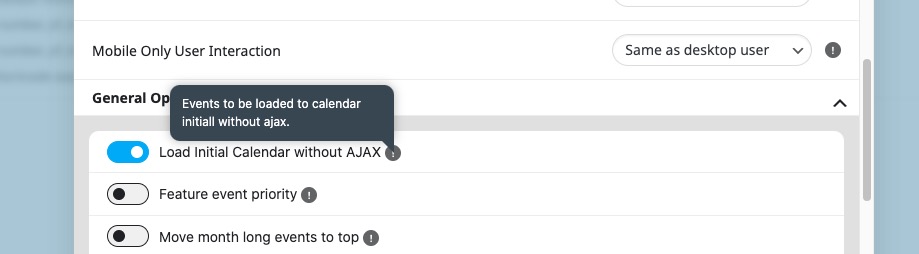
This behaviour is correct. Please check setting’s description:
Events to be loaded to calendar initially without ajax.
The thing with featured request is that we check all of them from the creation, so if your suggestion suits our current plans we are going to add it right away.
Deleting Events one-by-one…
As for deleting past events, you can go to EventON > Advanced Settings > enable Auto move events to trash when the event date is past.
Ashan,
Order:
#174563
completed
2025-09-26 16:07:59
Event Lists: Ext – 2-5 Sites
EVELd2c66067-f982-4fb2-aabd-264c9463aa53
Hello,
Thank you for your messages, I am going to assign this ticket to Ashan and he will be able to take it from here and find you a solution. Please allow some time for him to get back to you, we greatly appreciate your patience and thank you for being a eventon customer!