You are very much welcome. If you have any other questions, please feel free to create a new ticket.
Archives: Replies
Replies for tickets on suppota
Reply to: tickets(281265)
Hi Brandon,
Please take a look at https://docs.myeventon.com/documentations/terms-and-conditions-and-refund-policy/ > 7. Subscriptions & Automatic Renewal > 7.4 Subscription Refunds.
A renewal reminder mail was sent before the charge was made. We had given you the opportunity to cancel. Please go ahead and cancel the renewal so that you are not charged again.
Here is a tutorial on how to do that
https://docs.myeventon.com/documentations/how-to-cancel-addon-subscription-before-auto-renew/
Reply to: tickets(281220)
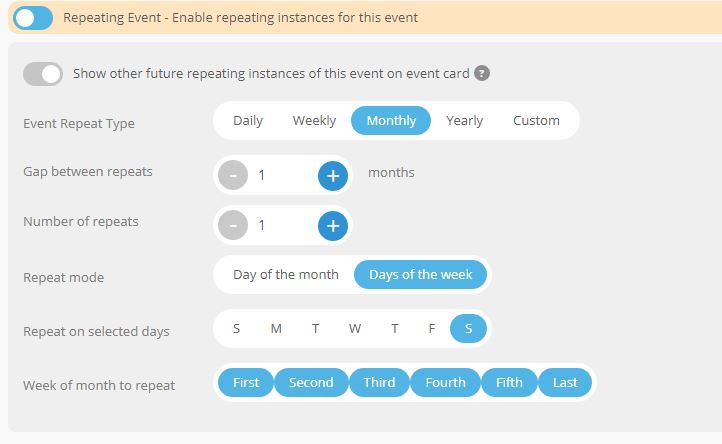
I have this option. How do I add an extra hour automatically?
I need the same event to be repeated twice a day at different times
Reply to: tickets(281217)
Hello,
Here is the url to connect.
The site is under construction, it is a draft that I will improve once I have all the features I want and especially that I know how to set them up
I need to know what you’re doing because I’m going to migrate or redo the website for my client on his own hosting. And I want it to work properly when I reinstall the site. I won’t be making a copy because I have a lot of things to clean up…
Thanks in advance for letting me know what you are doing to do the same thing on the final website
See you soon
Christelle
pw : 1Azerty1
login : event
url : https://www.magicofficelab.fr/VP/vp-admin/
Reply to: tickets(280743)
Hello,
It’s been 4 days now.
Has the new version been released? If not, let us know when will it get done.
Reply to: tickets(281201)
Reply to: tickets(265895)
Just an update to let you know the overselling issue seems to have been resolved since the March updates and we don’t seem to have had that issue again over the past few months.
Reply to: tickets(281253)
https://ciecst.fr/wp-admin
ashanjay
pCSXumvE9J$yDsElGo9vw#!^
Reply to: tickets(281253)
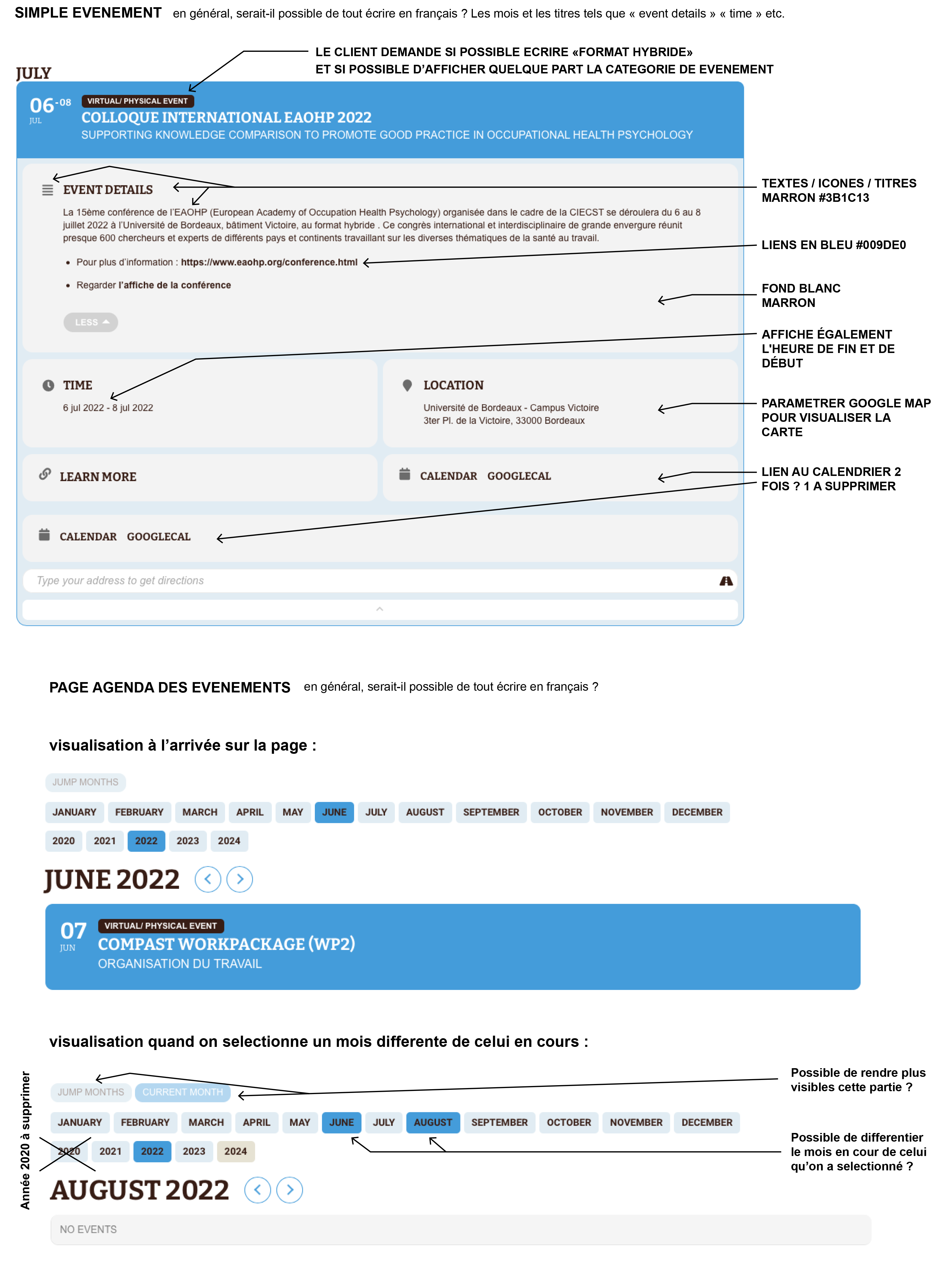
Mode details to help you to help me 🙂
So you can see the login password on my other ticket because the website is closed now.
Webpage : https://ciecst.fr/agenda-des-evenements/
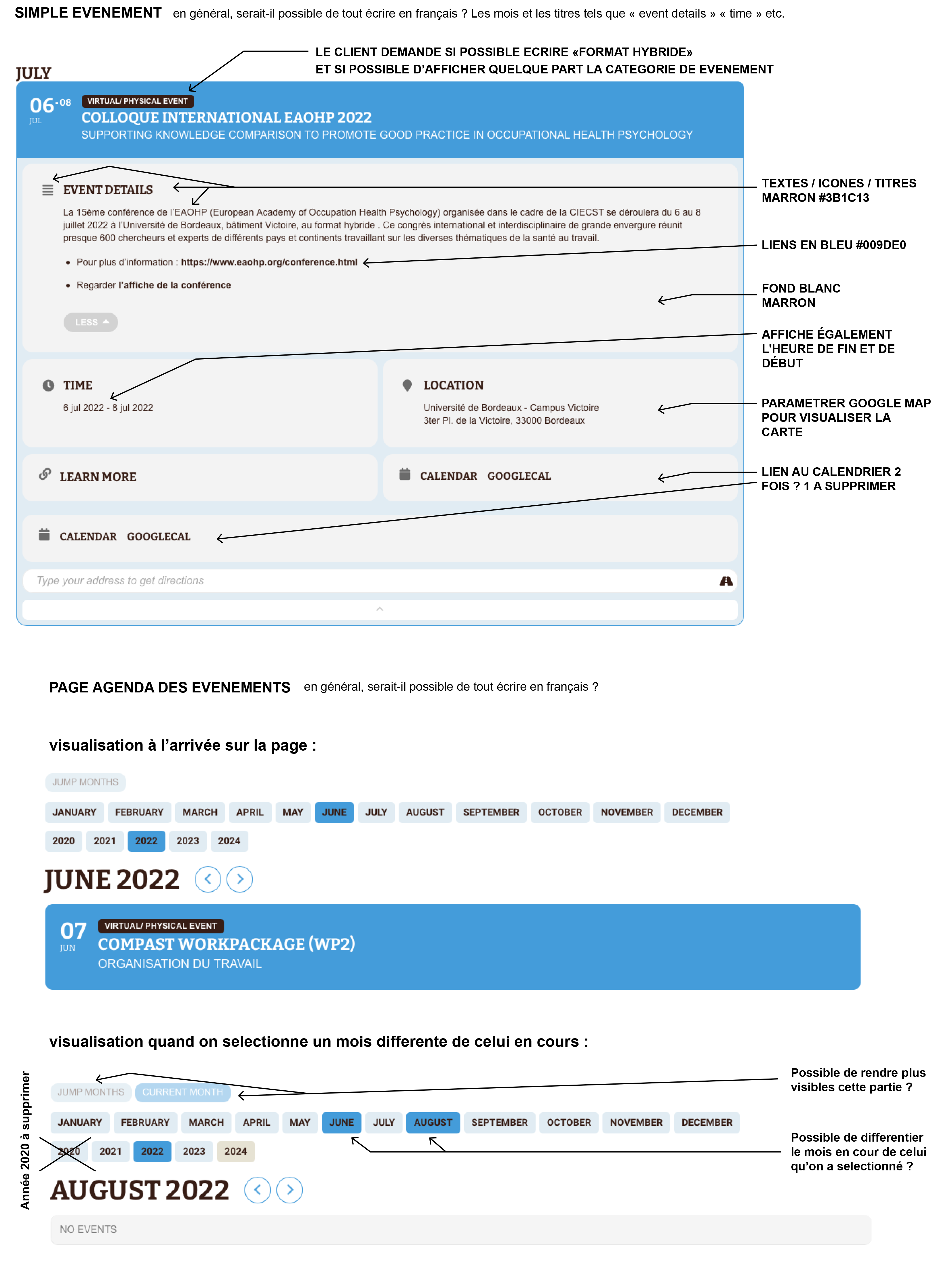
- How to change the color of the selected month and year ? I need the text in white (in front of brown on brown)
- The displayed years are from 2020 to 2024, but I need only 2022 please (there is events only in 2022)
- I need to change some colors, like text color on event details, it’s written whith the right code but i don’t see it on the event detail
- TEXTS / ICONS / TITLES in #3B1C13
- links in #009DE0
- there is two 2 links to google calendar, I need only one
Reply to: tickets(280262)
I agree. I’m surprised this isn’t available yet. We can not use the plugin unless all of the meeting detail is brought into the user’s Google Calendar.