Thank you for your messages, I am going to assign this ticket to Ashan and he will be able to take it from here and find you a solution. Please allow some time for him to get back to you, we greatly appreciate your patience and thank you for being a eventon customer!
Archives: Replies
Replies for tickets on suppota
Reply to: tickets(394533)
Hello,
Please add this CSS code to EventON > Styles (If you don’t see any change, EventON > Scripts & Styling > turn off Write dynamic styles to header > save settings > turn on Write dynamic styles to header). You can also add this code to wp-admin > Appearance > Customize > Additional CSS.
.ajde_evcal_calendar.boxy .eventon_list_event.hasbgimg::after { content: none !important; }
Reply to: tickets(394441)
You can use any email you like. Just create a new user and then send us email + password from “Access Info” box on right side menu.
Please also send us links to the original event and it’s duplicate.
Reply to: tickets(394539)
Hello,
I am sorry, the access information you have provided did not work for us. Please check them and post the correct login information as a private message, thank you!
Please make sure to follow this guide since you use WPML:
https://docs.myeventon.com/documentations/wpml-eventon-front-end/
Reply to: tickets(394442)
Event Timezone was empty:
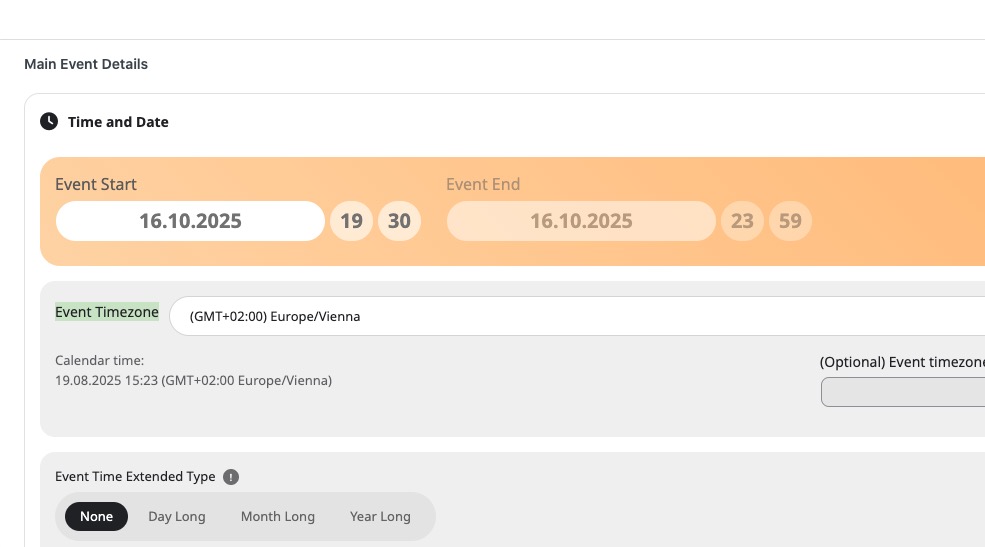
Could you go to each event and check if it’s empty as well?
Reply to: tickets(393801)
Hi Artem, Disregard my last message. I think we’re good for now. Thank you so much for your help!!
Reply to: tickets(394442)
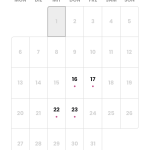
As you can see from the attached screenshot from October, October 16th and October 22nd are the correctly entered dates. The dates of October 17th and October 23rd were added by Eventon itself. Furthermore, the appointments are only scheduled from 7:30 p.m. to 10:00 p.m. and not across multiple days.
Reply to: tickets(394441)
We were just adding one event and saw these previous events multiple.
I don’t know who it multiplied as there’s only one person who always add events on that calendar.
Try to login again at a specific time , or give me an email of yours and i’ll create a user for you on the wordpress as administrator.
Thanks.
Reply to: tickets(393801)
For this question:
Under NEXT UP on the home page at https://regenttheatre.com/, can we ensure that the user always sees 9+ (or many more) tiles, not just those from the current month? Else, toward month’s end, they’ll see few or none? I just don’t want to limit NEXT UP to the current month and events always need to be showing there.
You recommended:
Instead of Main Calendar shortcode, please use Event Lists: Ext shortcode from this page: https://regenttheatre.com/list/
But I need it to be tiled, 3 across. Not a list on the homepage on NEXT UP
This is the code for the LIST page:
[add_eventon_el event_count=”12″ event_count_list=”yes” number_of_months=”12″ show_limit=”yes” show_limit_ajax=”yes” hide_empty_months=”yes” show_et_ft_img=”yes” eventtop_style1=”1″ ux_val=”3a”]
Can you revise the code so the events are tiled, 3 across and showing at least 12 events with the ADD MORE option at the bottom?
Reply to: tickets(393801)
Thank you Artem! For some reason I can’t get it to show up but it’s ok for the time being.
On the calendar sort filtering on the calendar, how do I remove this, it doesn’t really serve a function on my calendar.
