Please try moving them to Trash. Do not delete them completely.
Archives: Replies
Replies for tickets on suppota
Reply to: tickets(280302)
We are glad your issue is resolved, if you have any further questions or concerns please create a new ticket.
If you have a moment, we would greatly appreciate if you could kindly leave us a review at codecanyon! from your account > downloads. Cheers!
Reply to: tickets(280038)
Should I just go ahead and delete the N/A ones? Those are all from me testing out the ticketing plugin before using it.
Reply to: tickets(280038)
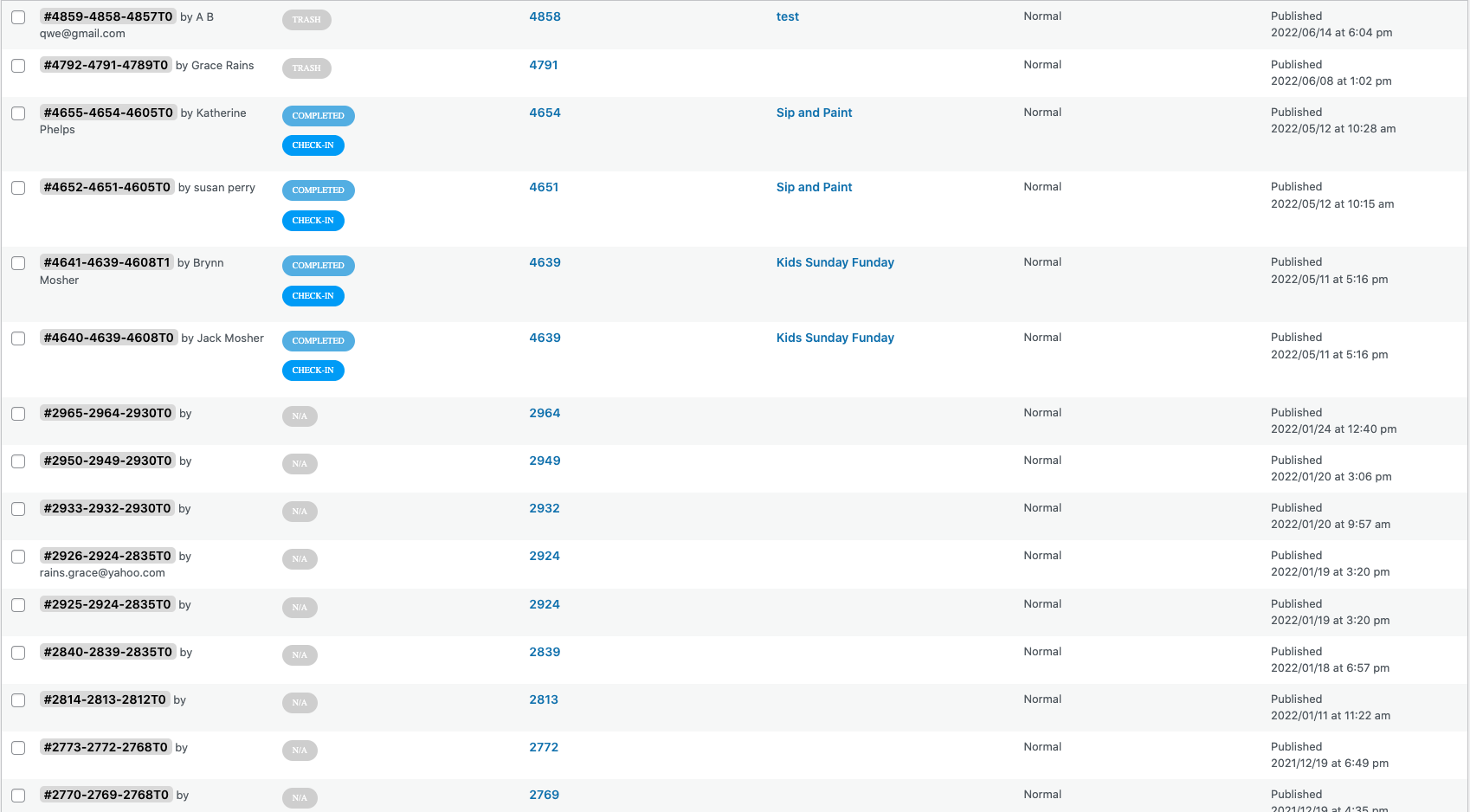
Ok thanks for the information!
I have added a screenshot of what that link looks like on my end.
And at the bottom, if I scroll down – it’s just more of the same N/A ones.
Reply to: tickets(280091)
glad you asked. you can use the coupon code EVO20T and that will get you 20% off all addons 🙂 If you have more questions, kindly send us a new ticket and we would be more than happy to help you resolve your issues!
Reply to: tickets(280302)
Perfect. That was the culprit! Thank you!
Reply to: tickets(280038)
1. Eventually, autoupdate will be working all the time. It’s just at the moment it might not be available for some of you as we have reduced our update checking period on your installation to cut down on our server usage and to avoid server crashes.
2. Could you check if the tickets have been deleted too? Go to
https://intheluuup.com/wp-admin/edit.php?post_type=evo-tix
Reply to: tickets(280302)
Before deleting the main plugin make sure that “EventON > Do not delete eventon settings when I delete EventON plugin” is enabled.
Reply to: tickets(280302)
The problem is that Event Lists: Ext 0.10 isn’t compatible with EventON 4.0.6.
So please make sure to disable and delete Event Lists: Ext add-on before updating the main plugin. Then install the latest version of Event Lists: Ext add-on.
The shortcode with enabled Tile Design + Load More can be found here:
https://ewhsbastg.wpengine.com/wp-admin/post.php?post=33695&action=edit
[add_eventon_el event_count_list=”yes” show_limit_ajax=”yes” hide_empty_months=”yes” tiles=”yes” tile_bg=”1″ number_of_months=”24″ event_count=”5″ show_limit=”yes”]
Reply to: tickets(280350)
Hi Melissa,
I was not able to replicate the issue on my end.
Could you please try the instructions mentioned in this documentation to make sure your issue is indeed coming from eventon.