Hello,
Time issue. Please try going to EventON > Time Settings > enable Use UTC offset time globally on calendars (BETA).
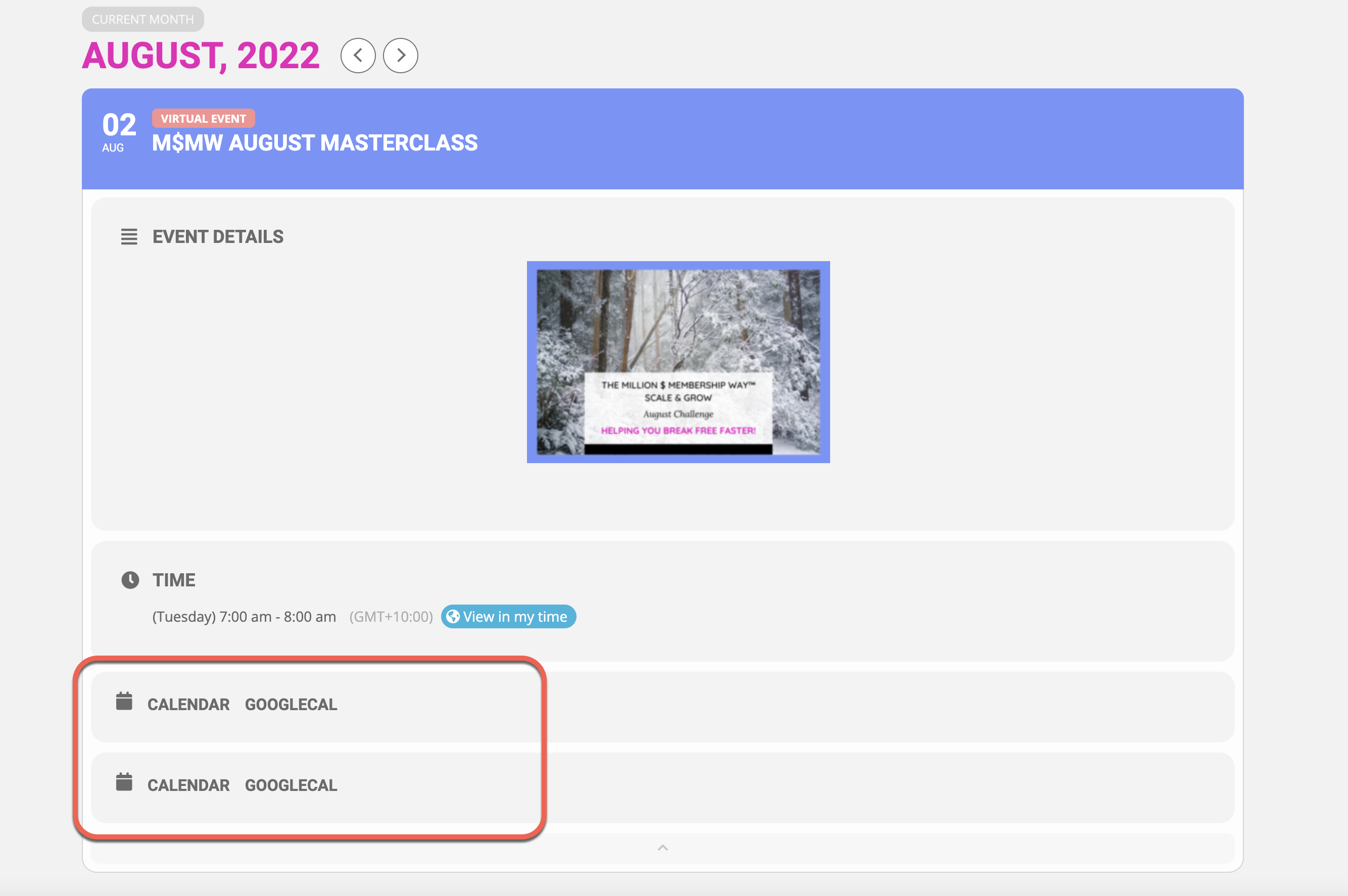
Double issue. Go to EventON > EventCard Design > remove one of “Add to calendar”.
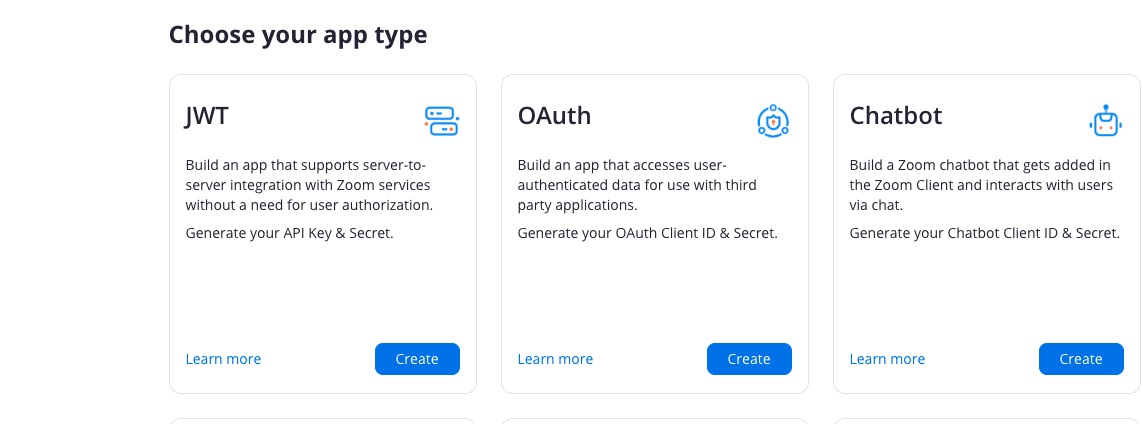
Zoom app. When you logged-in https://marketplace.zoom.us/develop/create it’s the first one:
Hello,
Yes, ICS Import add-on is required if you want to import Apple Calendar data. Just make sure to export if first as .ics file.
You’ll be able to select which events you want to import.
You can try ICS Import on your test site:
https://dev.myeventon.com/wp-admin/
Our add-on refund policy can be found here:
https://docs.myeventon.com/documentations/terms-and-conditions-and-refund-policy/
Hello,
The fix will be included in the next update.
We are glad your issue is resolved, if you have any further questions or concerns please create a new ticket.
If you have a moment, we would greatly appreciate if you could kindly leave us a review at codecanyon! from your account > downloads. Cheers!
Hello,
1. Copy shortcodes on your pages.
2. Go to EventON Settings > Import/Export General EventON Settings > Export.
3. If there are translations, go to EventON Settings > Language > Export & Import Translations > Export.
After you imported everything on your new website, make sure to save EventON Settings. Also, if there are issues with Appearance, make sure to EventON > EventON > Scripts & Styling > turn off Write styles to header > save settings > turn on Write styles to header.
Hi Again,
I have a further update, the Zoom time issue was my user error. So please disregard that.
However, there does seem to be a problem with the time in the Calendar link. Google Cal appears to generate the correct date and time but the Calendar one doesn’t the Calendar invite appears to be set on US Eastern Time no matter what timezone I choose.
Also, can you also explain why there are two calendar links that appear at the bottom of the listed event? See below.
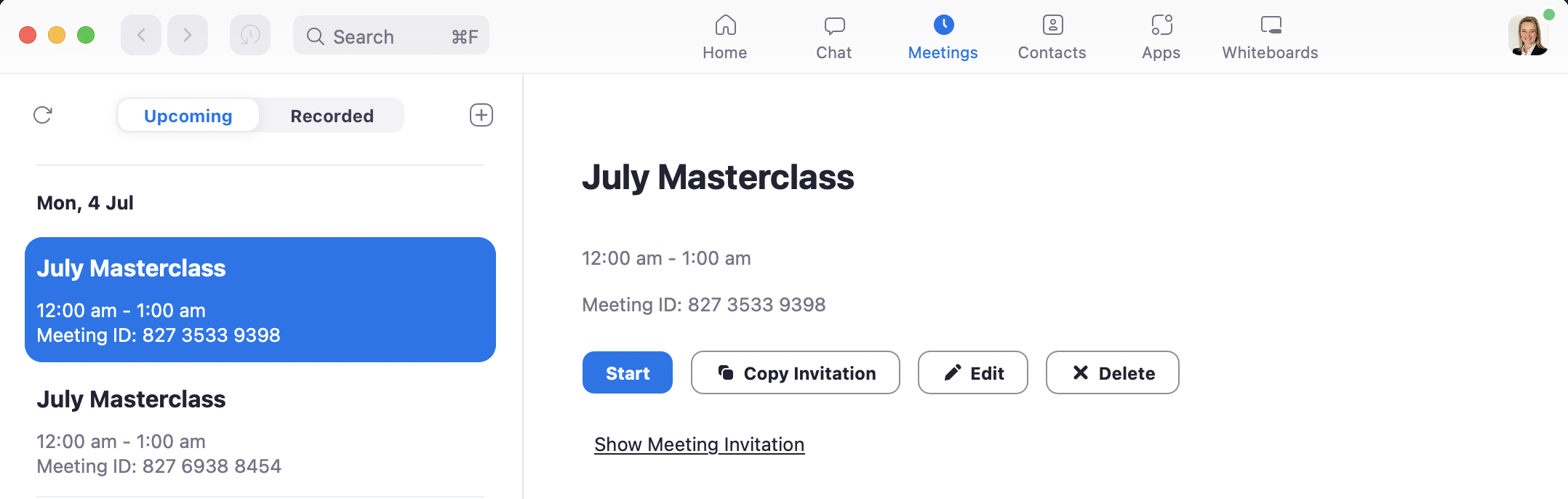
Image 3 – Zoom Event which shows the event twice. The duplication of the event with different EWvent ID’s also appears to be an issue.
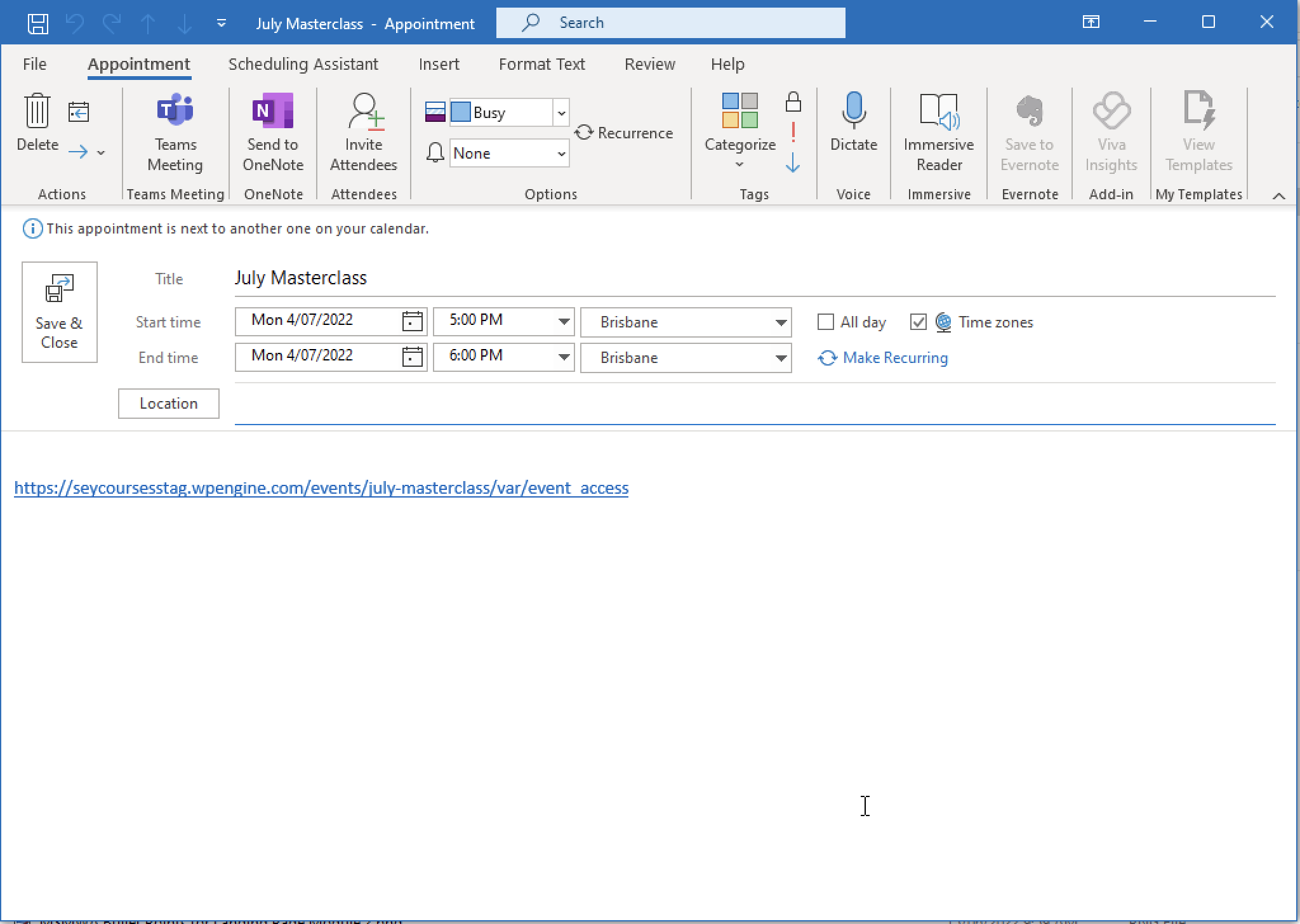
Image 2 – Calendar appointment file
Hi,
I have a further update for you. I set up a test virtual event using the plugin and it does not seem to set the dates correctly.
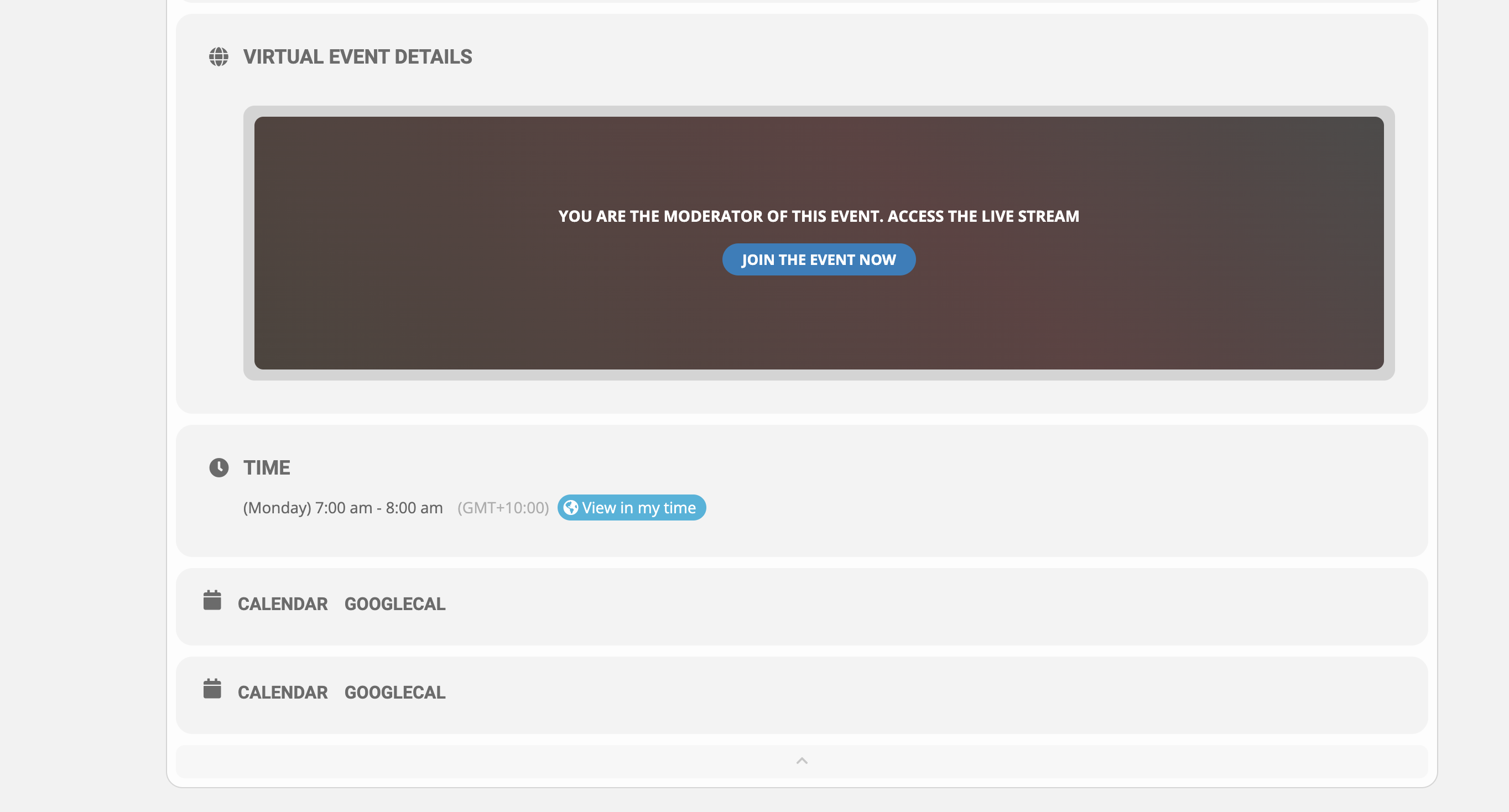
In the event, it shows the correct date and time 4-Jul-2022 at 7 am – 8 am Brisbane time.
However, in the calendar invite, it shows 4-Jul-2022 5pm – 6pm Brisbane time.
When I look on Zoom it shows 4-Jul-2022 12:00 am – 1:00 am.
See the attached files.
1 – Actual Event in Plugin
Hi,
I just found it in another section, and I am testing the connection now. However, it does say that JWT will be deprecated in June 2023. Are you finding another solution like OAth to replace JWT?
Hello and thanks for your prompt reply.
Could you try going to EventON > Time Settings > enable Use UTC offset time globally on calendars (BETA)?
This step alone did not resolve the issue.
If it doesn’t work please implement this patch
https://docs.myeventon.com/patch-fixes/ics-download-event-time-not-correct/
The addition of this step did resolve the issue.
Will this fix be rolled into the next update? Do I need to do anything to ensure it continues working as I update in future?
Thanks so much.
Stuart