Hi Kenneth,
Sorry – I’ve just realised that the license key isn’t enabled on either site – this must have been an old URL during the development phases.
Is there anyway that you can check this URL, and remove it? Allowing us to re-add to the correct URL?
Thanks,
Lee
I have updated, I can not activate the addon and the code you provided does not work. Please help.
Hi Kenneth,
Thank you, we’ll switch it around as needed.
Lee
Hi Lee,
Yes you can deactivate the license on your live site and activate it on your staging site temporarily. To do so, please take a look at the tutorial below
https://docs.myeventon.com/documentations/how-to-deactivate-eventon-addon-licenses/
https://criacine.es/cursos/rodar-un-cortometraje-1-bcn-22-23/var/ri-0.l-L2/
Hi could you please use this link! I send you already a link yesterday wich is working too.
Why is it so difficult for you to find a working link? I mean criacine.es and search for the course wich is opening on single site!
Videos are still not working in popup. And sidebar does not show up properly! That is what I need to resolve hopefully !
Best regards
Richard
Also the “End-Date” is not set at all.
I just tried. No matter which language i choose (also in my profile), the way the date is shown in “Events” remains the same.
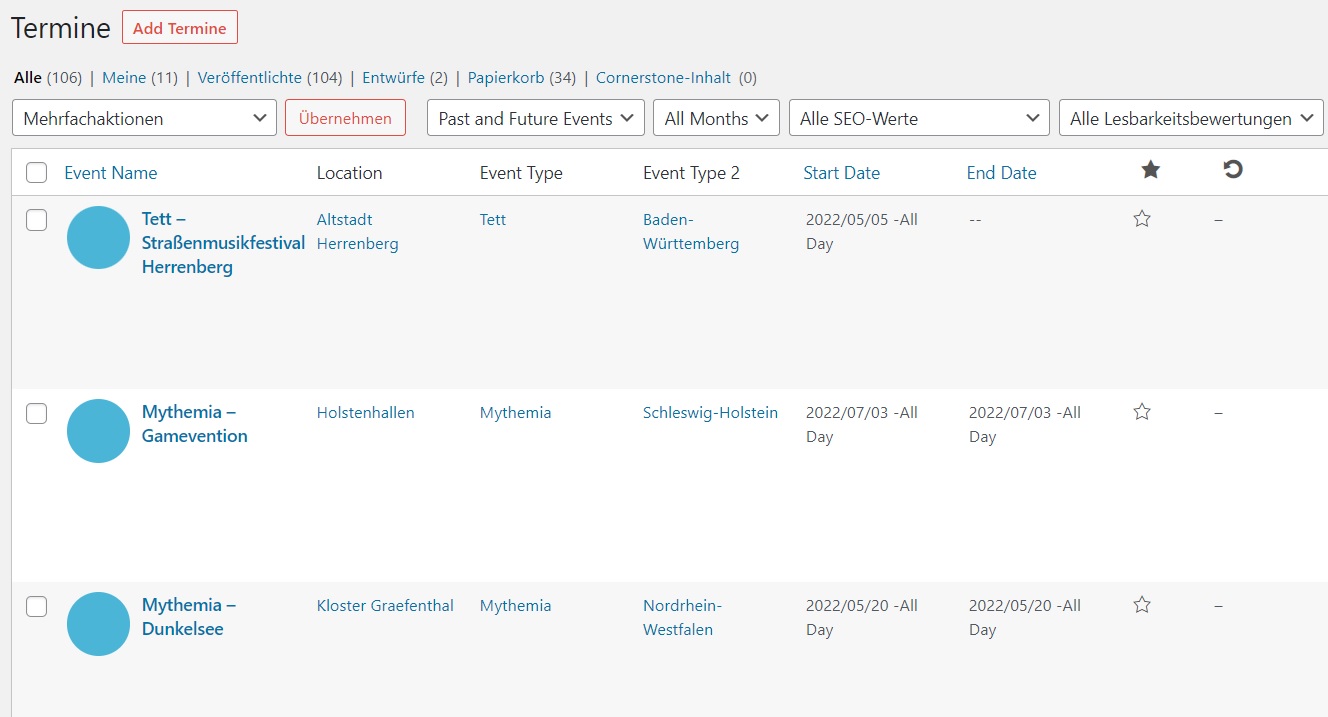
Could it be that setting WordPress to another language (like in my case german) is the problem here?
Because the date-profile differs from the profile in EVENTon. In my Events it is: 2022/05/20
We need to test the shortcode on a different page, ie https://criacine.es/1736/. How can we do that? The page is showing 404 error.
Please add this CSS code to EventON > Styles (If you don’t see any change, EventON > Scripts & Styling > turn off Write styles to header > save settings > turn on Write styles to header):
.evosliderbox.ajde_evcal_calendar .eventon_events_list .eventon_list_event .desc_trig_outter { height: 696px }