Please replace 5/21/2022,5/22/2022 with 05/21/2022,05/22/2022.
The format should be mm/dd/YYYY.
Replies for tickets on suppota
Please replace 5/21/2022,5/22/2022 with 05/21/2022,05/22/2022.
The format should be mm/dd/YYYY.
So, that I was trying to accomplish was to have more relevant links added via shortcode on the single event pages which are being automatically generated.. I have added the shortcode back, and you can see the odd disiplay behavior.
ux_val=”4″ is working now link
However, adding calendar data is not of a concern if I can get the header put on the page.
Which I have a developer continuing to try to resolve, right now. For some reason the developer is having challenges getting the header appropriated to the 3 page event types.
_____
Google is sending traffic to all version of eventon pages, which I am VERY happy about(type pages, location, organizer)!! So the eventon is working for me, and im excited about that.
I generally turn rankmath schema off. I was experimenting with it, until I get a resolution with you guys.
Also, there is this schema plugin LINK. Obviously Id prefer to use the eventon card and schema.
Am I to presume there is no shortcode to generate schema?
The problem, I THINK I need a header on my pages for SEO. I suspect that is why Google is not sending traffic, when I change to using the default single event template(sans header). I suspect the lack of header is getting me penalized by the SEO algorithm??
___
I changed to use the “e” for brevity, a as I thought this was not problematic. I used the interface option to change it.
If this is a confirmed problem, please advise and Ill reluctantly fix it and 301 all the pages which Google has indexed. Though this is not ideal.
And my main 2 goals are trying to identify how to optimize the pages which google is sending traffic to. Is there no shortcode
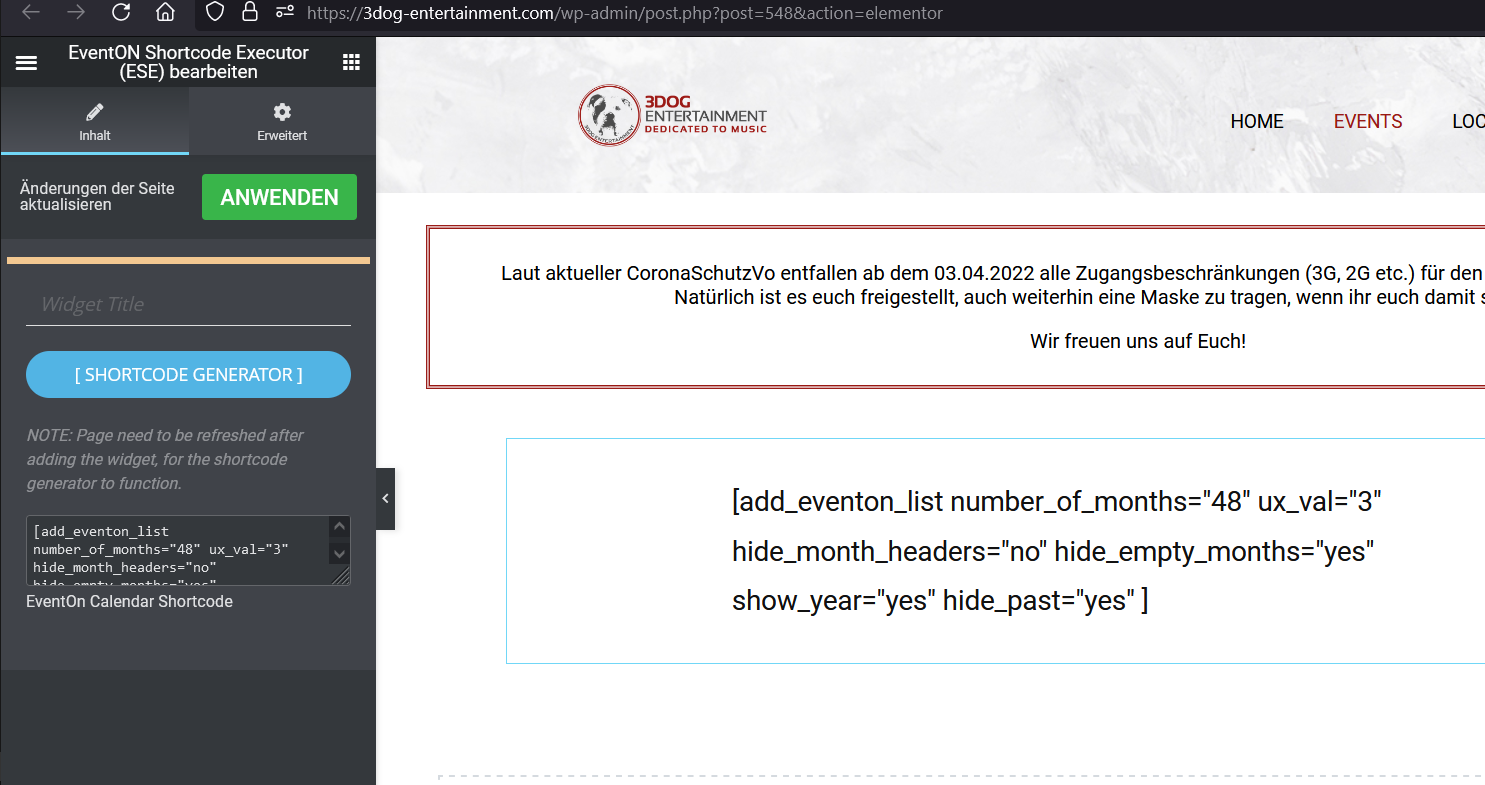
Thank you – that helps.
re1: Send a backend screenshot. I assume that the shortcode is included here via the Elementor shortcode widget? Sorry, I actually only do content maintenance and some cosmetic surgery now and then …
Why is it always something silly!!! THANK YOU!
Hello !
Thank you for this code. I just added it however this does not work for us: the link generated to add to google cal seems having good dates now, however on the google cal interface end date is still shifted of one day… Maybe because our event is lasting several days?
Thanks again!
Guillaume
csv: https://soerenvogelsang.de/cms/files/HbF-Gigs.csv
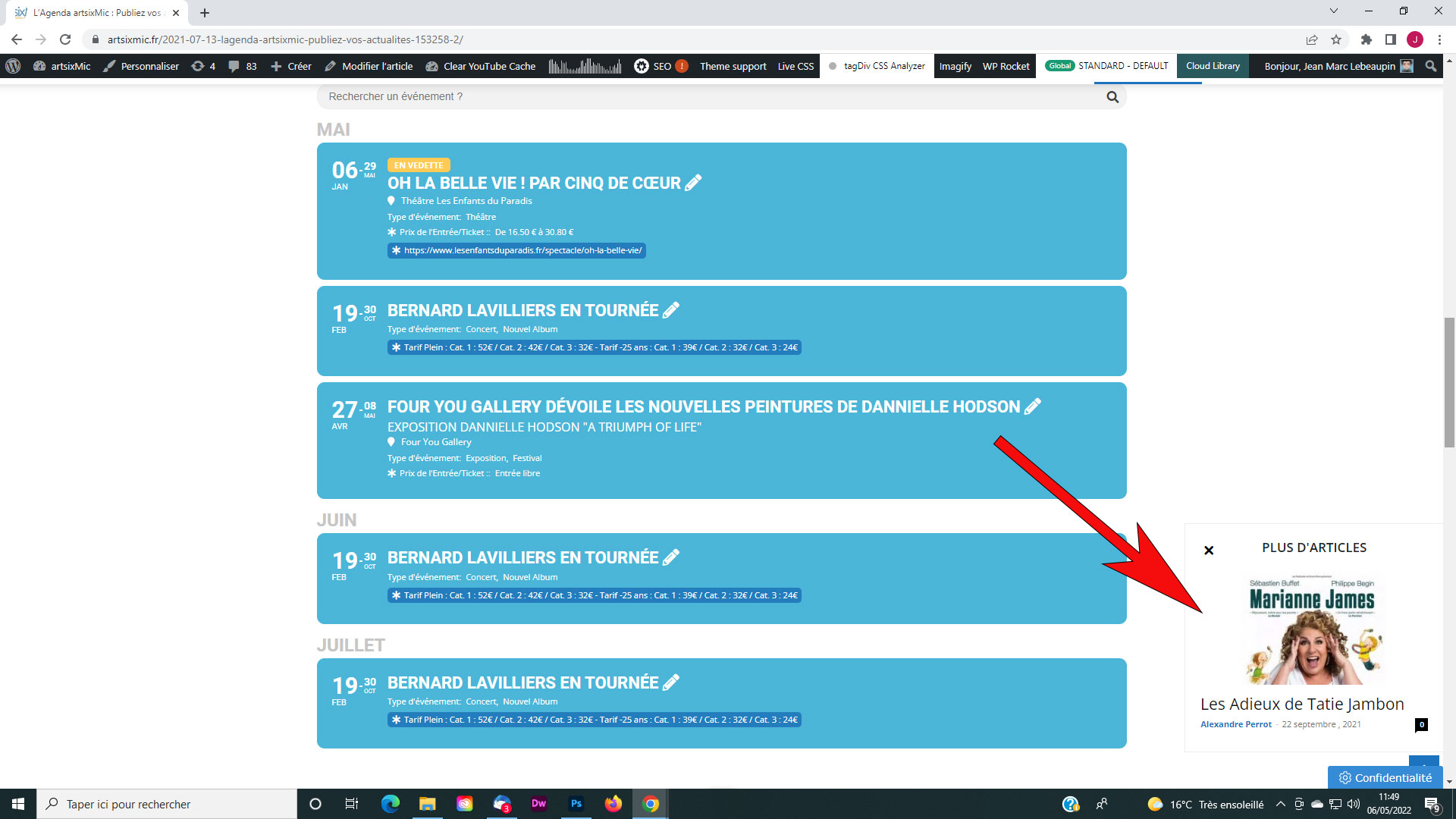
Bonjour,
C’est fait. Autre petite question. J’ai cette petite fenêtre qui s’ouvre sur ma page, voir la copie d’écran, mais je n’arrive pas à la mettre à jour. Que puis-je faire ? Merci.

Sorry, please scratch the last one.
I figured it out.
Thanks.

Thank you,
it works.
I haven’t figured out yet how to customize the page with Elementor, though.
(Customizing works for header and footer.)
::
A different question: How do I prevent the DETAILS from showing? (see screenshot)
Thank you,
Dan
It seems that the issue is in Memory Limit:
[06-May-2022 08:32:07 UTC] PHP Fatal error: Allowed memory size of 268435456 bytes exhausted (tried to allocate 188416 bytes) in /www/htdocs/w017d620/main-role.de/wp-includes/wp-db.php on line 2128
Please take a look at how to fix the issue:
https://docs.myeventon.com/documentations/increasing-wordpress-memory-limit/