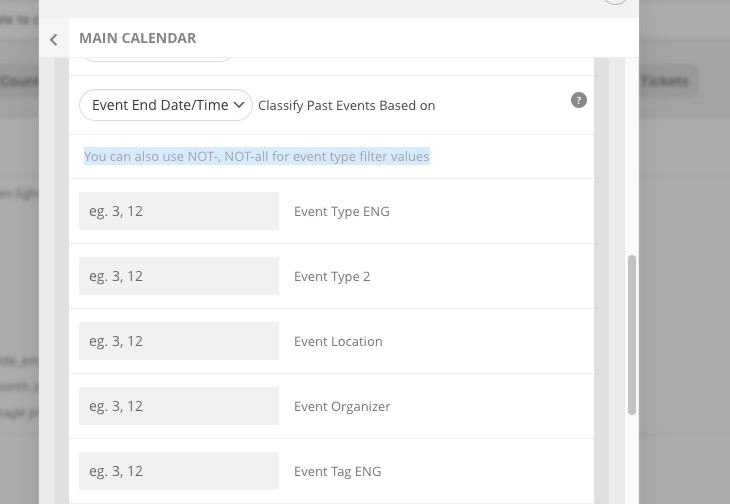
Instead of CSS, please try this:
You can also use NOT-, NOT-all for event type filter values
Replies for tickets on suppota
Instead of CSS, please try this:
You can also use NOT-, NOT-all for event type filter values
Following up again.
What have you discovered after logging in?
Are you getting the same console errors I posted earlier?
I tried 2 more times to update and save the product variations but I still get the same 500 error. I also tried clearing the cache but that didn’t produce a different result.
Please send us wp-admin access to your site as a private message for us to further assist your situation.
try this:
as you are not using the virtual time options- so try setting the GMT to -10 and see if the events appear at the right time.
from a technical point of view it doesn’t feel right- its not the right timezone but at the end of the day- whatever works to mak the front end look right matters
I turned on the setting you mentioned in your last reply. That seems to have corrected how EventON recognizes the start time but EventON is still not taking the ending time of the event into consideration. Once an event starts, EventON is removing it from the calendar even though the event is still ongoing. Up until a few days ago, EventON would keep an event visible on the calendar until the event ended, which is what we need. I don’t see any settings in the panel that would affect this. How can I get EventON to keep current events that have started but have not yet ended visible?
If you want to see the modified version of the site, please use the staging version of the site at https://staging65.vanguardvet.com/wp-login.php. Your login credentials are the same as before.
Thanks.
Just following up. What was the result of your debugging?
What was the offending plugin, if any?
What are the next steps?
I don’t want to hide it from the front end, just from the backend pop up when you edit the location. I can’t figure out the css identifiers that would match that. Can you help?
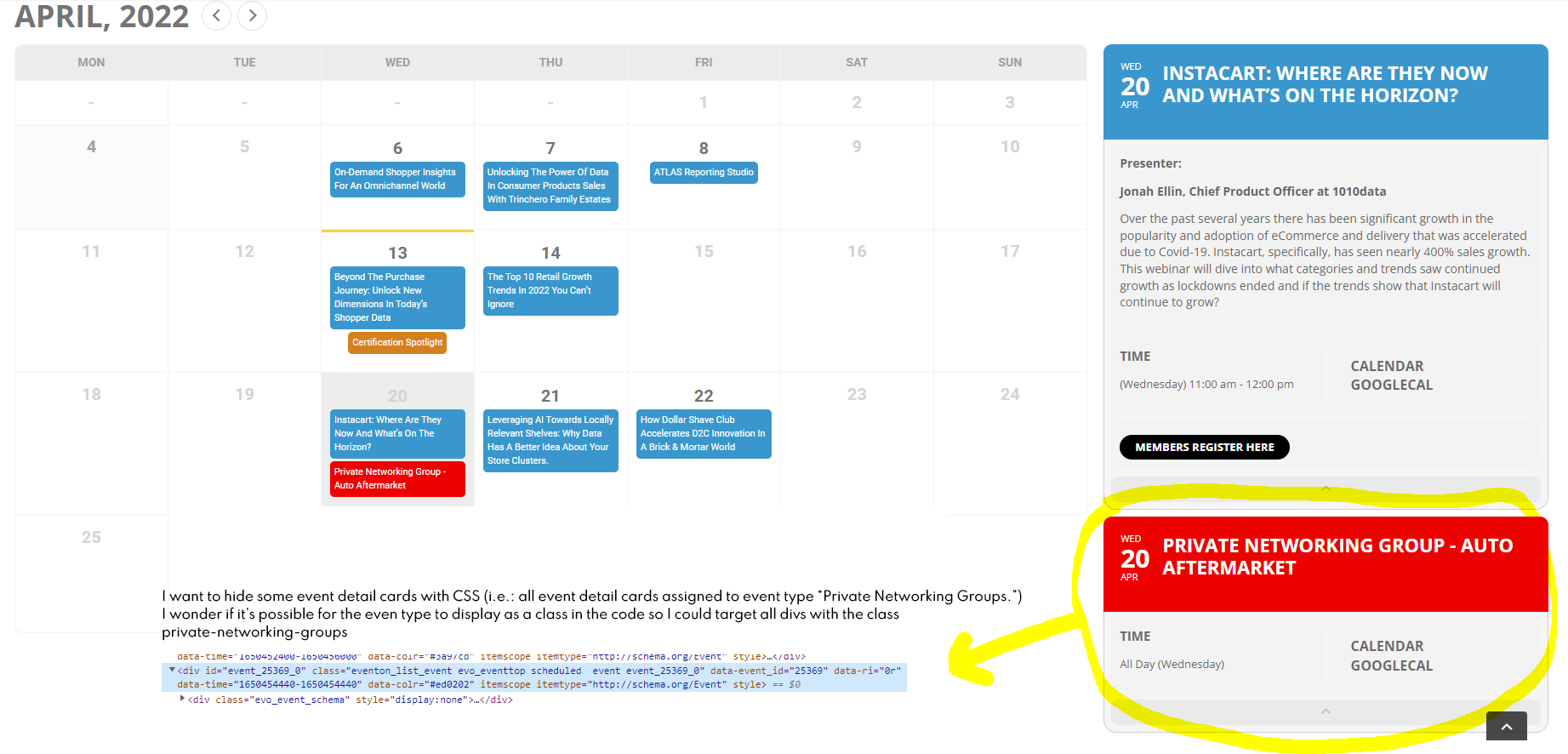
Hello, please see attached screenshot.
I know I have the ability to hide the event detail card from the event edit window, but it does not work with the Full Calendar so I need to do it with CSS.
Thanks,
Mariana
Yes, you can try.
Please feel free to try any debugging solutions as I’ve already given you the credentials to access the site as an admin when I initially created this ticket, because the ticket creation process explicitly stated that you and your team can resolve issues much quicker if they have access.
Can we try the instructions mentioned in this documentation?