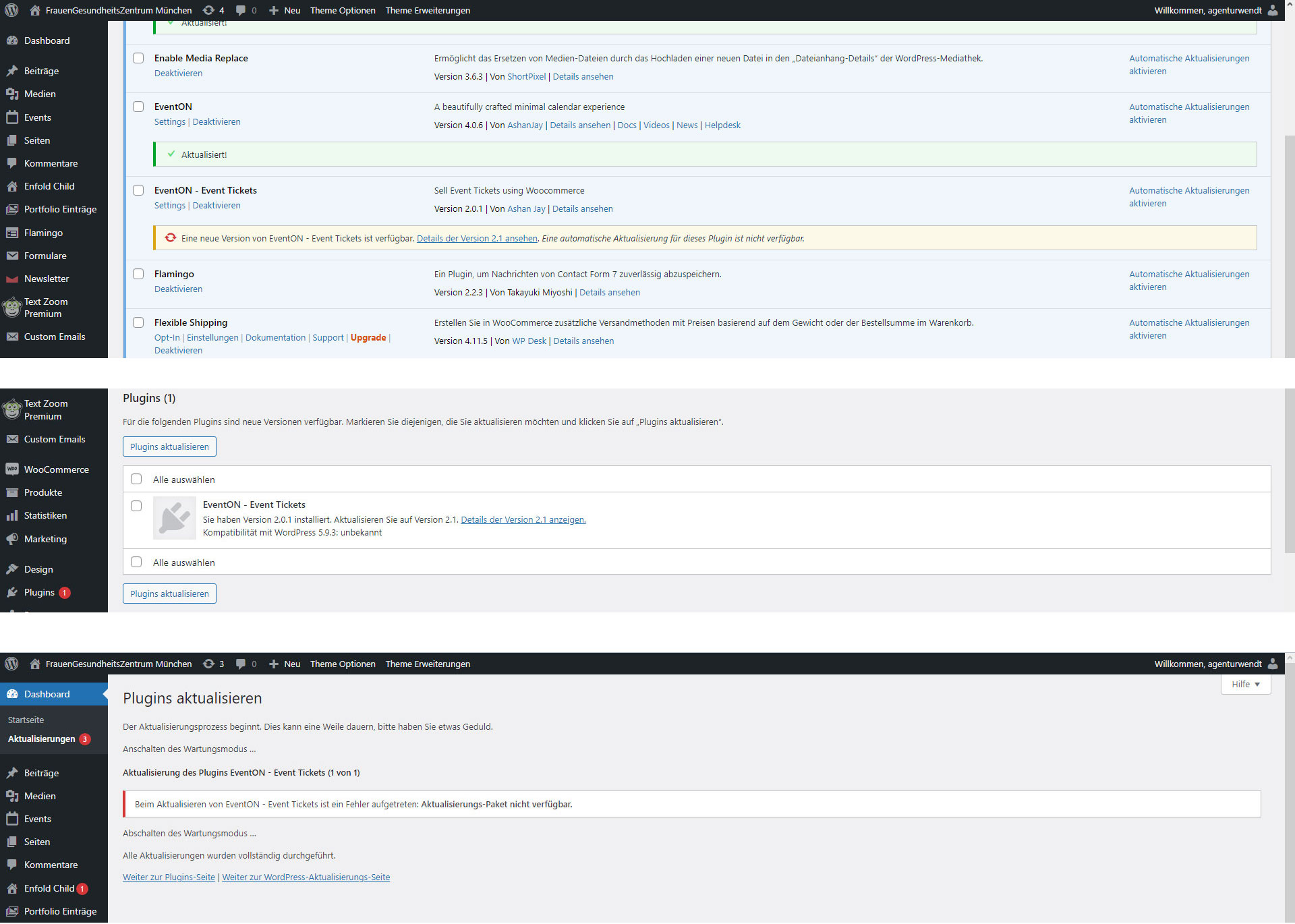
Hi,
unfortunately the plugin EventON – Event Tickets cannot be updated. See enclosed. Could you please take a look?
Replies for tickets on suppota
Hi,
unfortunately the plugin EventON – Event Tickets cannot be updated. See enclosed. Could you please take a look?
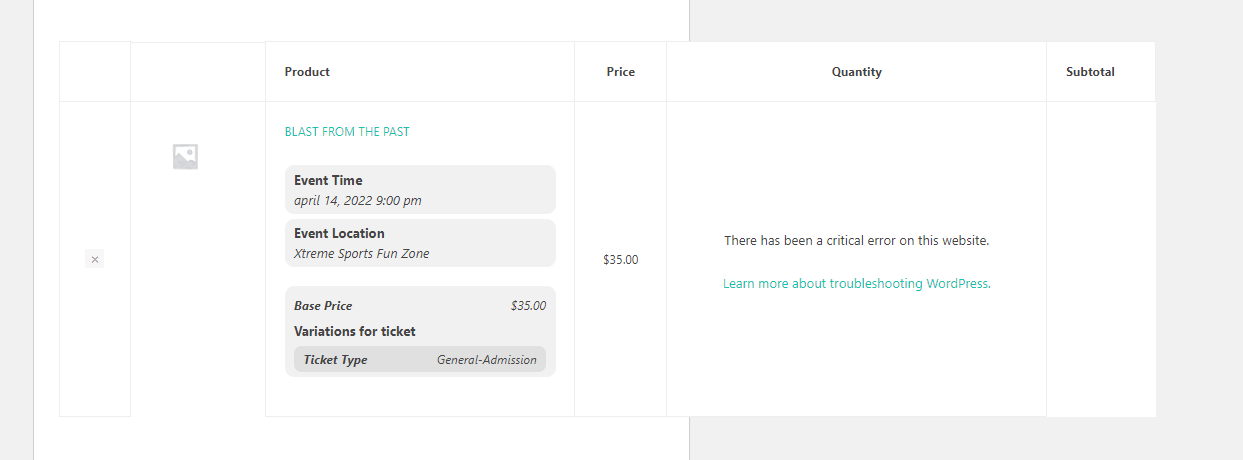
Hi, here is error
try changing hide_past_by=”ss” (ss is start time) to hide_past_by=”ee” (ee should be end time)
Hi,
I appreciate your last response but that part of the problem was corrected by your previous suggestions that I include hide_past_by=”ss” event_past_future=”future” to the short code and enable Use UTC offset time globally on calendars.
However, as I tried to explain in my previous reply, there is still a problem with EventON pulling events off the calendar the moment the events go live even though the events are still current (i.e. the end time hasn’t occurred yet).
In other words, if I set up an Event to start at say, 6 pm and last until 8 pm, the event does appear on our calendar all the way up until the event starts at 6 pm. That part is working correctly now. However, at 6 pm, the event disappears even though it should remain visible until it is set to end at 8 pm.
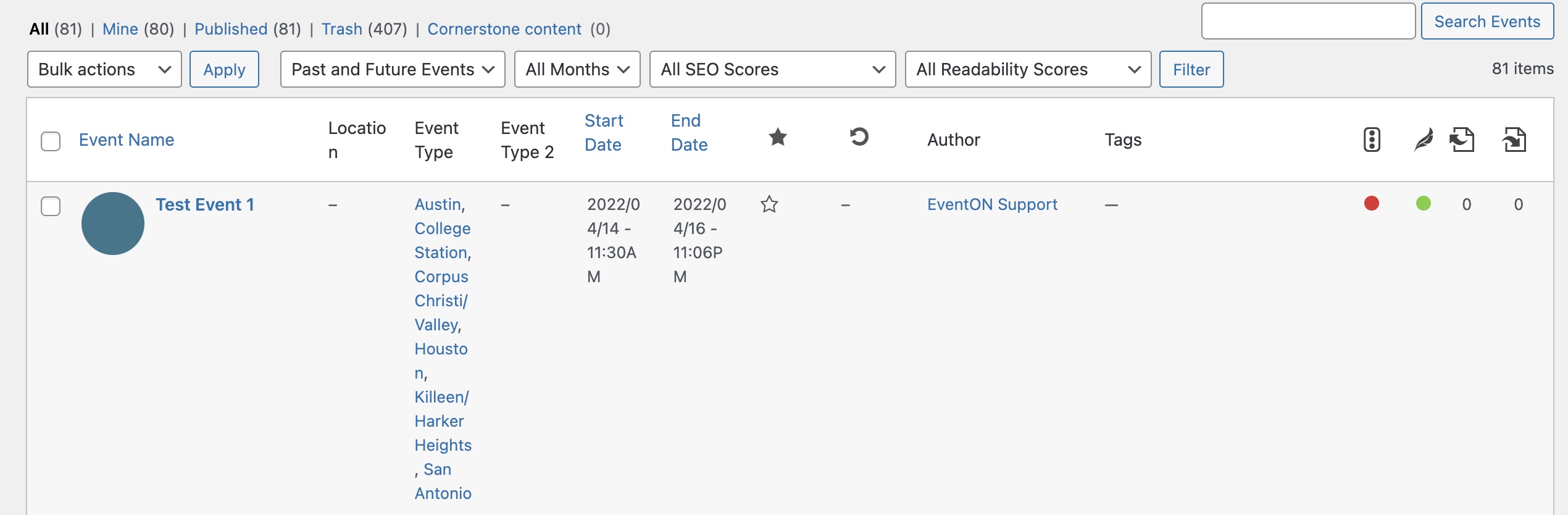
Please take a look at the Event called “Test Event 1” on the staging site at https://staging65.vanguardvet.com/. Same login credentials as before. That event isn’t set to end until 11:06 pm on April 16, but it no longer appears on the calendar. It did appear right up until the event was scheduled to start, then it disappeared.
Hopefully that makes sense. If not, you can call me 24/7 at 210-771-6799 and I can explain. Again, this has never been an issue before I first reported this problem and we need to get it resolved ASAP.
Thanks!
Hello,
Thank you for your great suggestion, at the moment it is not supported. However please create a new ticket and select Feature Request as category so others can vote on your idea and get it moved into development faster.
Hello,
Could you update EventON to 4.0.6 and then update Action User?
To update eventon to latest version: If you are unable to do autoupdate, you can go to codecanyon your account > download and get the latest eventon version as zip file. Then you can go to your website, deactivate old eventon, activate (Do not delete eventon settings & data when EventON is uninstalled) from eventon settings, delete old eventon, install new one and activate. This link will further explain the process it. Also you can follow us on twitter to get real-time announcements on updates!
To update eventon addons: You can download latest eventon addons from myeventon > my account. Then you can go to your website, deactivate old addon and install new one and activate then delete the old addon. This link will further explain the process. Also you can follow us on twitter to get real-time announcements on updates!
After both updates please follow the instructions in this documentation to activate debug in your site to see any PHP errors recorded that can provide insight on to whats going on. Please reply with a link to debug.log file. If you are not able to do this please send us FTP access to your site so we can do this for you.
http://s86926584842.de/admin
Name: CandBAdmin
PW: tk.MZJAnR_pY9Xzf!bEnVwV*EC*
Thank you!
Could you send us the edited .ics file?
Every time we go to the event, it’s occupied: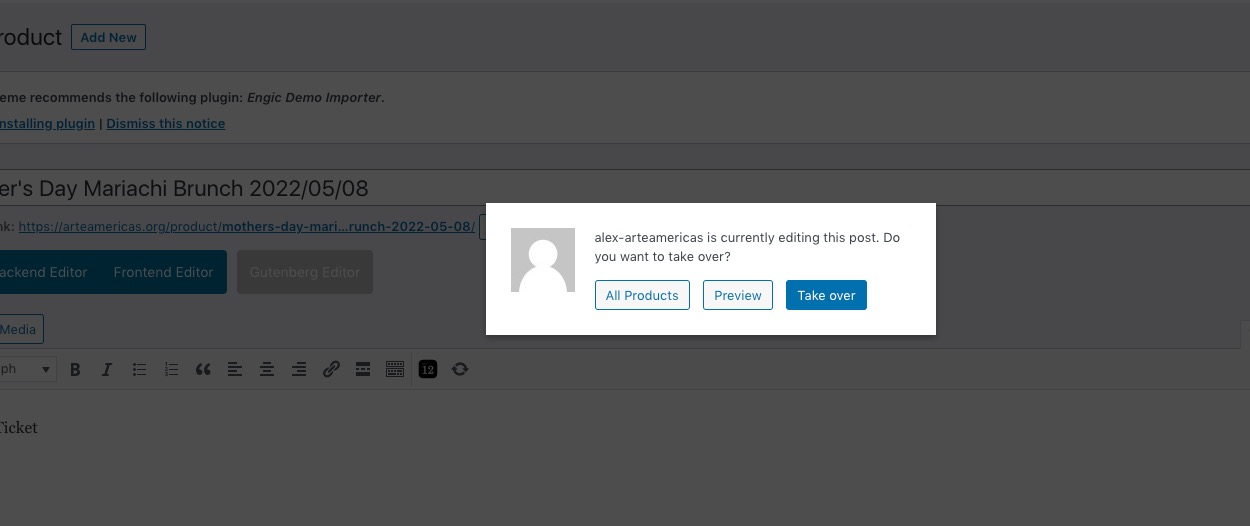 Could you please try the instructions mentioned in this documentation?
Please use this code:
.ajde_popup_text p:nth-child(4), .ajde_popup_text p:nth-child(5), .ajde_popup_text p:nth-child(6) {display: none !important;}