Thank you this has worked perfectly
Archives: Replies
Replies for tickets on suppota
Reply to: tickets(274898)
And how to see the date ?
Reply to: tickets(274883)
Yes the big paypal button is for Paypal Express and is a requirement for the Angelleye plugin to work – this means that the customer has to bypass the checkout for the payment trigger to work, but even doing this only sends payment to the default account and not the trigger account. Please can you advise on the requirement to set up an Archive and Store page? Is that a requirement? It seems that ticket sales are occurring without it, and since we want customers to bypass the checkout and use the Paypal Express button, I’m reluctant to add that. Thanks again for your continued support with this issue.
Reply to: tickets(275001)
Hi Carlos,
Please use the custom CSS code below to make the text show in the next line.
.ajde_evcal_calendar.boxy.boxstyle1 #evcal_list .eventon_list_event .evcal_desc span.evcal_event_title {white-space:pre-wrap;}
If you want to reduce the font size instead use this code:
.ajde_evcal_calendar.boxy.boxstyle1 #evcal_list .eventon_list_event .evcal_desc span.evcal_event_title {font-size:14px;}
Add the code in Appearance > Customize > Additional CSS
Reply to: tickets(274898)
You can remove the left padding by adding this CSS code.
#evcal_list .eventon_list_event.anypost a.sin_val.hasFtIMG .evcal_desc{padding-left:20px;}
Please add the custom CSS code to “EventON Settings > Styles” and save changes. If you do not see the new style changes, Go to “EventON Settings > Styles & Scripting > Turn off write styles to header” Click save changes – to write the styles css code direct into page header. You can turn this off once the cache is cleared. You can also clear cache on your website via wordpress and/or from server to make sure new style changes are populated into page.
Reply to: tickets(274901)
Yes, when we click this button on desktop it works correctly, however when we try to do the same on mobile phone the wrong list comes up.
Thanks
Helen
Reply to: tickets(274898)
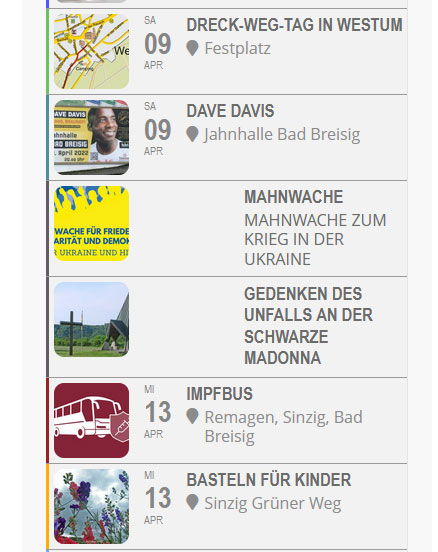
hi,
Then in looks like this. (Screenshot)
Reply to: tickets(274797)
It will be accesable by google search engines but as its not keyword rich it only has the events on that page and the organiser name to rely on
you can also create your own organiser page see video below
Archive pages are not that useful tbh so by creating your own dedicated page that can be something google can find easily
the only weakness is if you have 214 organisers you’ll need to create 214 organisers but if you only have 20- then thats not a huge task to make
Reply to: tickets(272998)
Try adding the code to https://www.associazionesaras.it/wp-admin/customize.php?url=https%3A%2F%2Fwww.associazionesaras.it%2F > Additional CSS.
Reply to: tickets(274766)
Also, I’m getting errors too… Any ideas on why this would be happening? Is there a log to view?
This is because of enabled “Enable duplication event name check during importing”. Some events cannot be imported because they are already exist.
however, we need the start times to be four hours earlier for both end and start
Try going to https://www.forkunion.com/wp-admin/admin.php?page=evoics > change Event processing timezone method to the one that is 4 hours earlier > import events with the time needed.