Hey,
Just a quick update that we have escalate this so it can be proceed properly and as quick as we can!
Replies for tickets on suppota
Hey,
Just a quick update that we have escalate this so it can be proceed properly and as quick as we can!
Hello,
You can do that by enabling the option to “Stop using eventON single event template for single event pages” in Eventon > Settings > Events Paging
Hey Ben,
You can submit a customization request to 3rd party developers via Customize EventON Page.
Thanks Artem!
One question went unanswered: On my website I use two event categories (event type and neighborhood). Would I insert the category ID’s under the event_type and event_type_2 ?
I am not sure how to use the cmd_{x} in my case. Regarding the Buy Tix button (custom meta data field), what do I enter for each of the following columns:
Is there a tutorial available?
Thanks!
Carlos
Hi Ben,
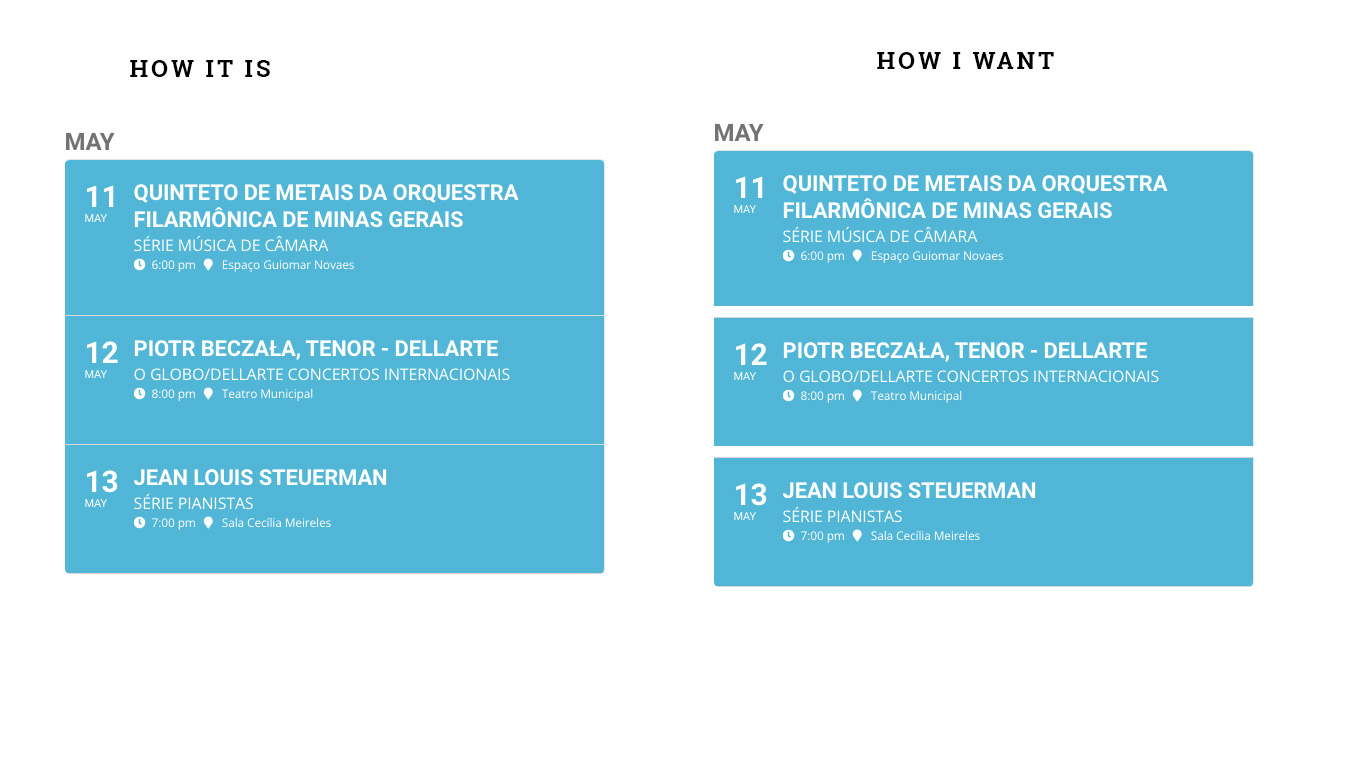
Please add the custom CSS code below to Appearance > Customize > Additional CSS
@media only screen and (max-width:522px){
.evoslider.ajde_evcal_calendar.ss_imgtop .eventon_events_list .eventon_list_event .desc_trig{flex-direction:inherit;}}
Hi Bruno,
To increase the padding, add the custom CSS code below to Appearance > Customize > Additional CSS
.ajde_evcal_calendar .eventon_list_event .desc_trig_outter, .eventon_events_list .desc_trig_outter{margin-bottom:10px !important;}
Hi Ryan,
No, that should not affect the products. When you cancel your subscription, the only thing that gets updated is the option to update the addon.
Thank you for your assistance and video explanations.
This was very helpful.
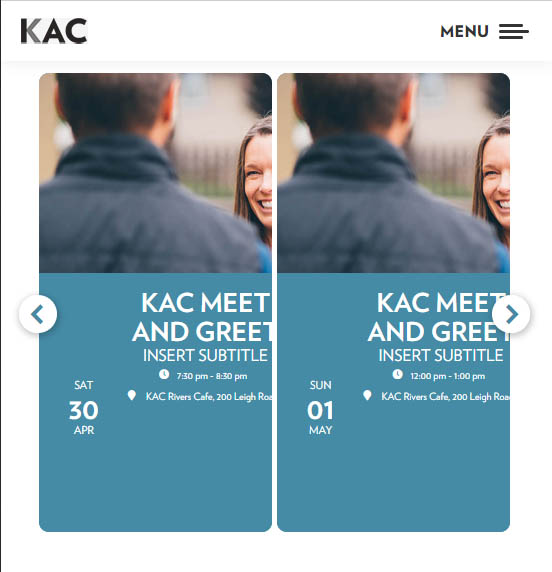
Would you mind please taking a look at this on a more narrow screen width (mobile) – issue starts around 552px.
The date falls below the remaining info which is then not offset by the width of the date and info is no longer centered.
I tried playing with the CSS but have not yet been able to fix this.
Thanks.
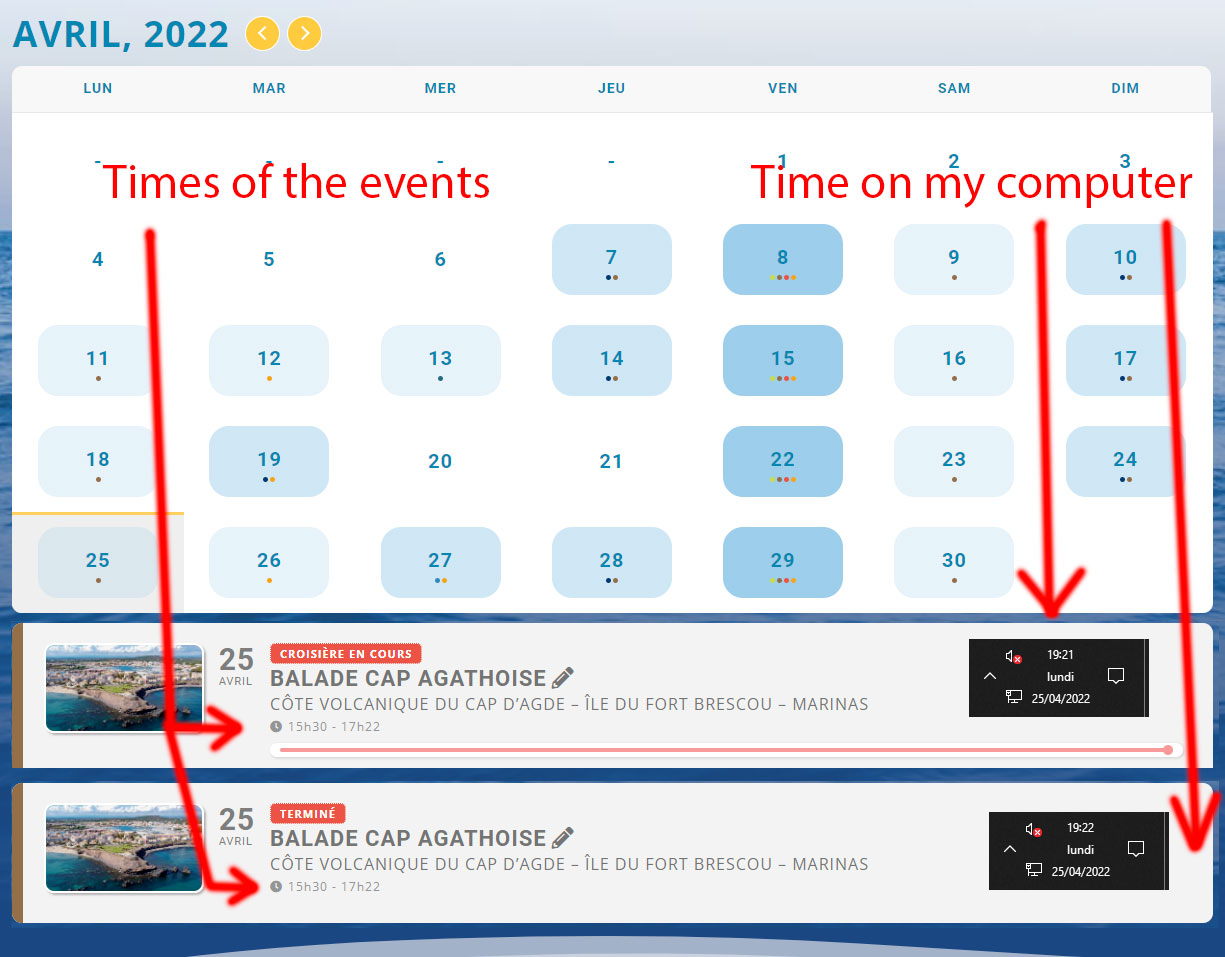
Ok I have just understood that there is a 2 hour shift compared to the times set in my events (look at my screenshot).
I guess it’s related to my GMT+2 (Paris)? Any idea how to fix this?