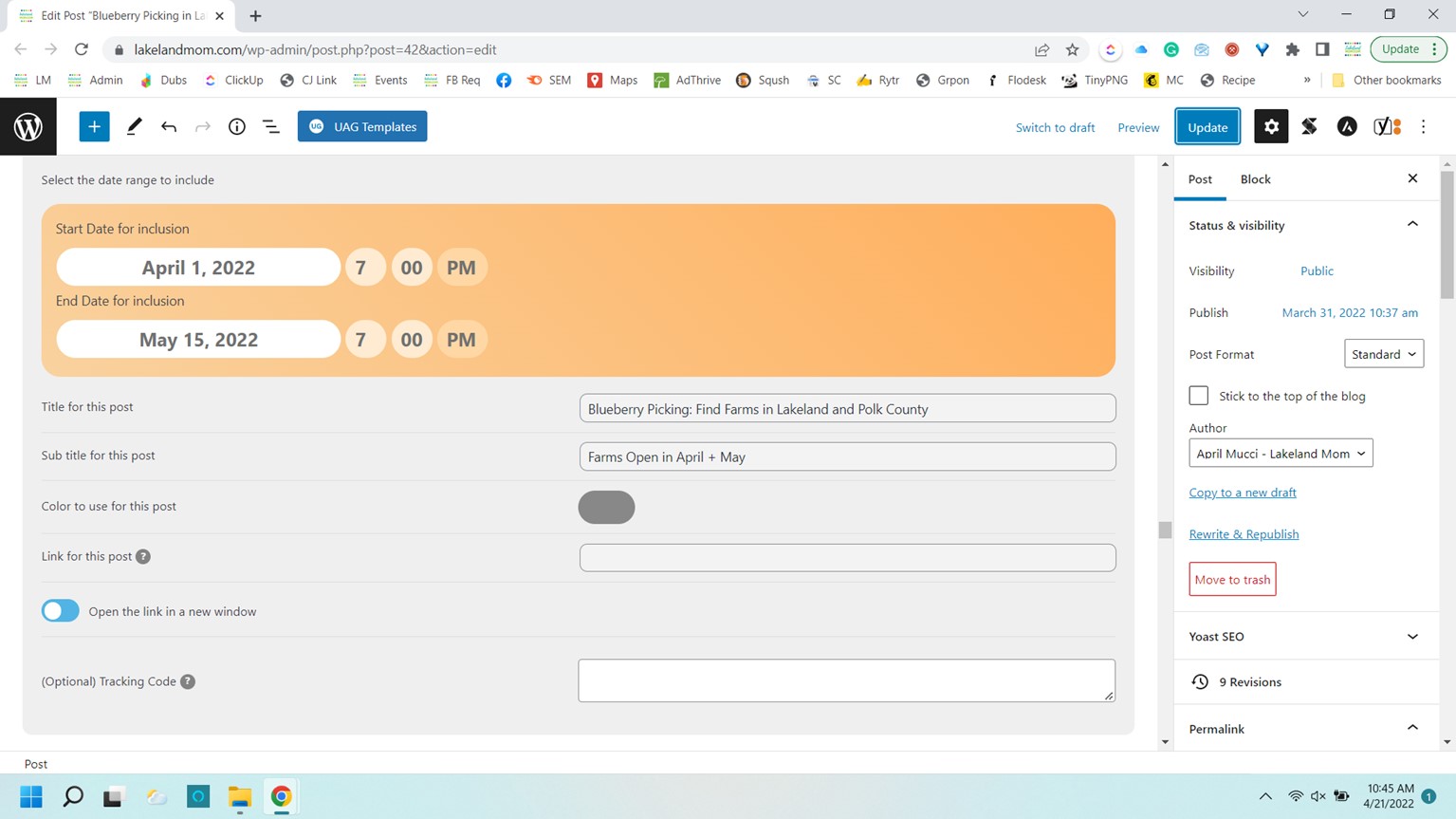
Here you can see where I’ve tried to customize the title and also make it open in a new tab
Replies for tickets on suppota
Here you can see where I’ve tried to customize the title and also make it open in a new tab
Hi there,
The credentials are as follows:
U/n: wpadmin
Password: QAZ135wsx$%^
I tested this on Safari browser and this works fine.
Thanks,
Neil
Thank you for this information Artem!
So I will test my CSV file with the following fields retrieved from my event:
As you can see, I’m also using Ticket Variations and Options, and I’ve selected the “_evovo_activate” field with the data “yes“. Only can you tell me how to add the variations information in my CSV file?
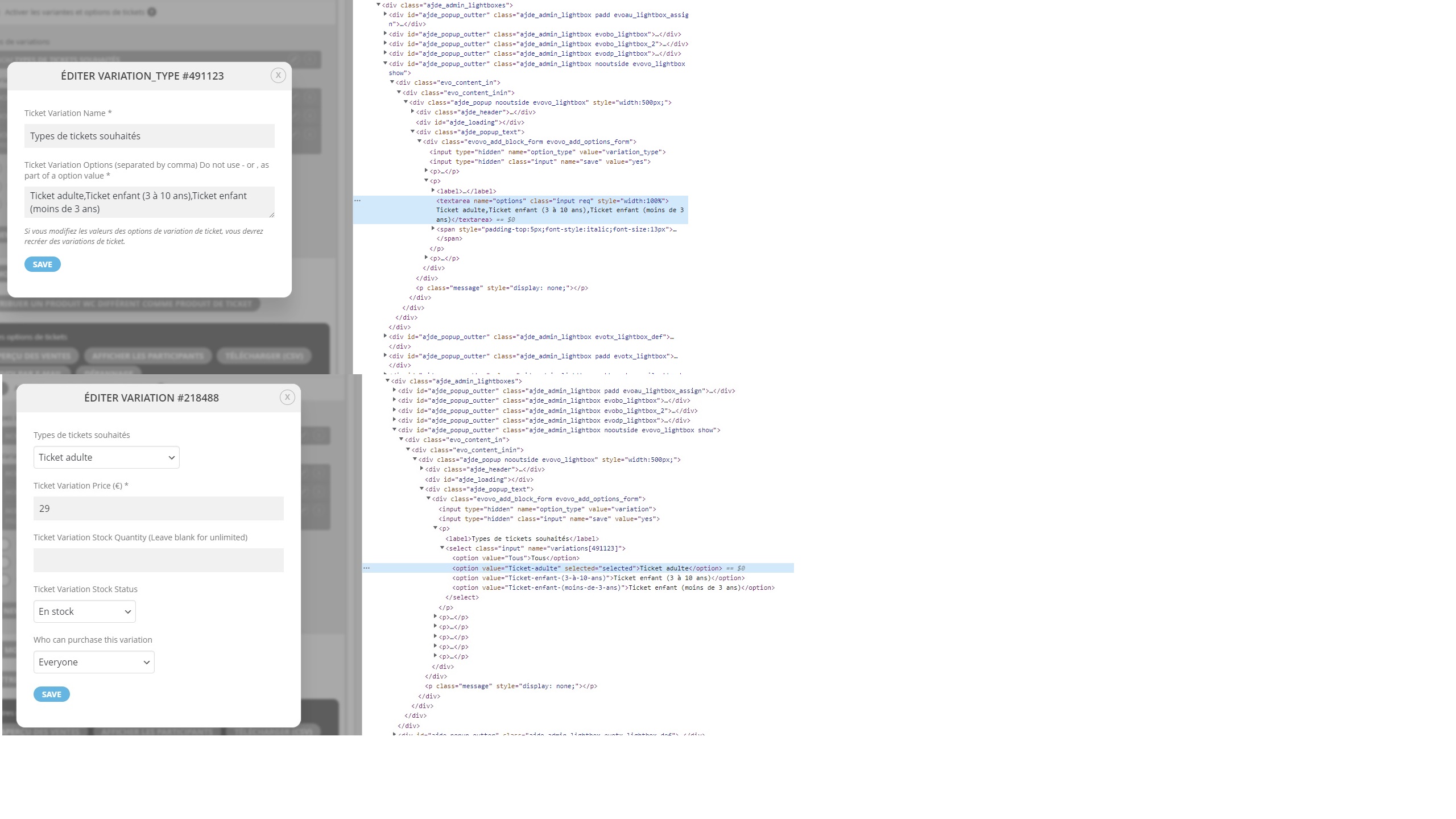
Here an example of datas found in the HTML code, for my variation and his 3 options for my events:
type (Ticket Variation Type Name) => Type de ticket souhaité
options name (Ticket Variation Options Name) => Ticket adulte,Ticket enfant,Ticket bébé
JSON datas: {“type”:”edit”,”event_id”:13379,”wcid”:13380,”parent_type”:”event”,”parent_id”:13379,”method”:”variation_type”,”vo_id”:491123}
In summary I have 2 questions:
Thank you very much for your help.
?? Can you help with the custom css to prevent the images from being cropped?
Okay, thank you.
Sorry I didnt see the reply.
You are only going to see the issue by logging in if you can log in the right time.
For example if you looked now (time 13:54) an all day event which has also stored the time of 08:02 does not show for today. But you will only see the problem until the end of the day when it does become a past event and all is fine.
Does hide_past_by=”ee” work in the lite version? Thinking we could try setting up a test site for you to see the problem
How have they done it on this site then? https://absaloncph.dk/kalender/ I know the use eventon as well with the full cal plugin. Does it take another plugin or? 🙂
For the full cal its not possible to show the entire event card for a particular event- its all or nothing for that day
Awesome! Thanks a lot, it works now!
Hello,
Please follow this guide:
https://docs.myeventon.com/documentations/import-additional-fields-using-hooks/
In order to find the correct field variable name (_field_var_name in the guide) you need to check the HTML code:

Another example of Manage Stock:
