Hi.
Thank you for getting back to me. I found that there is a possible conflict between two plugins. When I enable a plugin called “sign-up sheets pro”, the eventon list on the homepage is not loading. When I disable the plugin, eventon works. However, it only applies to the homepage. On the other pages where the eventon lists are shown, they work fine. Can you please help me figure out what is causing this problem because our website is heavily depending on both plugins. Eventon is used for our customers and visitors, while the SignUp Sheets are used to manage the volunteers that are working at the events.
Hope you can figure our what’s going on and why this specifically only happens on the homepage and only on mobile devices..?
Thanks a lot and hope hearing from you soon!
Kind regards,
Mark
See video below
This entire ticket is private only you and us can see it
video password: Pankow34
https://vimeo.com/696513401
can you provide a direct link to the page that has that event with the image over the title
in woocommerce>>>>>settings
Then click the top bar “emails”
and choose the processing email- manage it- you can then turn it off by unticking the box
see video below
by managing the completed order you can add the link in there
Also put the form shortcode on the my account page as well as thats the page they first go to when logging in
Hello,
thank you for fast reply!
Here are the access data:
eventon-support
X&b#LZ(QzhPaTzyRnskbTa5e
https://cosday.org/wp-admin
At this point I want to say, that I don’t want any filters for the website visitor. I want to define this by myself.
Here is the page on which I am testing: https://cosday.org/?page_id=575&preview=true
On this page I want to display all events in two columns one for each day but only events that appear on the MainStage location.
In the shortcode generator, there is no field to select location.
Best regards,
Alexander
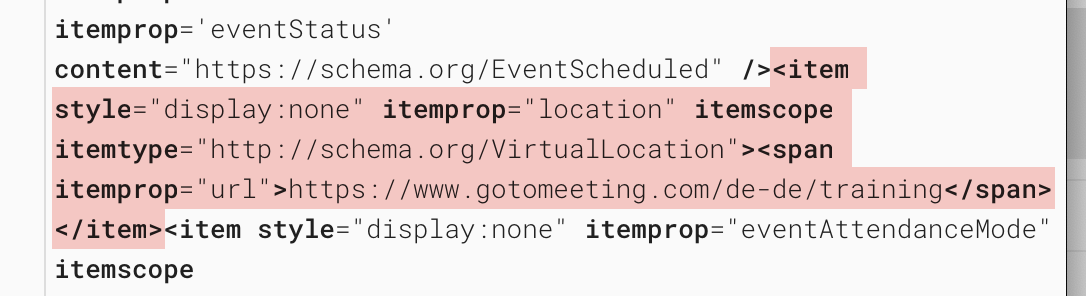
Actually the code is not shown. Image attached
you can filter by location with the daily view
Please send us wp-admin access to your site as a private message for us to further assist your situation.
I’ll create a page and film it on your site so you can see and double check your settings so that the location appears on the category bar
just discovered there’s an option to do that:
Eventon Settings ->Scripts & Styling ->Load all eventON scripts/styles to page headers, where eventON is used
turned on, it does exactly what was needed to prevent the layout shift.
switching this to public for others who might have the same issue.
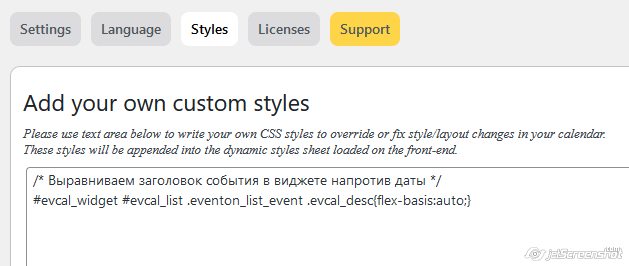
Sorry, code doesn’t work for the first event.


Hi Edward,
Please add the custom CSS code below in Appearance > Customize > Additional CSS
#evcal_widget #evcal_list .eventon_list_event .evcal_desc{flex-basis:auto;}