Hi William,
If you just want the links not to point anywhere, you can use the custom CSS code below:
body .ajde_evcal_calendar a, .ajde_evcal_calendar a:hover{pointer-events:none;}
(Add the code in Appearance > Customize > Additional CSS)
If that does not work, then you can remove the entire section by going to Eventon > Settings > EventCard design
hi so this is the issue:
regular shop product completed order email is fine :

event completion order has confusing text saying ‘your order is still in process’

can we either change that message to be – please proceed to [code that links to our event page = (https://ecoactivesocial.com/event-directory/) ] to submit your event
OR just get rid of it and we can manually add a line of text in our complete order email ourselves saying something like: If your order was to submit an event please login and proceed to the Add Event page and upload yoru information here >> (with link)
ONE OTHER THING – mobile css issue – the Item Description in cart is hidden behind image of product /event regardless of the size of the image = can you send some css to move it up a notch perhaps?
see image :

Don’t worry, I fully understand and I am glad that we can talk to a real human – and a kind and friendly one at that. Thank you for all your help
I think both approaches have value, either autoremoval of saved files or the option to not save them at all. I would only use the latter, since saving and removing afterwards still leaves some uneccessary traces in the database. Better to prevent unused data then to remove it.
But if they are used, an automated removal as a second option would be great.
Thanks for yout Support Ashan, we really appreciate it.
Hi Monika,
Thanks for your prompt response and action. I will go ahead and escalate this to Ashan. Please allow some time for him to get back to you, we greatly appreciate your patience and thank you for being a eventon customer!
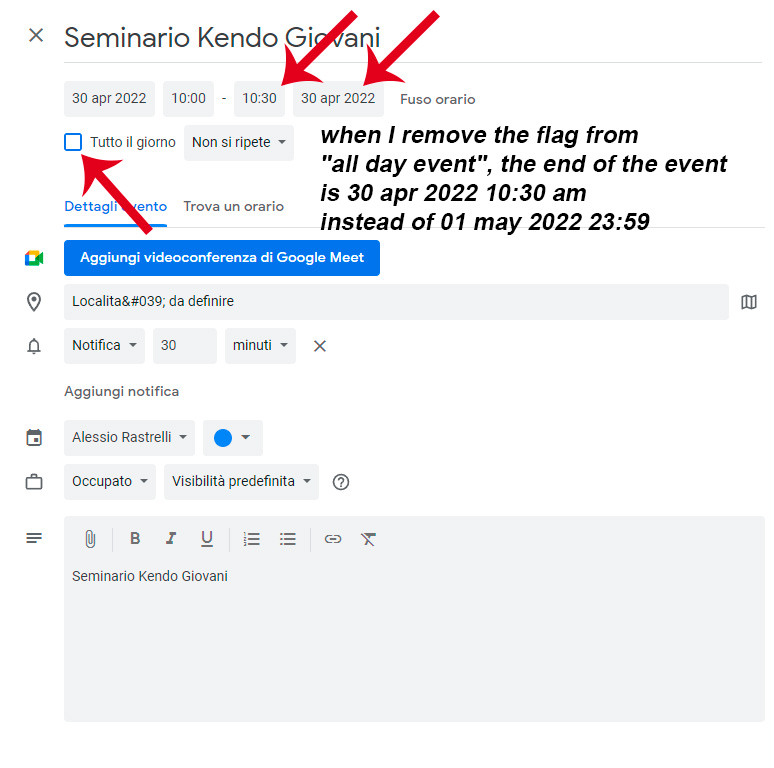
PIC 4
when I remove the flag from “all day event”, the end of the event is 30 apr 2022 10:30 am instead of 01 may 2022 23:59
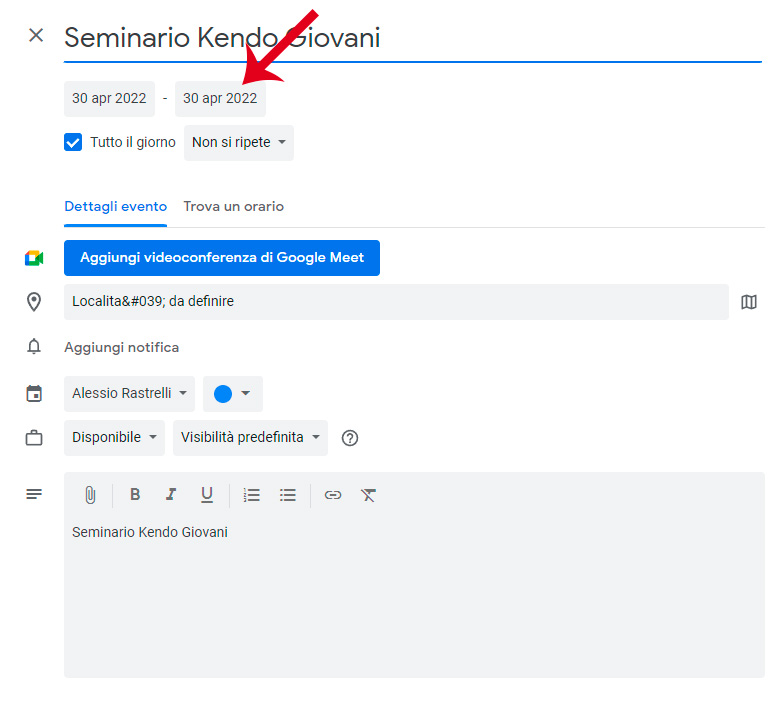
PIC 3
If I export this event on Google Cal (or ics) the event is set just on the first day 30 apr
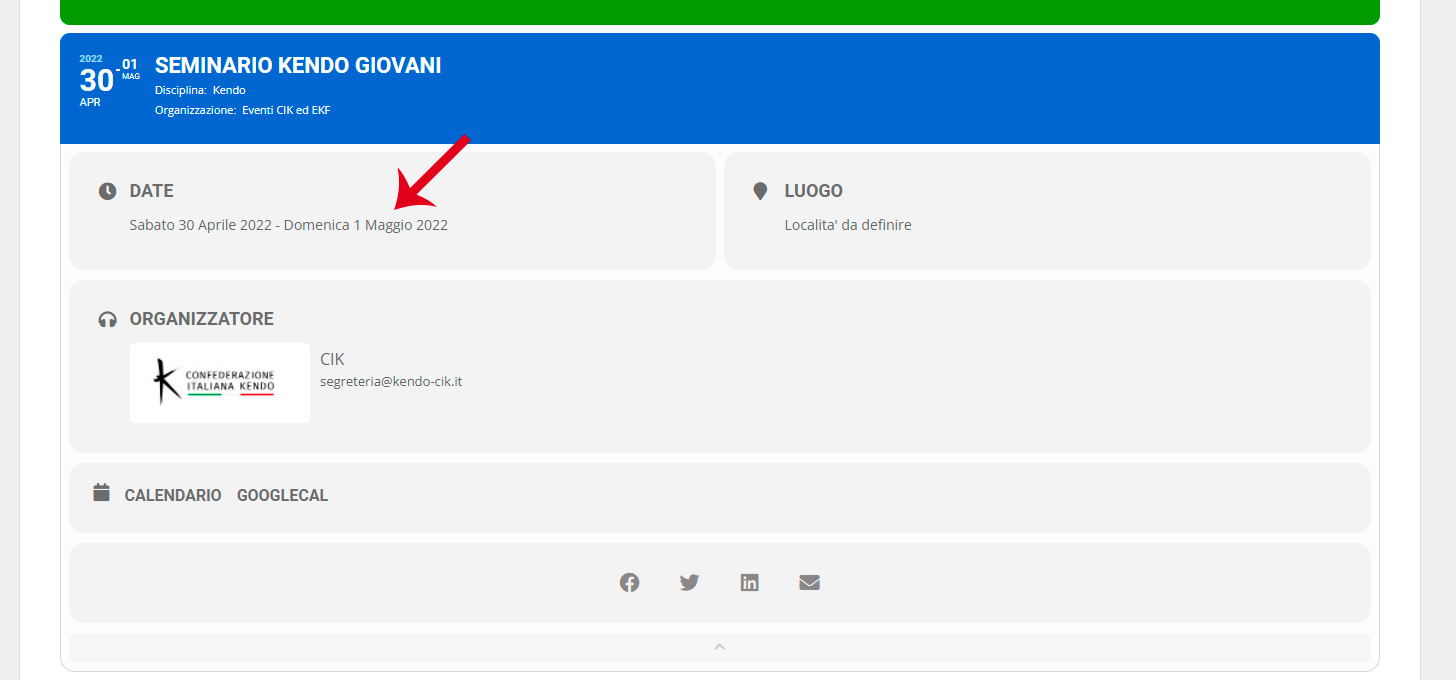
PIC 2
On the front end dates are correct from 30 apr to 1 may
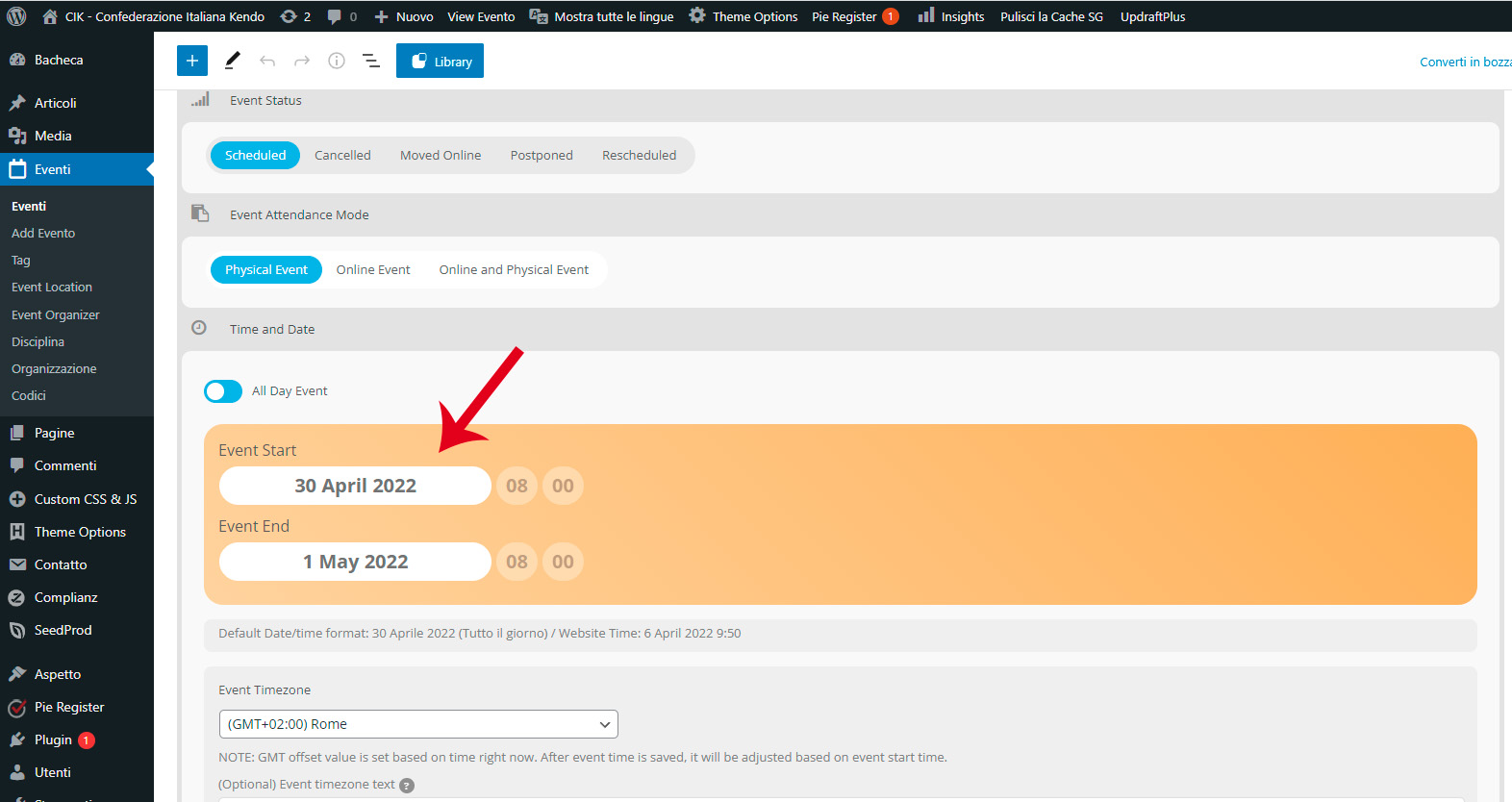
PIC 1
event set from 30/04 to 01/05

