Hello Mr Ward, I have gone ahead and refunded you for the orders and your subscription is also cancelled.
Archives: Replies
Replies for tickets on suppota
Reply to: tickets(409388)
Here is a link to download 5.0.6 — https://dev2.myeventon.com/surl/DyDnWGrOVfNQ I do not think downgrading to old versin will allow you to get the previous set custom css codes back. Were those added in eventon settings > css?
Reply to: tickets(409430)
Reply to: tickets(409393)
Hello,
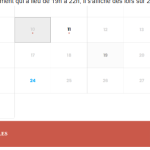
One of our customers has asked if it’s possible to change the way events are displayed on the calendar.
In other words, they currently look like this (Image 1)
But another one of our clients uses the Events Manager module on their site, which displays events on the calendar like this:
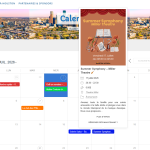
We’d like to know if there’s a way to display them like this.
Thank you very much.
Reply to: tickets(407704)
We are glad your issue is resolved, if you have any further questions or concerns please create a new ticket.
If you have a moment, we would greatly appreciate if you could kindly leave us a review at EventON WordPress Page OR EventON > My Account > Downloads. Your review helps us a lot in continuing EventON improvements!
Reply to: tickets(409408)
Hello,
Please follow this guide:
https://docs.myeventon.com/documentations/customize-rsvp-emails/
You can use these two to get event’s time and then transform it to only week:
evcal_srow UNIX event start value
evcal_erow UNIX event end value
https://docs.myeventon.com/documentations/event-post-meta-variables/
Reply to: tickets(406710)
Yes please, from 5.0.10 EventON should be available to autoupdate from wp-admin > Plugins with no need to use CodeCanyon.
Reply to: tickets(409007)
Thank you for letting us know! Is it possible to share wp-admin access to your website via our secure ”Access info” section on right side?
Reply to: tickets(409007)
Hi,
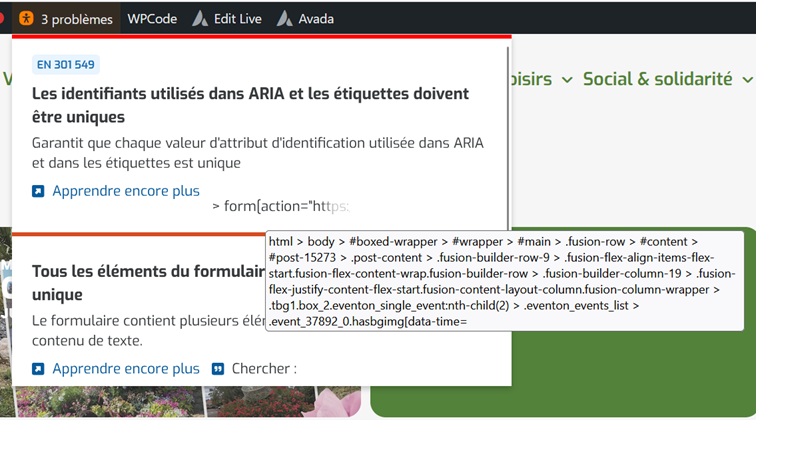
I changed the shortcode and it looks better but I still get a RGAA non-compliance message:
> form[action=”https://maps.google.com/maps”][method=”get”] > .evo_get_direction_content.evo_fx_dr_r.evogap10 > .evogetdir_field.evofx_1_1.evow100p > #A2eRW7vkC”>
html > body > #boxed-wrapper > #wrapper > #main > .fusion-row > #content > #post-15273 > .post-content > .fusion-builder-row-9 > .fusion-flex-align-items-flex-start.fusion-flex-content-wrap.fusion-builder-row > .fusion-builder-column-19 > .fusion-flex-justify-content-flex-start.fusion-content-layout-column.fusion-column-wrapper > .tbg1.box_2.eventon_single_event:nth-child(2) > .eventon_events_list > .event_37892_0.hasbgimg[data-time=”1781861400-1781866800”] > .event_description.evcal_eventcard > .evocard_row:nth-child(6) > .getdirection.evocard_box[data-c=””] > .evo_metarow_getDr.getdirections.evcal_evrow_sm > form[action=”https://maps.google.com/maps”][method=”get”] > .evo_get_direction_content.evo_fx_dr_r.evogap10 > .evogetdir_field.evofx_1_1.evow100p > #A2eRW7vkC
Here is my shortcode: [add_eventon tiles=”yes” tile_count=”3” tile_bg=”1” event_count=”5” show_limit=”yes” event_type=”547,530,313,1309,663,543,330,1310,555,564,538,533,325,335,567,658,791,1551,”]
Can you tell me how to fix the problem?
Thanks in advance.
Reply to: tickets(406710)
The update doesn’t appear to be available. Do I need to remove Eventon from the Code Canyon update API to make it automatic?