Hello,
Please go to EventON > Time Settings > enable Allow universal event time format on eventCard > change the format with Date/Time Format.
Replies for tickets on suppota
Hello,
Please go to EventON > Time Settings > enable Allow universal event time format on eventCard > change the format with Date/Time Format.
It seems that the way you translate calendars isn’t supported by EventON.
If you’ve used WPML instead of Polylang, you could follow:
https://docs.myeventon.com/documentations/wpml-eventon-front-end/
With enabled language corresponding events, you can try following “Step 3: Create Calendar”:
https://docs.myeventon.com/documentations/setup-language-corresponding-events/
We are glad your issue is resolved, if you have any further questions or concerns please create a new ticket.
If you have a moment, we would greatly appreciate if you could kindly leave us a review at codecanyon! from your account > downloads. Cheers!
We have finally found the solution!
Using “https://www.associazionesaras.it/wp-admin/customize.php?url=https%3A%2F%2Fwww.associazionesaras.it%2F> Additional CSS” I can change the code.
Another thing I can’t do is change the background color of the events you find on this page: https://www.associazionesaras.it/calendario-eventi/ without changing the background color of the events on this page: https://www.associazionesaras.it/.
I tried to enter this code:
.eventon_events_list .eventon_list_event .evcal_list_a {
background-color: # 4d62b5! important;
}
But the background color changes in the events of all the pages, but I would like the home to remain as it is while the page https://www.associazionesaras.it/calendario-eventi/ and the page https://www.associazionesaras.it / historical-conferences-2 / had a different background color.
I hope I was clear.
Thanks
Its the cache plugin on the website, I’ve whitelisted the page you are testing on so it doesn’t cache that page.
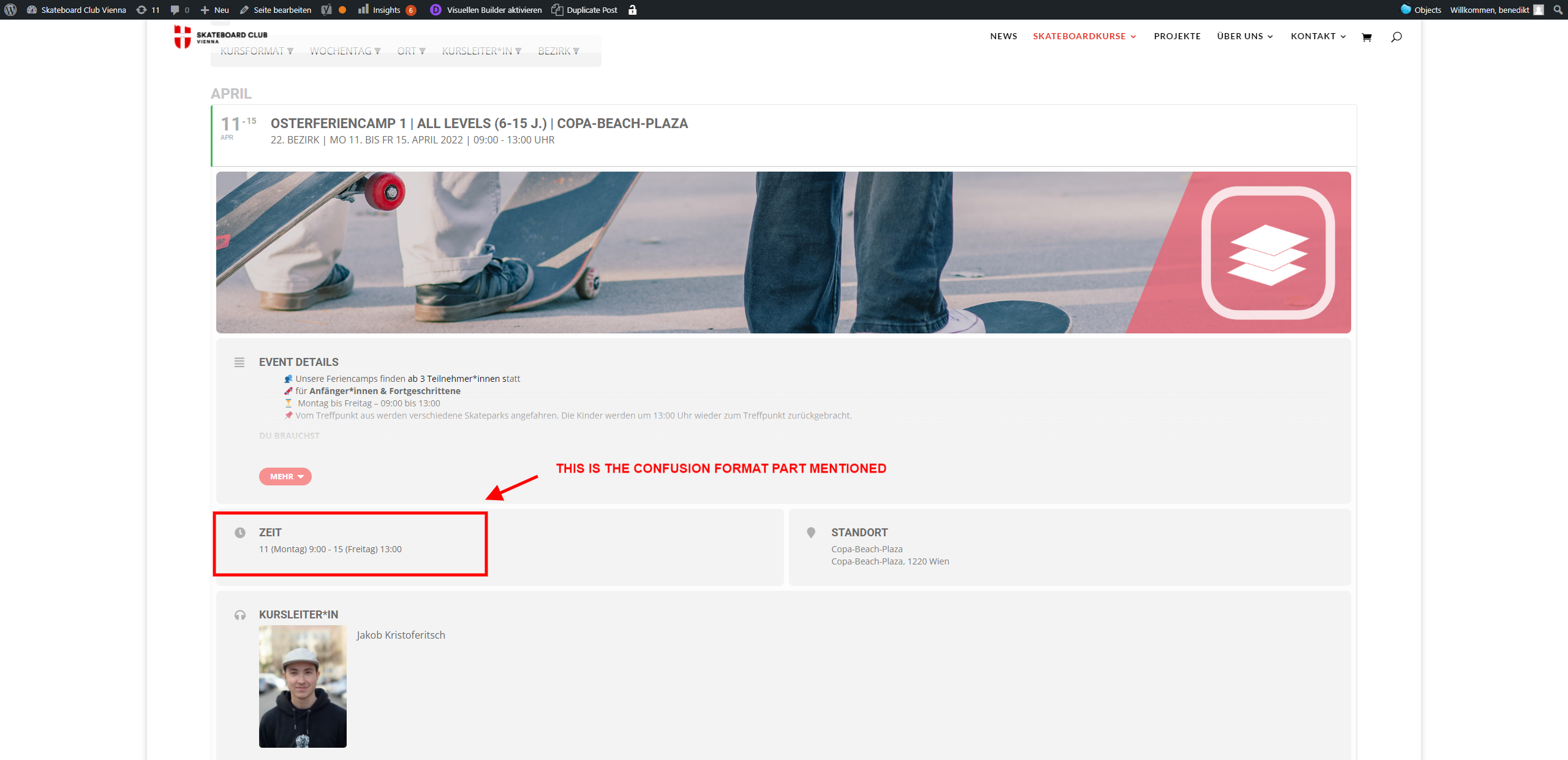
adding a screenshot for more detail about the issue
https://www.hussain-in-lab.com/wp-login.php
User: EventON
Pass: EventON123
Hi Artem,
The developer of the Sign-up sheets plugin has provided me with a beta version which solves the issue! He didn’t specify what caused the problem.
Thanks for the help and the time you’ve put into it.
Kindest regards,
Mark
Could you tell me why when I try to test a shortcode it doesn’t work: https://www.alexandriaprofessional.com/73907-2/
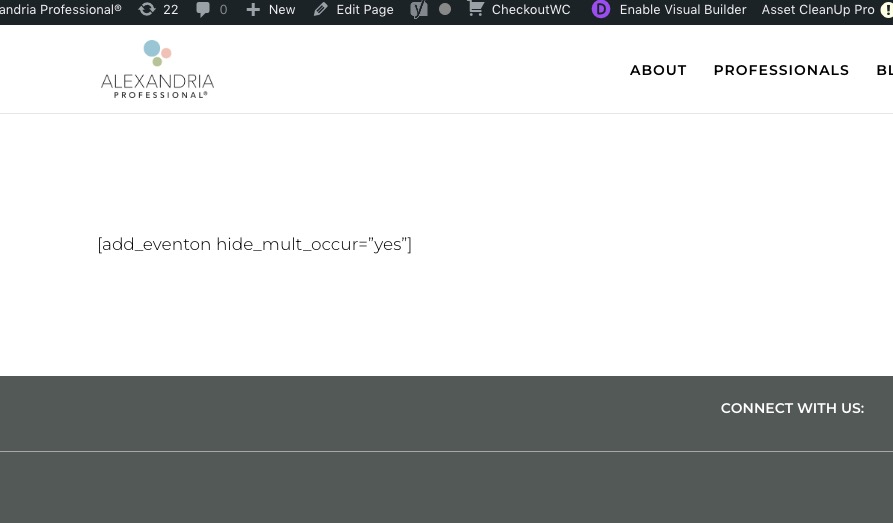
Is this normal?
You can find dates in variables by following:
https://docs.myeventon.com/documentations/event-post-meta-variables/
Hi Alexandre,
Our CEO will take care of this as quick as possible!