Reply to: tickets(274866)
Replies for tickets on suppota
Could it have anything to do with the code above? Although it is only executed on this specific page (Kamerbewaarders) and has not much to do with Eventon.. just wanted to share it with you to be sure. Disabling the snippet does not change the problem btw.
Hi, just another thought. The volunteers sign-up sheets are only available to logged-in user. This user group is called “vrijwilliger”. The shortcode execution on the page “https://www.hooglandsekamer.nl/programmas/kamerbewaarders/” has been wrapped in the following php snippet (using Woody snippet plugin) to restrict access to the volunteer sign-up sheets.
Yes, feel free! I’ve made a full backup yesterday.
Hi,
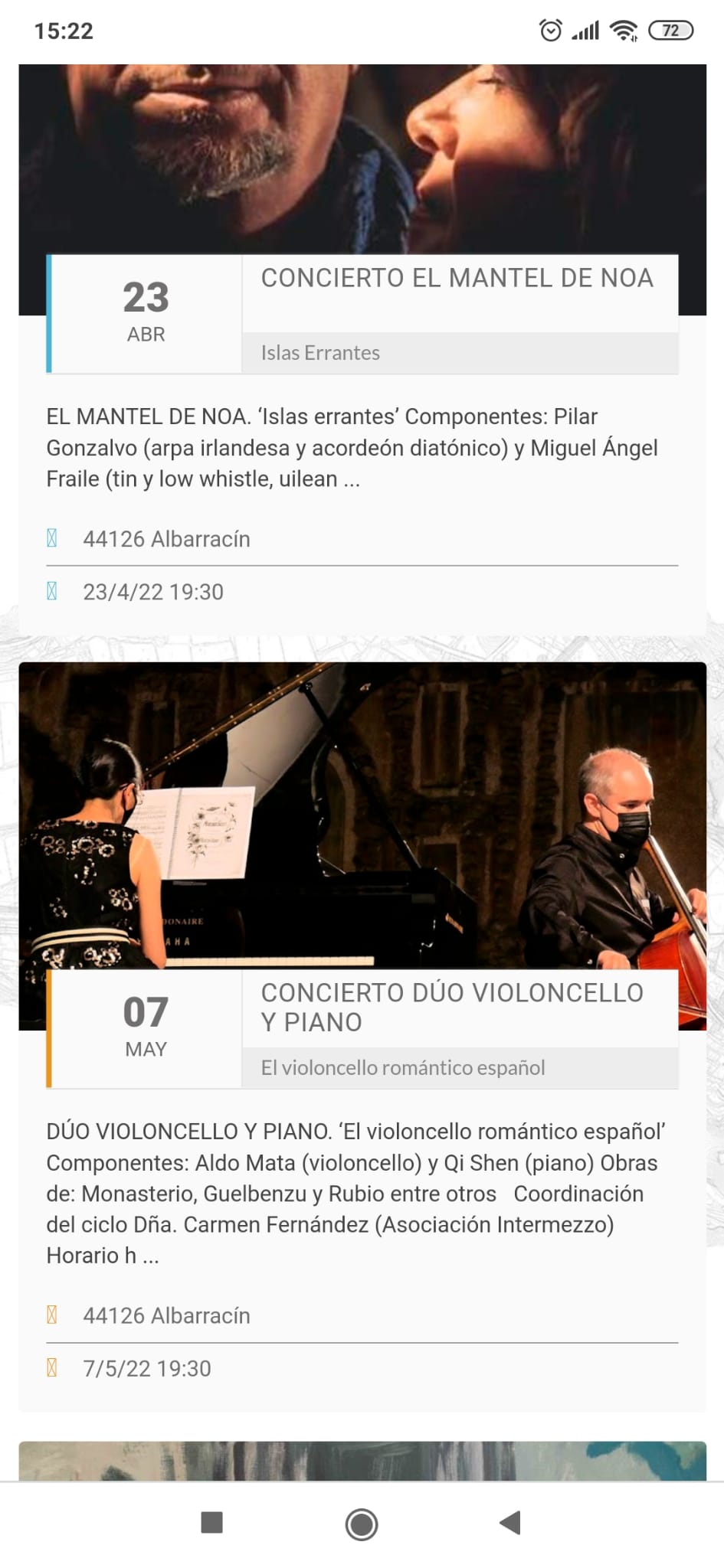
Because of the theme conflict, we moved eventon to a subdomain with Astra theme. The datepicker is working fine now, but we are having a new issue now.
https://eventos.albarracin.org.es/wp-admin
eventon
MZZwBpxTuP0PulvIf#Antb9X
There are 3 icons that don’t work properly on most pages. The location icon and the time icon don’t always display correctly, we only see a square.
We have tried to fix it with custom css but no luck, can you help us fix this please? Thank you
ok for the multisite.
What about the other question? is it something we can do? we need to do what this guys do: https://theeventscalendar.com/products/community-events/
Correction: I meant that it automatically creates a shortcode that begins with “add_eventon_list”.
Ok, Thank you! That worked. How do I know that is has to be “add_eventon_el” and not “add_eventon_list”? Because when choosing the EventOn button in the page builder it automatically creates a shortcode that begins with “add_eventon_el”.
Also, how do I disable the “Show more button” without necessarily using CSS “display:none”? I feel like I have to use display none all the time and it doesn’t feel efficient.
Hello,
thanks for the answer!
Is this update-safe?
try adding this to appearance>>>>customize>>>>>additionl css
@media (max-width: 768px)
.olympus-theme .woocommerce table.cart .product-thumbnail, .olympus-theme.woocommerce-page #content table.cart .product-thumbnail, .olympus-theme.woocommerce-page table.cart .product-thumbnail {
display: initial;
}