in myeventon>>>>>settings
turn off
Enable language corresponding events
Replies for tickets on suppota
in myeventon>>>>>settings
turn off
Enable language corresponding events
Hi, thanks for answer.
I updated via auto-update, but she shortcode still cant locate the new events
looks like you have already added custom css to your site to make it that size
look in myeventon>>>>styles
or
appearance>>>>customize>>>>>additional css
or wherever else you put your custom css
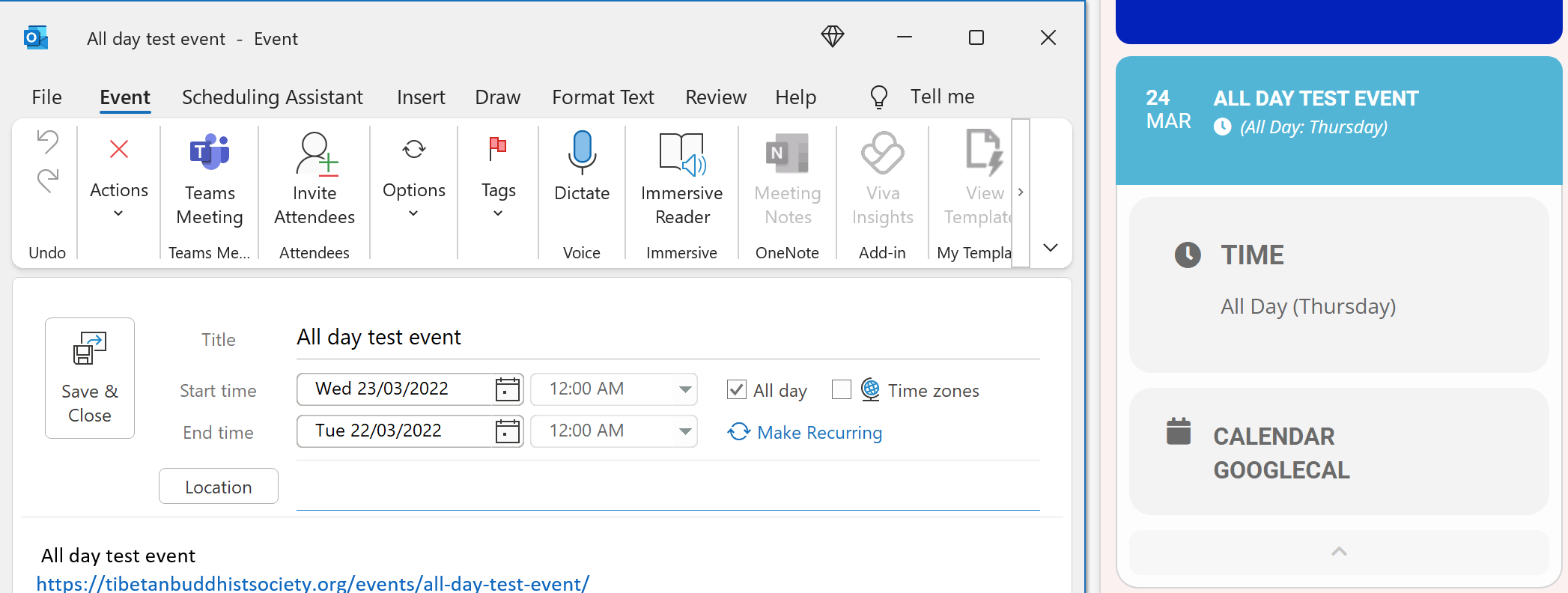
I am running 4.05 and am still seeing problems. Refer screenshot attached.
you will need to activate your license in order to use eventon to its full potential until you activate it you wont be able to use the shortcode generator
take the shortcode from this page https://nnedi.com/eventon-test/
see video below
Great, thanks!
please list the additional fields needed
It can work similar to the Jitsi example https://www.youtube.com/watch?v=apk5BXvbp-c&list=PLj0uAR9EylGrROSEOpT6WuL_ZkRgEIhLq&index=1&t=2s&ab_channel=EventON
Refer to section 12 of the API – uses oauth2 and it’s very easy to implement
https://vivomeetings.com/wp-content/uploads/2022/02/VivoMeetings-Feb-2022-APIs-v1.29.pdf
Hi Ashan,
I provided the login details previously:
Login details:
https://stage.meltonlearning.com.au/wp-admin
username: eventon
pw: fiWQ^Zr2lnHHPyD6c7I)&qAH
All 3 attendees have different emails.
Thank you mark for following up. I am going to completely re-work the actionUser submission form. I am noticing that even if submit another event button is not there, ppl could open the form and submit more.
I will get this resolved in the next update 🙂