I am sorry, the access information you have provided did not work for us. Please check them and post the correct login information as a private message, thank you!
Archives: Replies
Replies for tickets on suppota
Reply to: tickets(273700)
please let us know if things are working or not- I think it might be safari as my chrome showed things correct based on the settings
Reply to: tickets(273700)
Okay, I’ll try and clear everything. All our other events are showing. Thank you for your help today.
Reply to: tickets(273737)
Please send us wp-admin access to your site as a private message for us to further assist your situation.
we need to check your settings
Reply to: tickets(273737)
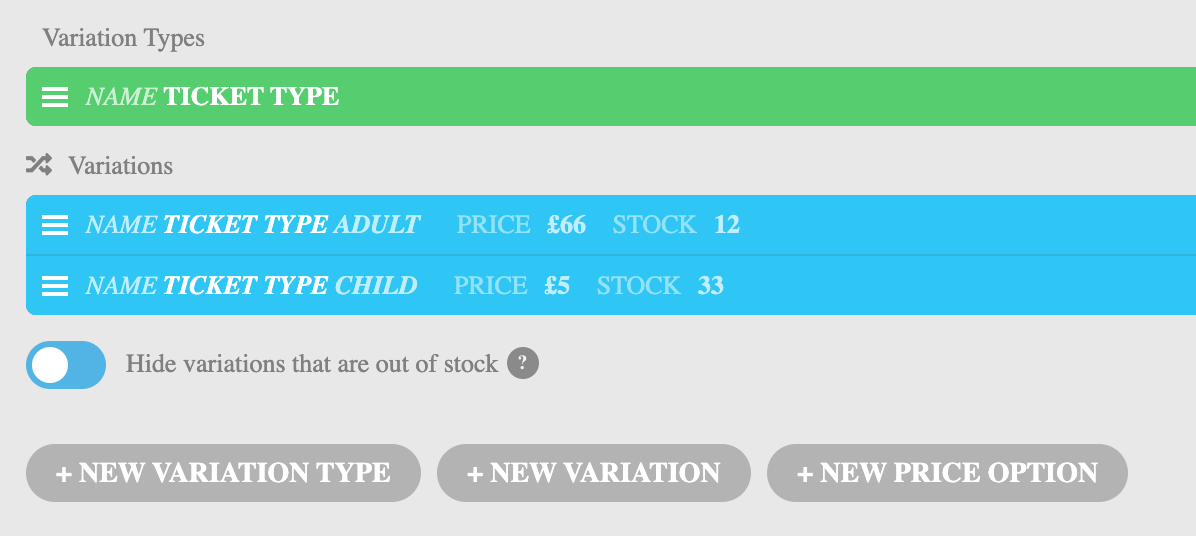
Correction. These are the steps I am following: https://docs.myeventon.com/documentations/how-to-sell-variations-as-separate-tickets-with-the-ticket-variations-options-addon/
I have attached a screenshot
Reply to: tickets(273065)
Thank you! Works like a charm. But how did you add the fonts/fontawesome folder under Theme-File-Editor > Theme-Files?!
Reply to: tickets(273724)
classicseger.com/wp-admin
user: eventon
pswd: hfURCJyu5cd7LYujxw07PTU7
Reply to: tickets(273724)
No. settings > hide past events is NOT turned on
Reply to: tickets(273700)
in your case the reverse could be true- the safari browser might be showing a cache version of the event because the event has passed where as chrome is now showing the post event info you have set for the event
Reply to: tickets(273700)
I’m using google chrome and as you can see it displays (when the event is on) see video below
might need to clear your browser cache – chrome can hold onto things