User:
Thoralf
PW:
zb8UzelOQo1p8FHfZUWttw9L
Replies for tickets on suppota
User:
Thoralf
PW:
zb8UzelOQo1p8FHfZUWttw9L
Hello,
Please remove show_et_ft_img=”yes” from the shortcode.
1. Please add hide_mult_occur=”yes” to the shortcode.
2. Please go to https://clubvertikal.es/wp-admin/admin.php?page=eventon#evcal_001a > enable Filters.
Please take a look at
https://docs.myeventon.com/documentation/translation-languages/
Please send us wp-admin access to your site as a private message for us to further assist your situation.
How can I set event list language ? I can see it in general calendar, but not in event list type….
I changed the quotes in the styles option and nothing seems to happen.
Do I have to change those quotes somewhere in the eventon plugin folder?
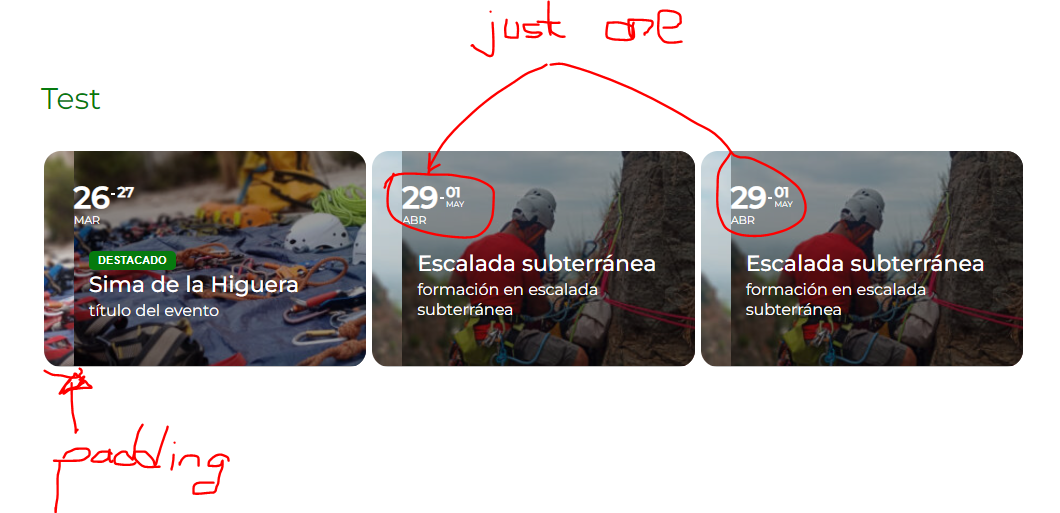
By the other hand, I would like to add some more doubts I have. Let me know if you prefer to create separate tickets for this.
Thanks in advance!
we can’t duplicate this issue on the dev site
heres what the dev site does
what versions of eventon and RSVP are you using?
sorry ashan lifes too short to deal with this guy
Thank you for your messages, I am going to assign this ticket to Ashan and he will be able to take it from here and find you a solution. Please allow some time for him to get back to you, we greatly appreciate your patience and thank you for being a eventon customer! Also please disable any IP blocking on your site if there are any.