Hello,
Unfortunately, we don’t. Please follow this to translate the plugin:
https://docs.myeventon.com/documentations/how-to-translate-calendar-front-end/
Replies for tickets on suppota
Hello,
Unfortunately, we don’t. Please follow this to translate the plugin:
https://docs.myeventon.com/documentations/how-to-translate-calendar-front-end/
Hello,
Please download version 3.1.7 from here:
https://helpdeskx.s3.amazonaws.com/wp-content/uploads/2021/10/09115157/eventON-28.zip
Hello,
We are sorry for the delay.
Ashan will check this ASAP.
For the basket styling, use the custom CSS code below:
.widget_shopping_cart a:not(.remove), .widget_recent_reviews a:not(.remove){background: var(–primary-accent-color); color: #fff;}.widget_shopping_cart a:not(.remove):hover, .widget_recent_reviews a:not(.remove):hover{color:#fff;}
.woocommerce ul.cart_list li img, .woocommerce ul.product_list_widget li img{width: 100%; height: 10em;}
.widget_shopping_cart_content p.evotx_item_meta_data_p{margin-top: 1.5em;}
.woocommerce ul.cart_list li a, .woocommerce ul.product_list_widget li a{padding:.5em;}
To change the color of the content in Widget:
#evcal_widget .eventon_events_list .eventon_list_event .evcal_desc .evcal_desc_info em, #evcal_widget span.evo_tz{color:#fff;}
could somebody please let us know if you are working on a solution or if we should cancel working with Eventon ?
This is really not professional for a plugin provider.. You could at least explain to us what the problem is and if you are planing to fix it
Ashan,
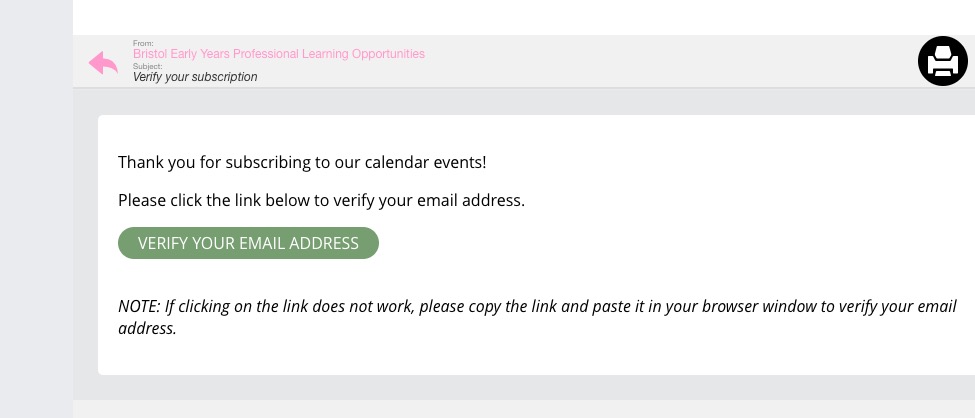
Subscription emails received correctly:
Enabled WP_DEBUG, but no debug.log.
Also, no notification emails when updated the event itself from Edit Event.
Hi Alexander,
Regarding the container collapsing, I am sorry but this goes way beyond our scope of support.
Regarding editing the header, you can edit the content on the event settings. As for editing the style, you can do that using custom CSS code
.eventon_events_list .eventon_list_event .evcal_desc span.evcal_desc2, .evo_pop_body .evcal_desc span.evcal_desc2{display:none;}
The above code removes the header.
Hi Katie,
Please update Eventon and all addons to the latest versions
To update eventon to latest version: If you are unable to do autoupdate, you can go to codecanyon your account > download and get the latest eventon version as zip file. Then you can go to your website, deactivate old eventon, activate (Do not delete eventon settings & data when EventON is uninstalled) from eventon settings, delete old eventon, install new one and activate. This link will further explain the process it.
Please check for latest version of the addons from here. To update eventon addons: You can download latest eventon addons from myeventon > my account. Then you can go to your website, deactivate old addon and install new one and activate then delete the old addon. This link will further explain the process.
Thank you for the prompt reply,. the cart page now looks much better – I had to add the css to the themes customise css to make it work = fine.
I had added on about the side widget cart display but you may have missed that query – could you possibly let us know how to make this look neater?
ref:
Cart basket widget also shows badly – it has teeny images and a very dark background – will upload screengrab now.

plus the widget to show the events is very hard to read – how can we change that text colour to white without affecting any other layouts please?

Thanks again, this worked, but only when I put it into the Elementar “Additional CSS” Section.