Ashan,
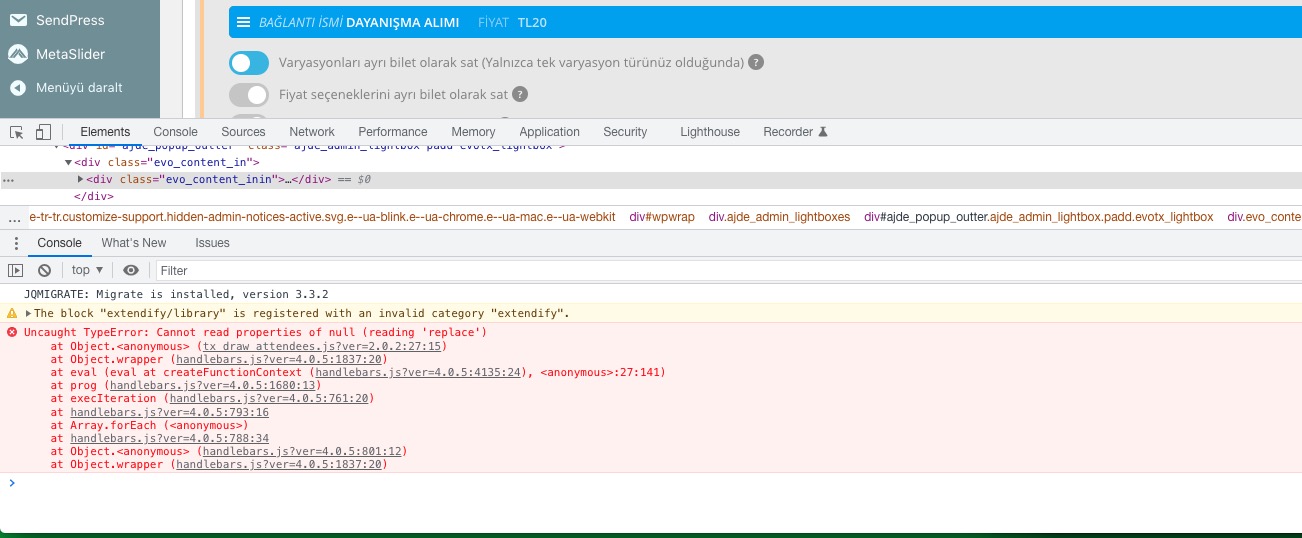
There is an issue with handlebars:
Replies for tickets on suppota
Ashan,
There is an issue with handlebars:
Hello,
Thank you for your messages, I am going to assign this ticket to Ashan and he will be able to take it from here and find you a solution. Please allow some time for him to get back to you, we greatly appreciate your patience and thank you for being a eventon customer! Also please disable any IP blocking on your site if there are any.
Hello,
1. EventON uses WooCommerce as it’s base to sell tickets, but still works independently. You cannot assign other products unless they are “Ticket”.
2. Variations should work:
https://www.myeventon.com/addons/ticket-variations-options/
Please try on https://dev.myeventon.com/wp-admin/
with this code is working
I just removed fixed_month=”1″ fixed_year=”2021″ from the shortcode by adding “1”, so EventON doesn’t recognize them.
We need all the event
Could you tell us more so we can create a shortcode for you? Do you want to show all events from 12 months in advance (upcoming events)?
Hello,
Just go through the booking process like a regular user, but with their data. It’s the easier solution.
When you add them manually by creating a new order from wp-admin, it may cause something to break.
Please check now.
Hi Alexander,
Try this:
@media only screen and (max-width: 568px){
.eventon_events_list .eventon_list_event .evcal_desc{ margin-left: 3em !important; margin-top: -3.8em !important;}}
If that does not work, please send in some admin access to the site and we will take a closer look at the issue.
Hi Nicholas,
I am sorry but the credentials are still not working. Would you mind confirming if they are working on your end first?
Thanks for your help
I tried it a few times and it wouldn’t work
Helen