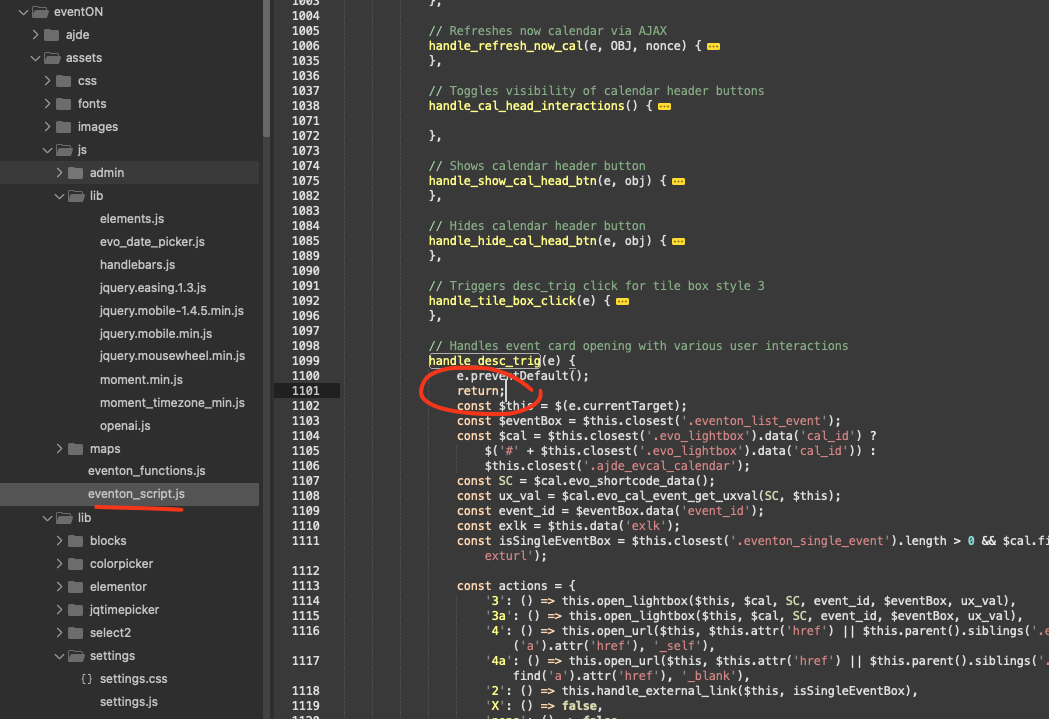
Unfortunately, this did not work – I wondered if reinstalling the plugin might help, but I am not sure if that would remove the data, as the rest of the year’s events are contained in it – and I don’t feel confident doing a manual update. Would this be the next step? Is there a way to protect the data and reinstall it?
The Divi support team had a look at it – below is their answer
“As a test, I tried deactivating the jQuery-related Performance Options in Divi 
However, the same error from the plugin script appears even when everything is disabled in the Performance tab. This error is preventing the plugin details from loading
Unfortunately, as this is a third-party plugin and our knowledge is limited, we recommend contacting the plugin’s support for the best guidance 
They might need to check the actual script file or suggest troubleshooting steps to fix the issue. Since the theme doesn’t have control over any plugin files, it’s possible that the problem occurred due to a corrupted update or the plugin malfunctioning during the process.
Let me know if you have any clarifications.”