Unfortunately, the only way of restoring events is to restore the backup.
Please also note that “Bad Snippet of Code” is not part of the code. How it looks like on your test server:

Replies for tickets on suppota
Unfortunately, the only way of restoring events is to restore the backup.
Please also note that “Bad Snippet of Code” is not part of the code. How it looks like on your test server:
Hi Alan,
I see the Full cal on my end.
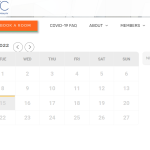
If you are still not seeing the calendar on your end, please clear your browser cache and then check again.
Thank you.

I will follow your advice
Hi,
Yes, the agenda is not on this page. I display on this page (taxonomy-event_type.php override) the post type event (ajde_events) for which I display the title, the image and the date but the date is the one that corresponds to the creation of my event and not the next date of my event.
Tell me if it’s not clear enough
This is the screenshot https://ibb.co/JBr16pP
Hi,
The font comes from adobe typekit, and the website has been reviewed by several people each on their own computer, and there the meta-pro comes up as it should. It is definitely not a system font.
eventon@hanyc.org
&JamnQ^(ni77qcxb44qXUAh#
i don’t see eventon running on that page can you send a screenshot of the calendar
Hi Michael,
I checked your site and it seems that the Divi icons plugin is causing the issue. When you deactivate the plugin, the issue is not happening.
might have something to do with the way the content loads in as you scroll- can you test by turning off that feature- clearing caches both wordpress and mobile and seeing if that works
also what mobile are you using?
elementor is – divi is OK but if I had the choice I’d pick elementor over divi