in myeventon>>>>settings>>>>>search have you toggled
Enable additional search queries (may not work for all sites)
Replies for tickets on suppota
in myeventon>>>>settings>>>>>search have you toggled
Enable additional search queries (may not work for all sites)
Yes I certainly know that it shouldn’t be possible, or be happening at all, but it happens on every month when tickets are released. And as the exact number of tickets are sold for every repeating event, it’s not due to the incorrect number of tickets being entered at the beginning.
I guess we just can’t replicate the real wold scenario of so many people placing orders at once. I guess my feeling is that the occasional order is literally being made at the exact same time maybe. Really don’t know.
We have sales happening again tomorrow. I’ll double check what numbers my client enters before hand and will screen shot for you. Guessing we will have the same problem though.
With the auto-complete, this happens after the sale has been made though, so not sure how this would be a cause of the issue?
For me, the last version was from 2020 and I wanted to be sure that PHP 8.0 would run without any problems.
I also tested with PHP 8.1 but unfortunately WP 5.9.1 is not ready yet and I cannot test EventOn.
I wish you every success and thank you.
Guido
Hello Artem
Your intervention was not successful.
I noticed that the values of the minutes of the start time and the end time are not saved during the update.
When I open the event again, the minutes are back at xx:00.
Greetings
Edi
The thing is that you cannot buy more tickets than available, because WooCommerce makes sure that there is always enough.
When I try to purchase more tickets than available with two accounts:
Sorry, we do not have enough “Ticket: test repeat” in stock to fulfil your order (1 available). We apologise for any inconvenience caused.
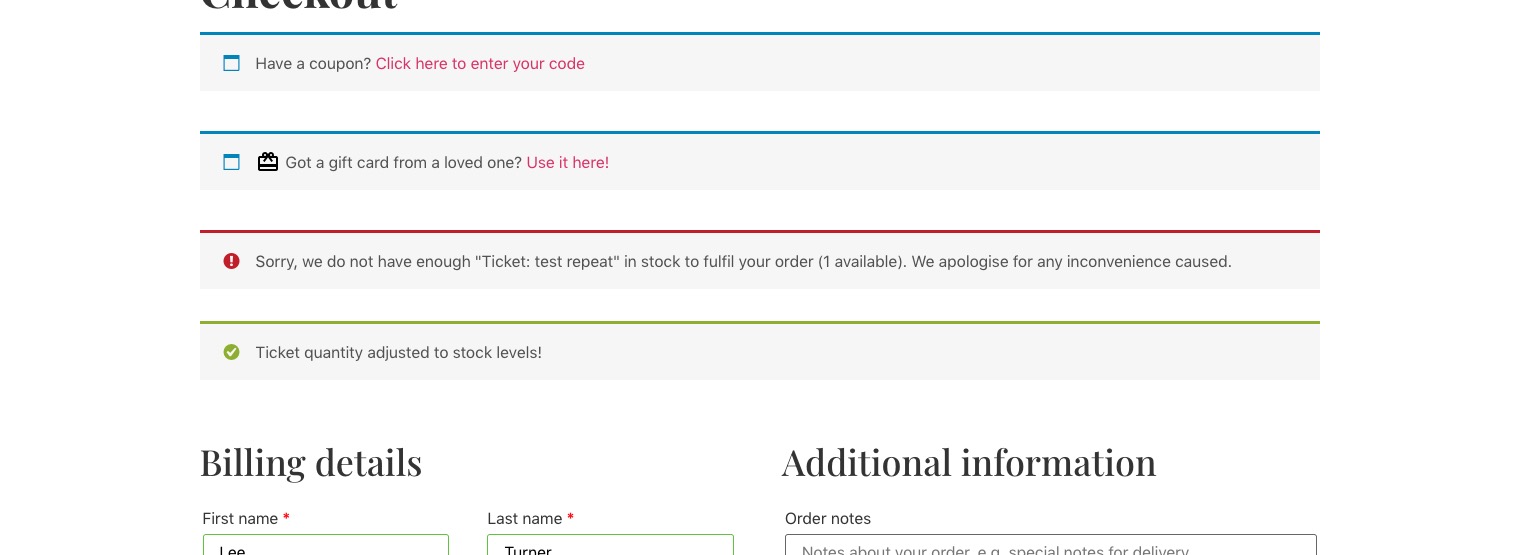
As for autocomplete. By default, WooCommerce requires you to go to each order and complete it manually. Instead of the plugin, could you try adding the code:
https://docs.myeventon.com/documentations/auto-complete-ticket-order/
Please send us wp-admin access to your site as a private message for us to further assist your situation. I would like to check repeating events.
which option do you recommend in this case and what is the difference between the options?
Whichever works for you. Please try them all and check if any of them help.
Usually Varnish do everything automatically. Please take a look at hooks and actions here:
https://docs.myeventon.com/documentations/hooks-actions-filters/
Ashan,
Please check 2. & 3.
Hello,
1. Please use this code:
.eventon_events_list .eventon_list_event .evcal_desc span.evcal_event_subtitle, .evo_lightboxes .evo_pop_body .evcal_desc span.evcal_event_subtitle { color: black !important; font-size: 15px !important; }
2. & 3. Thank you for your messages, I am going to assign this ticket to Ashan and he will be able to take it from here and find you a solution. Please allow some time for him to get back to you, we greatly appreciate your patience and thank you for being a eventon customer! Also please disable any IP blocking on your site if there are any.
Hello,
I’ve enabled https://wp.efra.ch/wp-admin/admin.php?page=eventon#evcal_001b > Use WP default Date format in eventON calendar (Excluding eventCard event date format), so it should show the correct time.
Please check and let us know.
Hello,
Please add this CSS code to EventON > Styles (If you don’t see any change, EventON > Scripts & Styling > turn off Write styles to header > save settings > turn on Write styles to header):
#evcal_list .eventon_list_event .event_description .evosch_oneday_schedule li::marker, .evo_lightbox .evosch_oneday_schedule li::marker { content: none !important }
This code will remove dots.