it does
Please send us wp-admin access to your site as a private message for us to further assist your situation.
the username and password provided did not work for us
Replies for tickets on suppota
it does
Please send us wp-admin access to your site as a private message for us to further assist your situation.
the username and password provided did not work for us
Hey, sorry for another question. We inserted this shortcode on our homepage:
www.rs-dettelbach.de on the front page below the news.
[add_eventon_list hide_month_headers=”yes” hide_empty_months=”yes” number_of_months=”2″]
Now we inserted an event that streches above two months. The “Frühjahrsferien” is now displayed twice…?
But its only one event… Can you fix this bug? Thank you!
Can you also look at the fields filled out above and let me know if I might be missing or incorrectly entering anything that would keep me out of rich results or ranked?
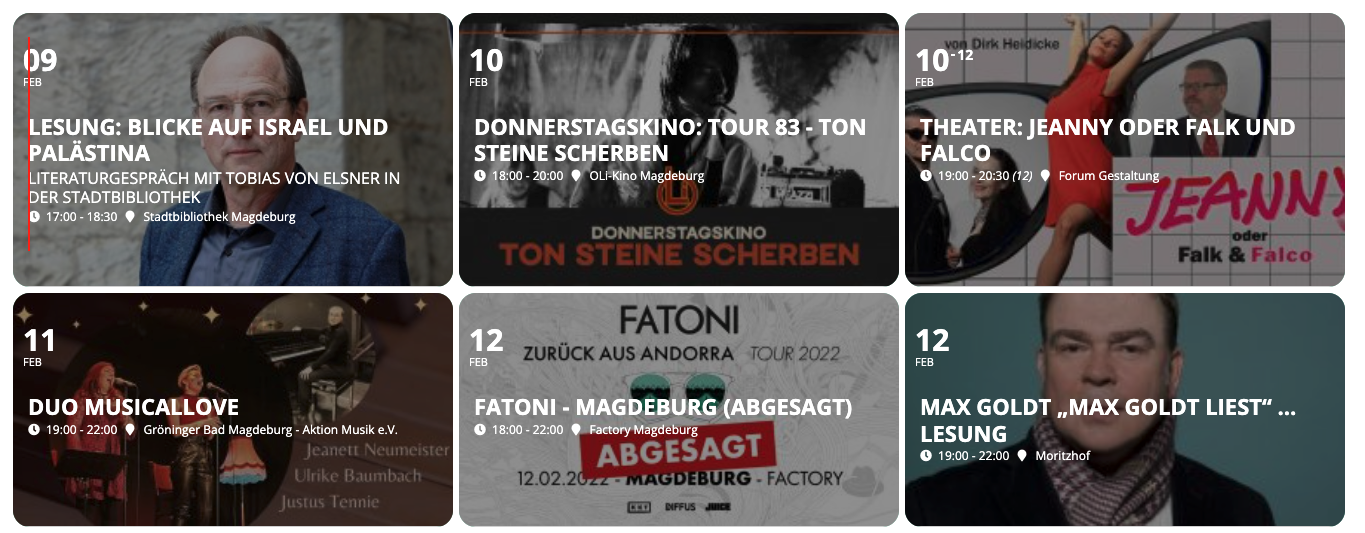
It bugs me a little bit, that the date and the title is not in the same vertical line. I marked in in the Screenshot attached
Does not work with fullcal plugin

This is my shortcode [add_eventon_fc eventtop_style =”2″ show_et_ft_img =”yes” event_type_2="NOT-451"]

Is correct?

Thanks
I get this – but I have recently started deleting events after passing due to bloat and slowing speed
I can implement this as youve said
But could you take a look at the last screenshot with the arrow? It would see instead of a slide down, enabling a link to event for ALL events would solve the issue without an archive.
Can you take a look and also let me know if there is a way to universally enable the link-to-event instead of slide-down? In weekly view.
when using the shortcode generator found at
myeventon>>>settings>>>>shortcodes
see video
It would just be a link in your footer to the event sitemap page (page you set up with the list of all events)
if google isn’t crawling through the weekly view then there shouldn’t be an issue but they are links not doubling up on the pages of the events
all you are doing is creating a page that has links to all the other events and its for google to crawl more easily
so your customers see the weekly view and in the footer there would be a link to your events mega list
probably under the contact info titles All our events
if you wanted to go super crazy on that page you could create a tab layout and put different years in different tabs
for example this could be placed in the 2020 tab
[add_eventon_list number_of_months=”12″ fixed_month=”1″ fixed_year=”2020″ hide_empty_months=”yes” show_year=”yes”]
and that would show all events in 2020 ONLY by changing in the shortcode 2020 to 2021 it would show all of 2021 events
[add_eventon_list number_of_months=”12″ fixed_month=”1″ fixed_year=”2021″ hide_empty_months=”yes” show_year=”yes”]
So you could turn it into a mega archive page of previous events and current events. from a sales point of view people like to know you are working and are busy- by showing a history of your events that can help build trust (sorry thats getting into sales strategy territory)
it makes that page functional from a customers point of view if you really wanted to
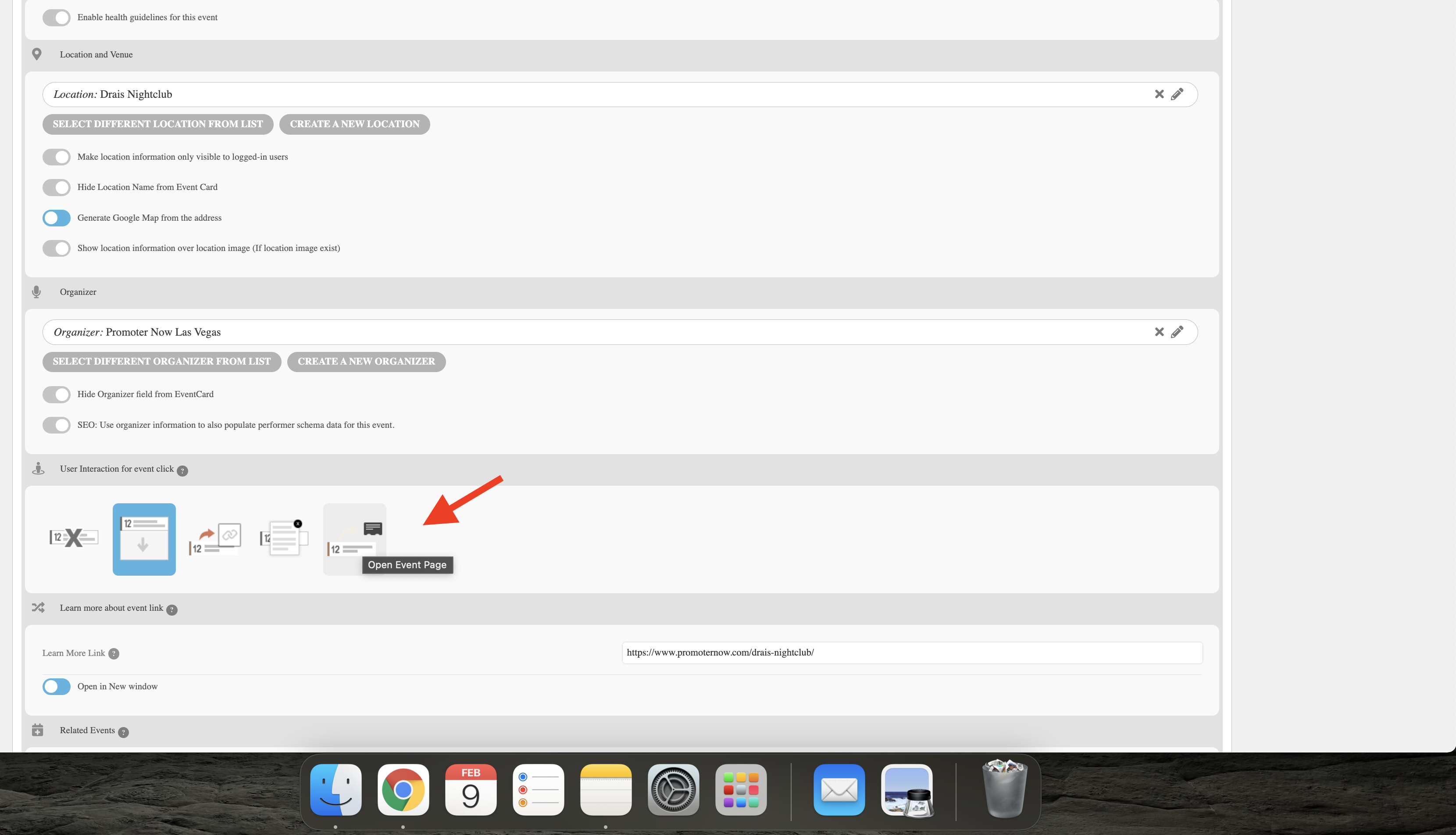
Is it just a matter of selecting this option to link to event page?
Can this be set universally in the weekly events list shortcode?