Hello,
Please send in the shortcode you are using so that we can advise.
Replies for tickets on suppota
Hello,
Please send in the shortcode you are using so that we can advise.
Hi Henrik,
Sorry about that. Please use the custom CSS code below instead:
.ajde_evcal_calendar.boxy.boxstyle1 #evcal_list .eventon_list_event .evcal_desc span.evcal_event_title, .ajde_evcal_calendar.boxy.boxstyle1 #evcal_list .eventon_list_event .evcal_desc span.evcal_event_subtitle{white-space: normal !important;}
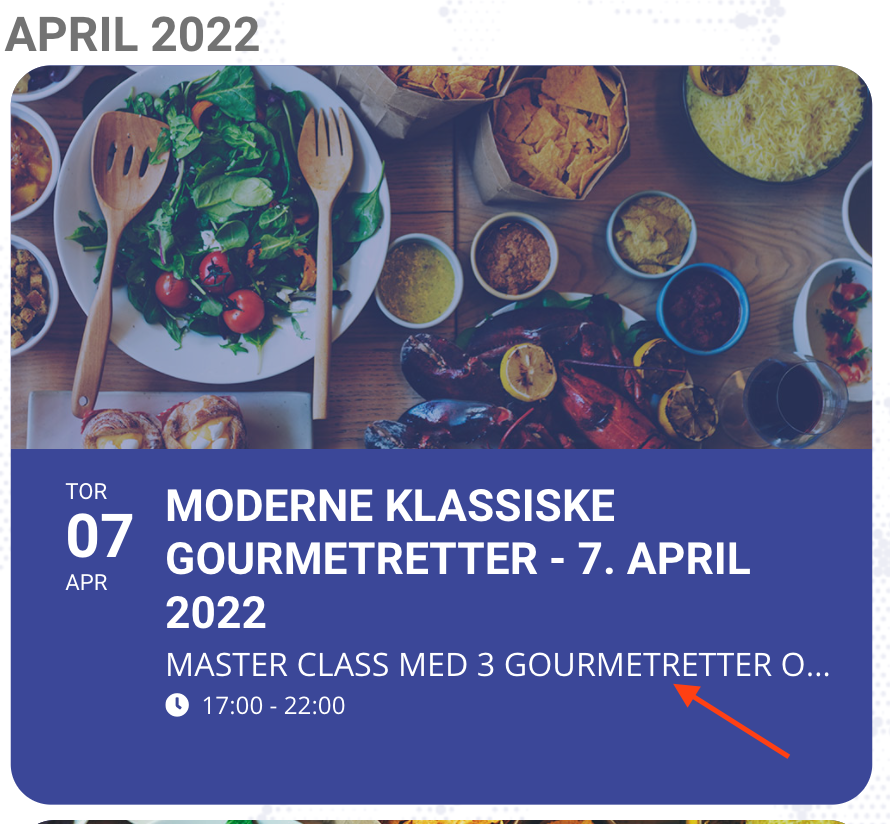
Cool.. Thanks Kenneth. .however that only takes care of the title, not the subtitle. See screenshot:
test
can you try adding
cal_init_nonajax=”yes”
to the calendar shortcode– clearing cache and see if that helps
You can switch the theme as long as it won’t permanently break the site.
If once everything is turned back on it should work the same, go ahead.
Got it! but it appears a blue strip, how can I get it off? and
I have the countdown addon, how can I choose a (de)progress bar for counting down? the orange one from the demo
www.sinfonize.com.br
Not really sure. It seems that something goes through all elements of the container and somehow affects their JS scripts. However, it seems that this happens only when you use Page Builder.
When you switch the theme (Page Builder is enabled), does your main page work?
Hello,
The first thing is that the container that holds the calendar has a very small width of 560px. Could you somehow change it?
The second one is that you need to remove show_et_ft_img=”yes” from the shortcode. Could you try and let me know?
Testing admin only reply