*now
Archives: Replies
Replies for tickets on suppota
Reply to: tickets(266802)
Actually, I meant the other way around.
Know the Title is right next to the date: https://magdeboogie.de/
I wanted them in one VERTICAL line under each other : )
Reply to: tickets(266802)
Hello,
Please use this code:
.ajde_evcal_calendar.boxy.boxstyle0 #evcal_list .eventon_list_event .desc_trig, .ajde_evcal_calendar.boxy.boxstyle0 #evcal_list p.desc_trig_outter { flex-direction: row !important; }
Reply to: tickets(266236)
Please send us wp-admin access to your site as a private message for us to further assist your situation.
Reply to: tickets(266236)
Reply to: tickets(266236)
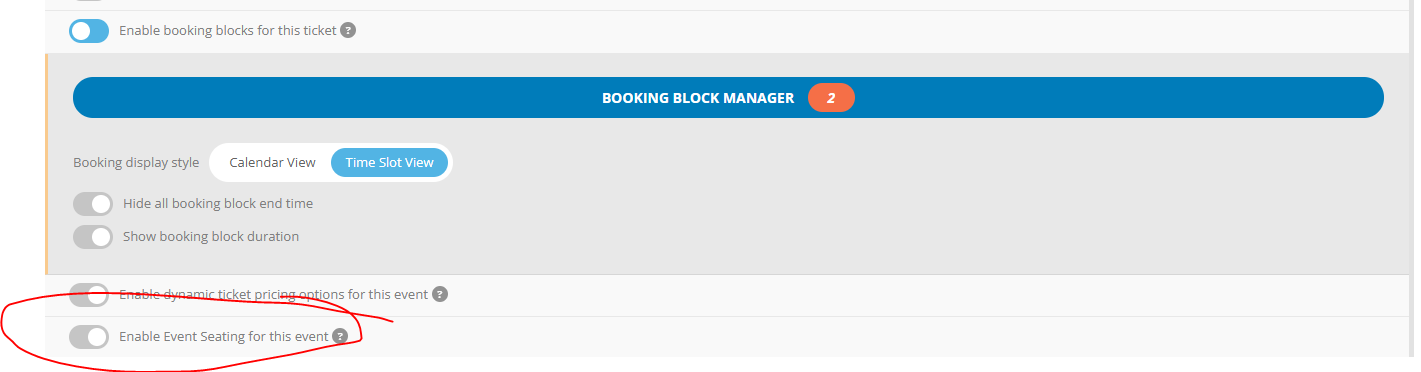
Sorry let me correct myself.
it’s not disabled.
Here are the steps
- Enable Booking and Enable Seats
- Booking Manager > Apply Blocks to Seats
- Booking (selection of booking date) is not showing only the seats
Reply to: tickets(268169)
try adding
.evoau_submission_form .row .evo_elm_row.yesno_row, .evoau_submission_form .row .evo_elm_row.yesno_row label.ajde_yn_btn_label {
display: none;
}
#_vir_hide {
display: none;
}
#_vir_nohiding {
display: none !important;
}
.evoau_sub_child_formfield {
display: none !important;
}
to appearance>>>>customize>>>>>additional css
Reply to: tickets(266236)
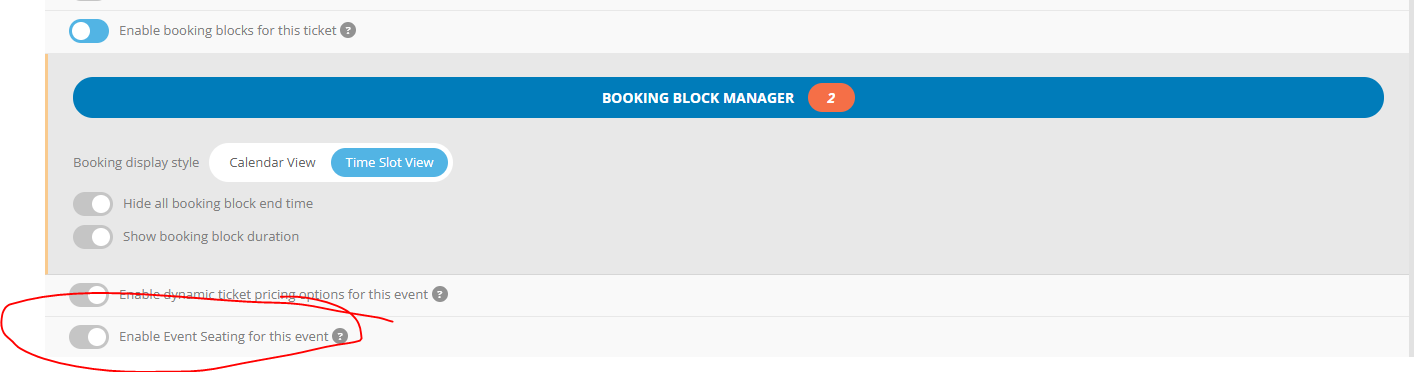
we tried to add the booking blocks, but the seating block is locked and cannot be enabled, please refer to the attached screenshot.
And here is the example link
http://culturalcenter.beta01.space/events/sample/
Reply to: tickets(262666)
It’s a managed hosting, so I don’t have access to the php.ini, but I can show you the phpinfo, hope this helps!
https://rockmytrail.de/support.php
Reply to: tickets(261524)
Hi,
it’s getting a bit annoying not hearing anything on the above!
Could you please give me an update as the ticket is already 8 weeks old!!!!!!!
Thanks so much.
Regards,
Johan