UPDATE:
I have been in touch with Divi support. They asked me to try different things. I disabled all plugins except EventON. The problem remains. We have also disabled all the performance options on Divi, but that didn’t help either.
Divi is recommending using The Events Calendar plugin because they have tested it with Divi and they guarantee it works 100 percent. I have made many sites for clients using EventON + various Addons – almost always used Avada, which didn’t give me any problems. I have other calendar projects coming up and I would really like to keep using EvenON, as I like it and already know how to use it pretty well. I can’t go back to using Avada or any other theme since I spent a lot of money on various Divi plugins lifetime subscriptions. So I hope you can find a way to get the filters for the event lists to work with Divi.
Thanks 🙂
Never mind.. It’s right there in the file.. Duh. .Figured it out.. Sorry 🙂
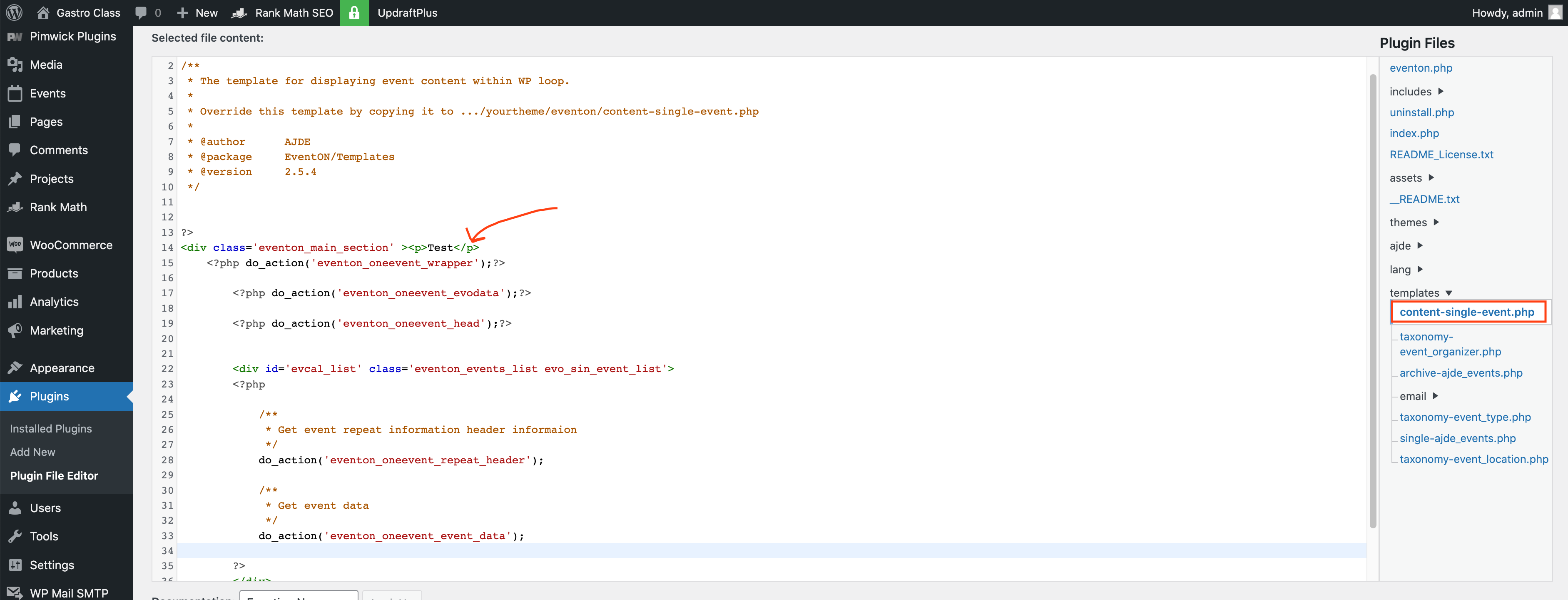
Hi Dave,
Thanks for a good explanation. It would be great if it was possible to get the popup URL when its open. Maybe an idea for a future update..
I fixed the stuff about the image. So now that works. My plan is to use the “real pages” now – no popups – but as mentioned in the video I want to add a back button to each event-page. I can do that by editing the content-single-event.php file. (See attached screenshot). Then I will get that on all the event posts.
But how can I make sure it’s not deleted when I update the EventON plugin? Is there a way to ensure that?
your email address might be on the gmail blacklist
(or your ip address)
https://www.techwalla.com/articles/how-to-test-if-an-ip-address-is-on-gmails-blacklist
Could you please try the instructions mentioned in this documentation to make sure your issue is indeed coming from eventon.
if that fails Please send us wp-admin access to your site as a private message for us to further assist your situation.
Hello again.
I dont know what you did, but it now works as intended.
Thanks a lot for your help and attention! I will probably use eventon for many more years 🙂
Hi,
Can u scare us access so we can see it on Admin?
Hey WIll,
Thank you for letting us know, we will do investigate this a bit from our side also.
Hey Johan,
We understand the frustration, have pushed this again to be managed as good as possible.
We are sorry for that.
We’ve discovered that it was an issue with the WP 5.9 update. We rolled back to the previous version and everything is fine now.
I think we’re good to go for now.
Thank you!