Thank you so much for your help 🙂
Archives: Replies
Replies for tickets on suppota
Reply to: tickets(268155)
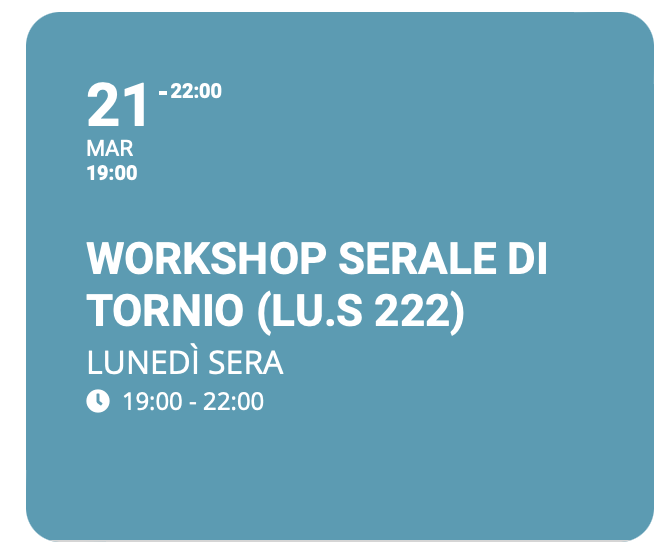
Hi, This way I see the starting time and the ending time. This is not helpful.
As wrote before I need to see starting date and ending date.
It used to behave like this with recurring event (see pink tile attached before). And since it is a recurring event the first date is the one set in the event, but the last one is the latest recurring occurrence.
Again, please refer to the previous image attached (pink tile) it was a recurring event and it shown first and last occurrence dates.
Best
Reply to: tickets(267075)
And one last question. How to change this topic:
Reply to: tickets(267075)
Thanks for your help!!!
Reply to: tickets(268206)
don’t think this will work
https://www.codegrepper.com/code-examples/php/wordpress+get+page+url
Reply to: tickets(268206)
login didn’t work for us
Reply to: tickets(265728)
Also,
Please send in your Order ID of your Eventon Addon purchase so that maybe we can use that to track your account.
Reply to: tickets(265728)
Has an issue logging into https://www.myeventon.com/my-account/
ERROR: Invalid email address. Lost your password?
Reply to: tickets(265728)
Thank you for your messages, I am going to assign this ticket to Ashan and he will be able to take it from here and find you a solution. Please allow some time for him to get back to you, we greatly appreciate your patience and thank you for being a eventon customer!
Reply to: tickets(268293)
Hello,
Yes it was an option in the Event top settings in Eventon > Settings > Event Top