Thanks, is this link a part of the addon, og standard view?
http://demo.myeventon.com/tile-event-list/
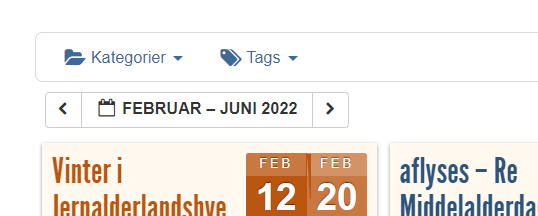
I couldn’t find a way to make a link for ‘See next 12 event’ or so, a pagination < << 1 – 2 – 3 >> > eg.
isnt it possible ?
Or like in my timely calendar at historiskmarked.dk (the one i would like to end up in Eventon )
Att. image with ‘< next month >’
Thanks
Lars
this is how it works on the dev site
not sure if this is compadabkle with our ticketing system
https://wordpress.org/plugins/elex-woocommerce-role-based-pricing-plugin-basic/
have a look over this page https://www.webtoffee.com/how-apply-woocommerce-discount-based-user-roles/
which has a link to https://wordpress.org/plugins/wt-smart-coupons-for-woocommerce/
which might be the way- I think it adds the discount when they get to the cart page which might not interfere with tickets addon
so there were some changes from version s 3 to 4
see video on the event tops- you don’t need to use custom CSS to change the color
You can also use Event Lists shortcode:
[add_eventon_list event_count=”12″ hide_empty_months=”yes” tiles=”yes” tile_bg=”1″]
However, there are limitations comparing to Event Lists: Ext.
Dear, according to what I understood, on this page https://www.myeventon.com/my-account/license-transfer/ the client had to buy any product with his credit card, then you would transfer the addon purchased by me, via Paypal, to the customer, associating the customer’s credit card with the renewal payment, it is currently associated with Paypal and with my data, within the customer’s account, I would appreciate a solution. Thank you
So in order to have a list of events I have to spend an additional $40… dang.
Hello,
It seems that you need to use Bookings add-on
https://www.myeventon.com/addons/bookings/
together with Variations
https://www.myeventon.com/addons/ticket-variations-options/
Take a look at Field Extensions:
https://docs.myeventon.com/documentations/general-user-guide/
Try on https://dev.myeventon.com/wp-admin/
Hello,
Please update EventON.
To update eventon to latest version: If you are unable to do autoupdate, you can go to codecanyon your account > download and get the latest eventon version as zip file. Then you can go to your website, deactivate old eventon, activate (Do not delete eventon settings & data when EventON is uninstalled) from eventon settings, delete old eventon, install new one and activate. This link will further explain the process it. Also you can follow us on twitter to get real-time announcements on updates!
Hello,
It seems that you need to use Event Lists: Ext add-on
https://www.myeventon.com/addons/event-lists-extended/
Try this shortcode on https://dev.myeventon.com/wp-admin/
[add_eventon_el number_of_months=”12″ event_count=”3″ event_count_list=”yes” hide_empty_months=”yes” tiles=”yes” tile_bg=”1″]