The ticket price is 0, so a free event but tickets are needed. We set the price as zero…
Archives: Replies
Replies for tickets on suppota
Reply to: tickets(267615)
Thank you for your messages, I am going to assign this ticket to Ashan and he will be able to take it from here and find you a solution. Please allow some time for him to get back to you, we greatly appreciate your patience and thank you for being a eventon customer! Also please disable any IP blocking on your site if there are any.
Reply to: tickets(267615)
Ashan,
With disabled plugins and the default theme still doesn’t want to duplicate seats: https://arsmagna.live/wp-admin/post.php?action=edit&post=61661 and https://arsmagna.live/wp-admin/post.php?action=edit&post=61663
Please make sure to enable Maintenance plugin.
Reply to: tickets(267342)
Hello,
https://events.voresfamilie.dk/wp-admin page leads to 404 error. Could you check?
Please also try following https://elfsight.com/blog/2018/06/how-to-get-google-maps-api-key-guide/. Make sure to “Restrict your API key” correctly.
Reply to: tickets(267864)
Hello,
“Edit Event > Tickets > Ticket Price” is required. Please take a look at https://staging.vereybooks.co.uk/event/swimming-wild-in-the-lake-district-suzanna-cruickshank-in-conversation-with-colin-hill/
Reply to: tickets(267641)
Thanks, but deactivating plugins make no difference.
Still the same error.
Reply to: tickets(267855)
add this to the calendar shortcode
event_count=”3″ show_limit=”yes”
Reply to: tickets(267342)
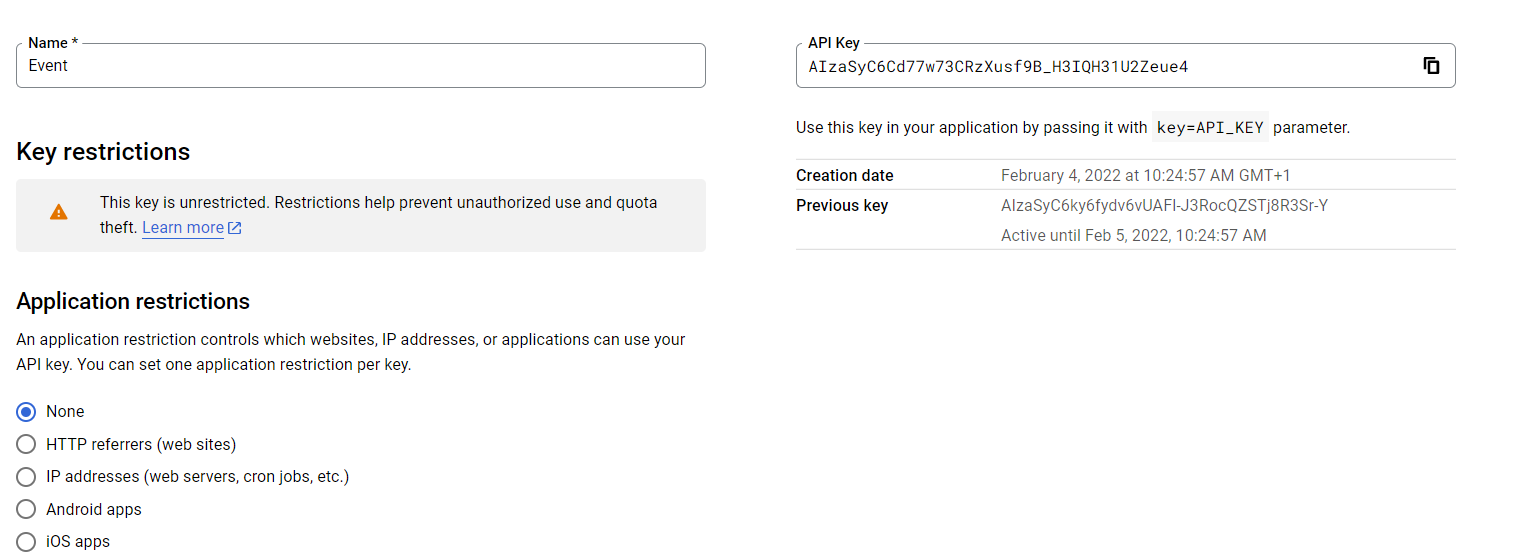
Hi again, I have now tried with another new API, it is only used in event.voresfamilie.dk, and all google maps are turned off on historiskmarked.dk, but with the same result!
I’m enclosing a screenshot from the Google API interface, maybe something went wrong here. I have not locked the API for a domain.
Sincerely, Lars
Reply to: tickets(264342)
Hi Ashan,
something interestin happend. I’ve installed the latest version of WordPress, and with that version it is running. I have another instance with the old version, and it is not working there.
So for now, the problem is solved with the new WordPress version.
Thanks for yourhelp
Reply to: tickets(266185)
I deleted the account because i didnt get a reply for security reasons.
I remade the account with the same username and pw as before.
So go ahead and login https://nextdestination.gr/wp_nd with ashanjay / ashan!@#$%jay
One more thing. I have setup my web server (.htaccess) to redirect any request for http:// to the same link with https://. I dont know if this could make the repeating loading of the QR code checkin, but it just might. The links given by the qr code are https so i dont think that would be an issue.
If you need anything else i can give you any information as i am the admin of the server as well.
Thanks a lot for your attention.