Hi, please see here to replicate the issue:
https://www.dropbox.com/s/nb39mqeh5s57xt3/Neighborhood%20North%20Museum%20of%20Play-%20children%27s%20museum%20in%20Beaver%20Falls%20-%20Google%20Chrome%202022-01-23%2011-39-28.mp4?dl=0
Replies for tickets on suppota
Hi, please see here to replicate the issue:
https://www.dropbox.com/s/nb39mqeh5s57xt3/Neighborhood%20North%20Museum%20of%20Play-%20children%27s%20museum%20in%20Beaver%20Falls%20-%20Google%20Chrome%202022-01-23%2011-39-28.mp4?dl=0
Nevermind I can see its working, but its a darker purple. What code should I include for something like: #c860cc
Also, please do let me know what I should try to fix the webp images.
Thank you that worked its just the image size to correct, many thanks
EventON loads them using the regular WP function. All the optimization happens on the server and your cache plugin.
What do you mean by normal WP function?
The images have been ran through Imagify into webp format, and should be being served like all other images on the site. But instead coming up as normal big jpegs and slowing that page in particular. Is there something blocking the serving of webp images? Or perhaps because the eventon frame loads after the rest of the page or something to that nature?
.evoWV.ajde_evcal_calendar .EVOWV_grid .evo_wv_day.today .day_num { background-color: rebeccapurple !important; }
Please follow the instructions in this documentation to activate debug in your site to see any PHP errors recorded that can provide insight on to whats going on. Please reply with a link to debug.log file. If you are not able to do this please send us FTP access to your site so we can do this for you.
Times for images seem to be normal: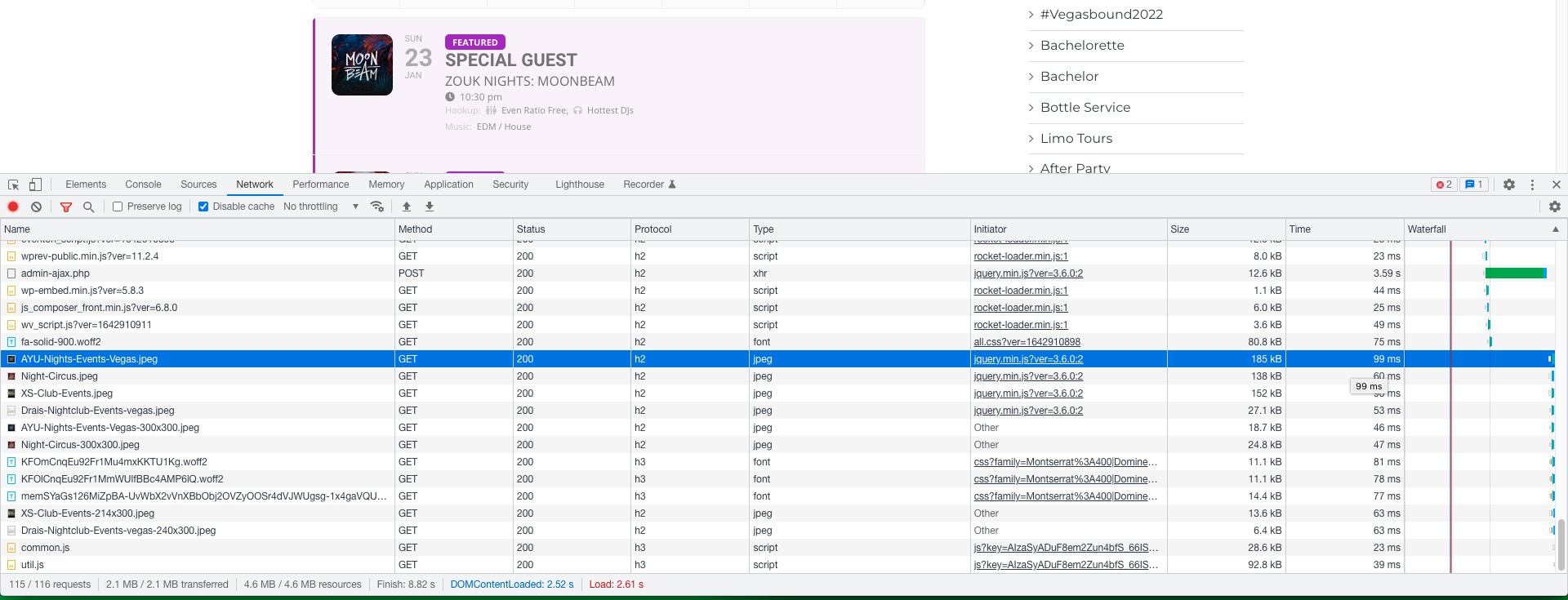
EventON loads them using the regular WP function. All the optimization happens on the server and your cache plugin.
About the code. Please try adding !important:
.evoWV.ajde_evcal_calendar .EVOWV_grid .evo_wv_day.today .day_num { background-color: rebeccapurple !important; }
Hello,
Are you referring to the “Yes” part?

Hello,
Please take a look how Event Lists: Ext loads new events: https://dev2.myeventon.com/29233-2/
Hello,
I’ve enabled it from https://roonedogsbbq.com/wp-admin/admin.php?page=eventon#evcal_004b, so it should work.
Please check and let me know.
Hi Isaac,
Please activate the addon and try to edit the Elementor plugin and then follow the instructions in this documentation to activate debug in your site to see any PHP errors recorded that can provide insight on to what’s going on. Please reply with a link to debug.log file. If you are not able to do this please send us FTP access to your site so we can do this for you.