1. Thank you for your messages, I am going to assign this ticket to Ashan and he will be able to take it from here and find you a solution. Please allow some time for him to get back to you, we greatly appreciate your patience and thank you for being a eventon customer! Also please disable any IP blocking on your site if there are any.
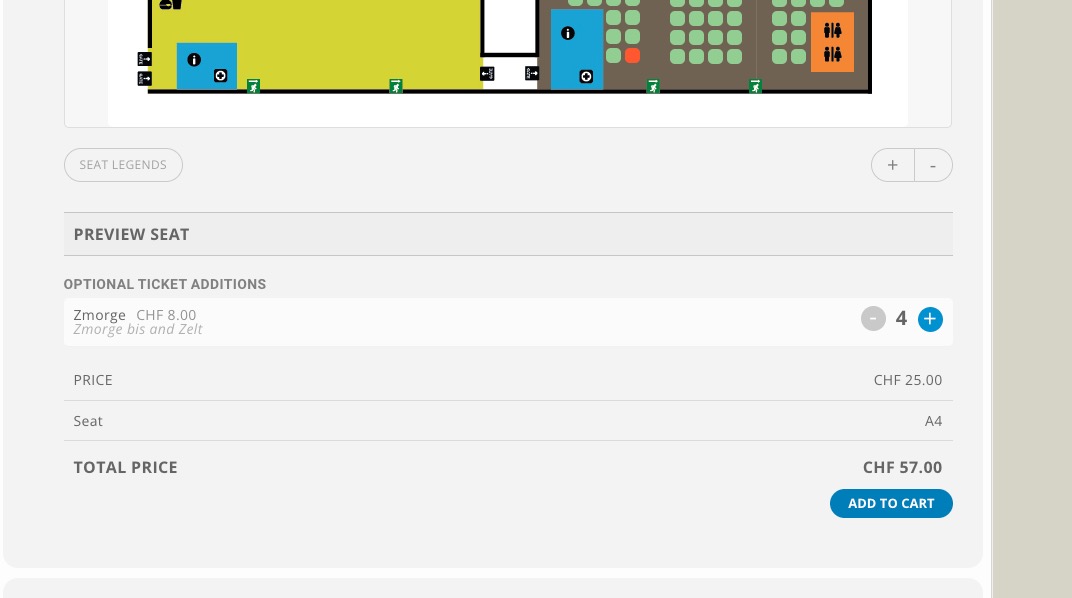
2. This is because of “Section Type: Unassigned Seating”.
3. Could you elaborate more? The way you can add more “Zmorge” isn’t right?
When i delete the Slider code the page is loading fast.
[add_eventon_slider number_of_months=”12″ slide_style=”imgtop” slide_auto=”yes” slide_loop=”yes” event_count=”5″ hide_mult_occur=”yes” event_type=”19″ only_ft=”yes” slider_pause=”4000″ slide_pause_hover=”yes”]
A video would be so helpful! I am lost 🙂 Just tickets to a membership association, education and networking events. We would just need the name, email, company and process payments via square. I have woocommerce as well.
Thank you!
Thanks But the Problem is mostly at the Homepage where the slider is. The EventsPagee is ok.
Hello,
Could you try following https://help.time.ly/google-maps-api-error-geocoding-service/ ?
We are glad your issue is resolved, if you have any further questions or concerns please create a new ticket.
We are glad your issue is resolved, if you have any further questions or concerns please create a new ticket.
If you have a moment, we would greatly appreciate if you could kindly leave us a review at codecanyon! from your account > downloads. Cheers!
Thank you for sending me to the terms and conditions which you know no one reads.
Please refund this charge or I will be happy to file a BBB complaint as well as any other review or complaint I can about shady auto-subscribe business practices
Hi Nadia,
Please try the CSS code below:
.ajde_evcal_calendar.boxy.boxstyle0 #evcal_list .eventon_list_event .desc_trig{padding-left:0;}
.ajde_evcal_calendar.boxy #evcal_list .eventon_list_event .desc_trig.hasFtIMG .evcal_cblock {left: 10px;}
.ajde_evcal_calendar.color #evcal_list .eventon_list_event a:hover {border-left-width: 0;}
Please add this CSS code to EventON > Styles (If you don’t see any change, EventON > Scripts & Styling > turn off Write styles to header > save settings > turn on Write styles to header):
Wow, thank you so much for your time. Okay I think it was the feature event that I put on that screw thing up. Not sure what it does.
Perfect, excellent explanation.
cheers mate
Pat