Sorry also –
Where is the orange color coming from for preselected todays date on top of the calendar? I don’t see an option for it in appearance: https://www.promoternow.com/las-vegas-club-events/
Replies for tickets on suppota
Sorry also –
Where is the orange color coming from for preselected todays date on top of the calendar? I don’t see an option for it in appearance: https://www.promoternow.com/las-vegas-club-events/
That worked! Thank you
Hello,
Instead of adding anything to the shortcode, please go to EventON Settings > EventTop > Select Default Calendar EventTop Style: Clear with left border colors.
Ashan,
Not sure how to re-create this on dev2. One event is always smaller:
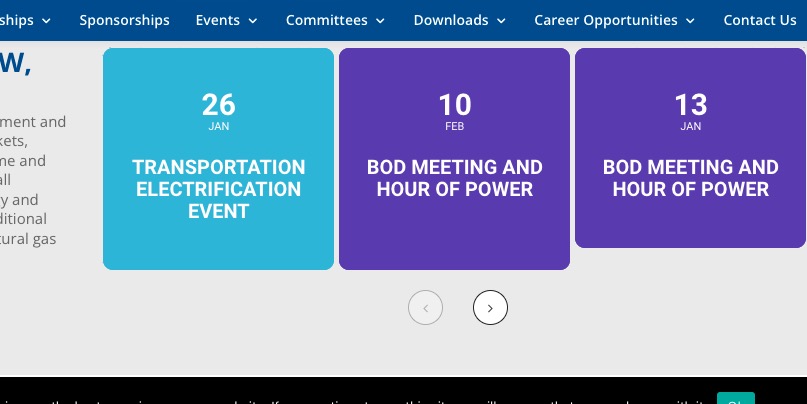
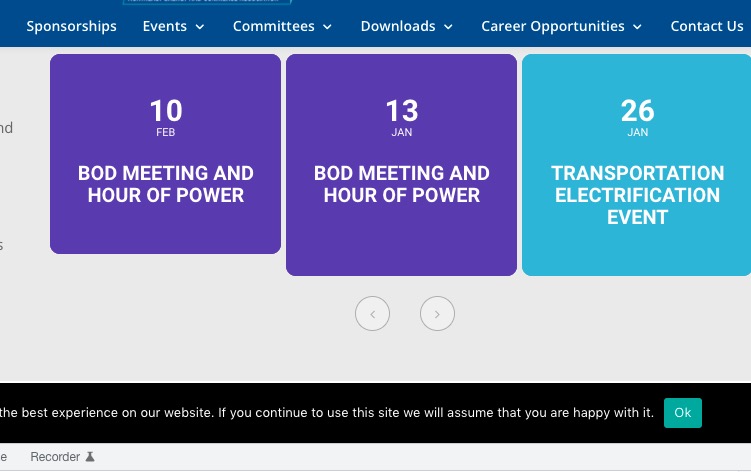
Their shortcode on our site: https://dev2.myeventon.com/29132-2/
And is there a way to not have the sorting buttons show on the sidebar but still on the main calendar? I’m assuming not since it’s just an on/off toggle in Settings.
Thank you for your messages, I am going to assign this ticket to Ashan and he will be able to take it from here and find you a solution. Please allow some time for him to get back to you, we greatly appreciate your patience and thank you for being a eventon customer! Also please disable any IP blocking on your site if there are any.
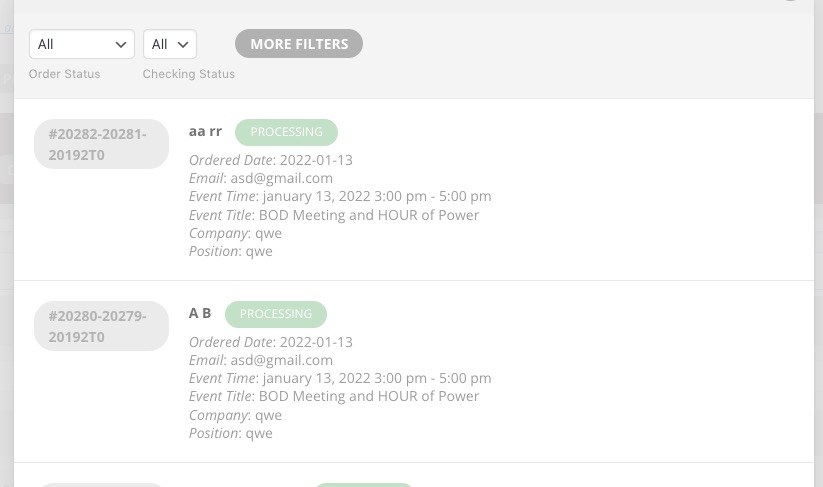
Note that both people who registered for the 1/13 BOD meeting came through registered twice, which is strange. Just wanted to mention this, in case it helps resolve things with EventON
Is it possible to know more about this one? I’ve tried to register using the slider and from Single Event Page. No issues:
For the sidebar “DON’T MISS OUT ON THESE UPCOMING AUCTIONS” how do I have it show only upcoming. Right now it shows current and upcoming.
Done!
Hello,
1. Please use this code to center the image:
.evosliderbox.ajde_evcal_calendar .eventon_events_list .eventon_list_event .desc_trig_outter { background-position: center; }
2. Please add this CSS code to EventON > Styles (If you don’t see any change, EventON > Scripts & Styling > turn off Write styles to header > save settings > turn on Write styles to header):
.ajde_evcal_calendar.miniSlider.evosliderbox .eventon_events_list .eventon_list_event a.desc_trig { background: rgba(0,0,0,.2); }
No need to buy any additional add-ons. Just go to EventON Settings > Sorting and Filtering > enable Event filtering options to show on the calendar.