OK, thank you
We have import via external plugin and just bought EventON
Which addon do I buy to show categories in filter section on this site?
https://www.floka.no/event-directory/?preview=true&fbclid=IwAR19hWnIzdQ4HXGH8NPDSt_qBlV1pTBIdiEBDIiSTDdUyApwpiZhROchx0I
I was able to login. The problem is that I cannot re-create this:
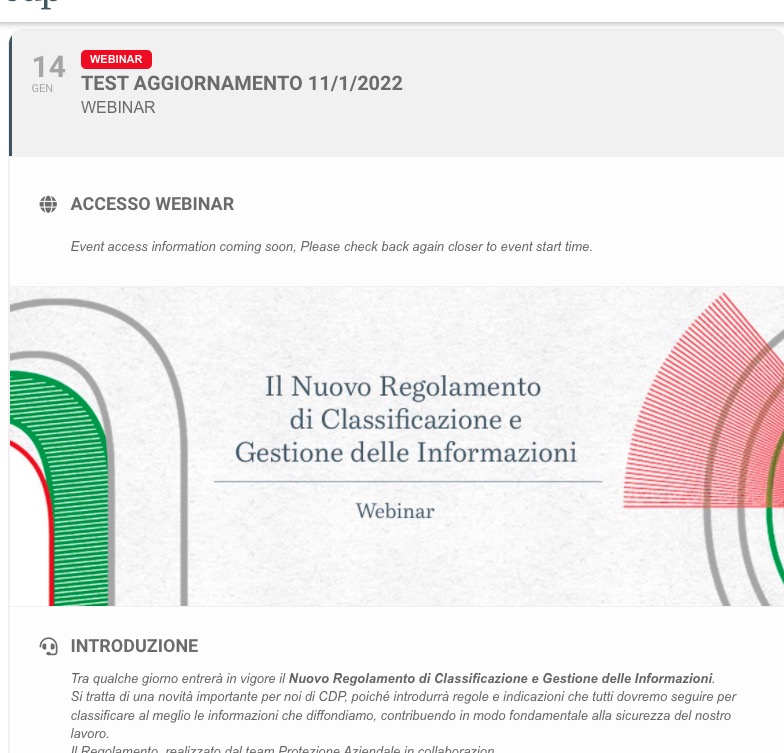
“”Join the Event Now” button is visible also with phrase “Event access information coming soon, Please check back again closer to event start time”.”
Could you send me a screenshot with the button and also “Event access information coming soon…”?
Instead, if I login on wordpress Admin and see the page, all looks ok: the button is not showed 3 Hours before the event start, so the button disappears only when you view the site as admin wordpress but not for the site users.
How can I re-create this as a regular user? It seems that the only way I can check the event is when I am logged-in.
Hello,
Sold Individually doesn’t mean that a user can purchase it only once per event. It means that they cannot purchase more than one ticket at a time.
https://helpdeskx.s3.amazonaws.com/wp-content/uploads/2022/01/12083318/Captura-de-pantalla-2022-01-12-a-las-16.32.34.jpg
I don’t really see anything wrong with this screenshot. Could you elaborate?
https://calendarios.rfeda.es/calendario-rfeda-pruebas/
The link uses Event Lists shortcode. Could you send us a link to a page with the issue and also include a screenshot of what exactly is wrong, so we can help?
Hi,
you can login al this login link: https://devwebinar-cdp.algores.it/login/
and after login you can open the event directly: https://devwebinar-cdp.algores.it/events/test11/var/ri-0.l-L2/
thanks
Thank you! It helped for the desktop view. For mobile, I have a different calendar code:
[add_eventon_list tiles=”yes” tile_bg=”1″ tile_style=”1″ tile_height=”350″ show_year=”yes” hide_past =”yes” number_of_months=”3″ event_count=”10″ event_count_list=”yes” hide_empty_months=”yes” tile_count=”3″ ux_val=”4a”]
I tried to add eventtop_style=”0” to this code, but nothing changed.
Hello,
…”Join the Event Now” button is visible also with phrase “Event access information coming soon, Please check back again closer to event start time”.
No button is visible:
Instead, if I login on wordpress Admin and see the page, all looks ok: the button is not showed 3 Hours before the event start, so the button disappears only when you view the site as admin wordpress but not for the site users.
I cannot check the website as non-logged-in user:
Use Repeating Events with Custom Repeats and then remove unused ones.
Hello,
Thank you for your great suggestion, at the moment it is not supported. However please create a new ticket and select Feature Request as category so others can vote on your idea and get it moved into development faster.
EventON doesn’t differentiate between parent and child categories:
https://docs.myeventon.com/documentations/confused-event-type-categories/