Only one URL: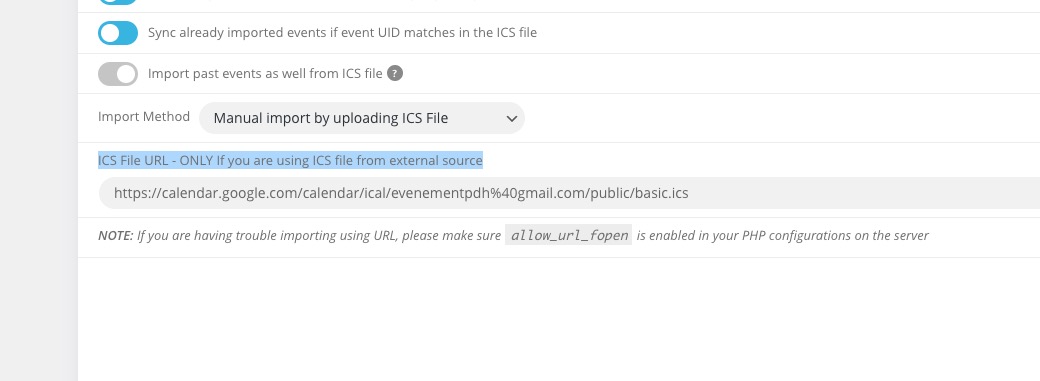
When importing with ICS Import you cannot assign or import tags and/or categories.
Replies for tickets on suppota
Only one URL:
When importing with ICS Import you cannot assign or import tags and/or categories.
I’ve added the fix, please take a look and let me know.
Hello,
Please send us wp-admin access to your site as a private message for us to further assist your situation.
Could you try EventON > Scripts & Styling > turn off Write styles to header > save settings > turn on Write styles to header?
Hello,
What you need to change is this part
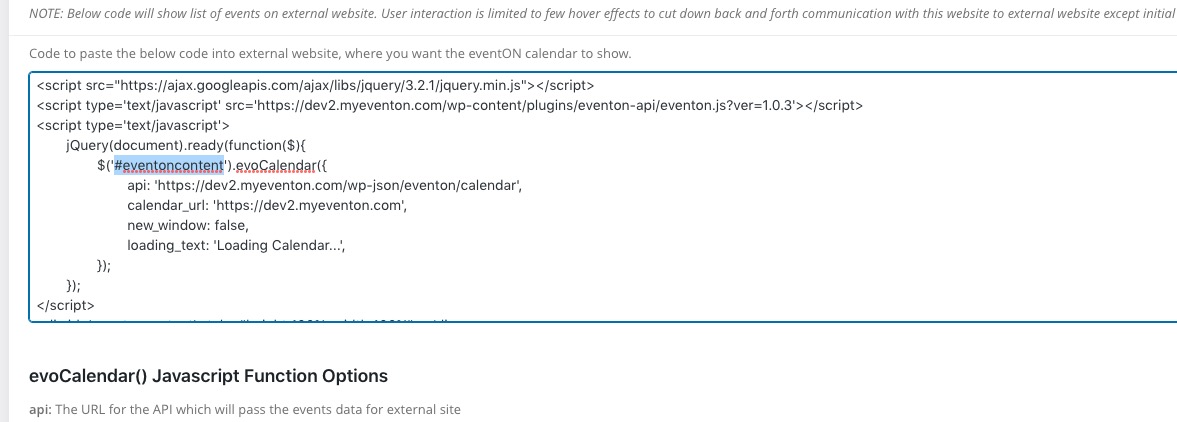
The code should look like this:
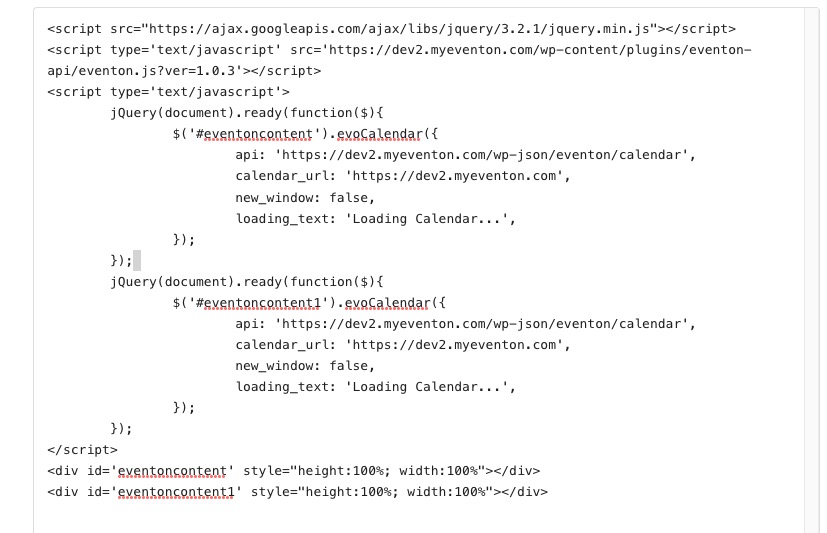
Hello,
About the original question. In most cases the issue is in EventON > Language > ADDON: Event Tickets. When you use quotes (“,’,`) in translation, it may cause issues.
…now all the buttons (add to cart, chekout, etc.) are in english…
Please follow https://docs.myeventon.com/documentations/how-to-translate-calendar-front-end/ and add translations to L1.
Hello,
Please go to EventON Settings > Scripts & Styling > enable Disable JQuery Mobile script & Disable Moment script & Disable Jitsi script.
Hi Michaela,
Please take a look at this video on how to do that https://youtu.be/8uVxHE8vIxE?list=PLj0uAR9EylGrROSEOpT6WuL_ZkRgEIhLq
Hi Michaela,
Please take a look at this video on how to do that https://youtu.be/8uVxHE8vIxE?list=PLj0uAR9EylGrROSEOpT6WuL_ZkRgEIhLq
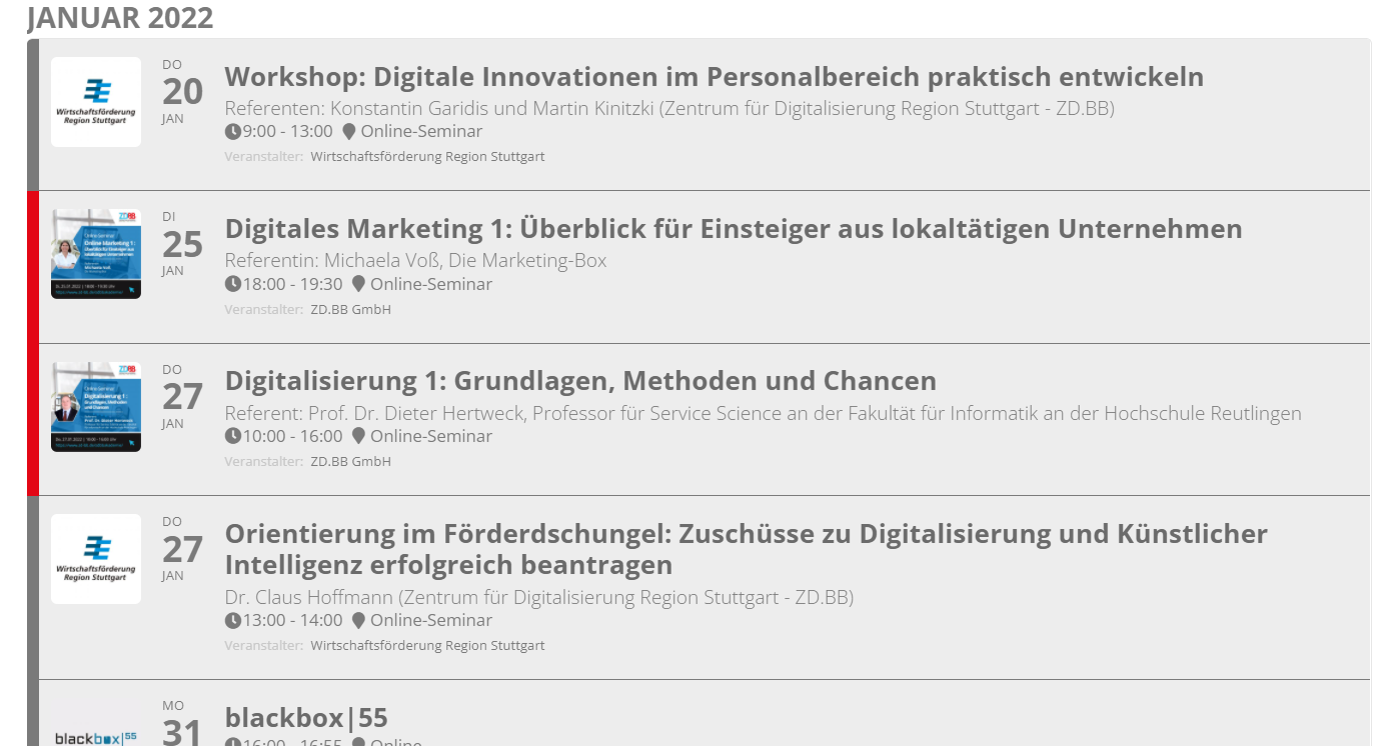
Attached please find a screenshot of the ‘old’ calendar. I’d like to know what I have to change so that I can get the old calendar style back.
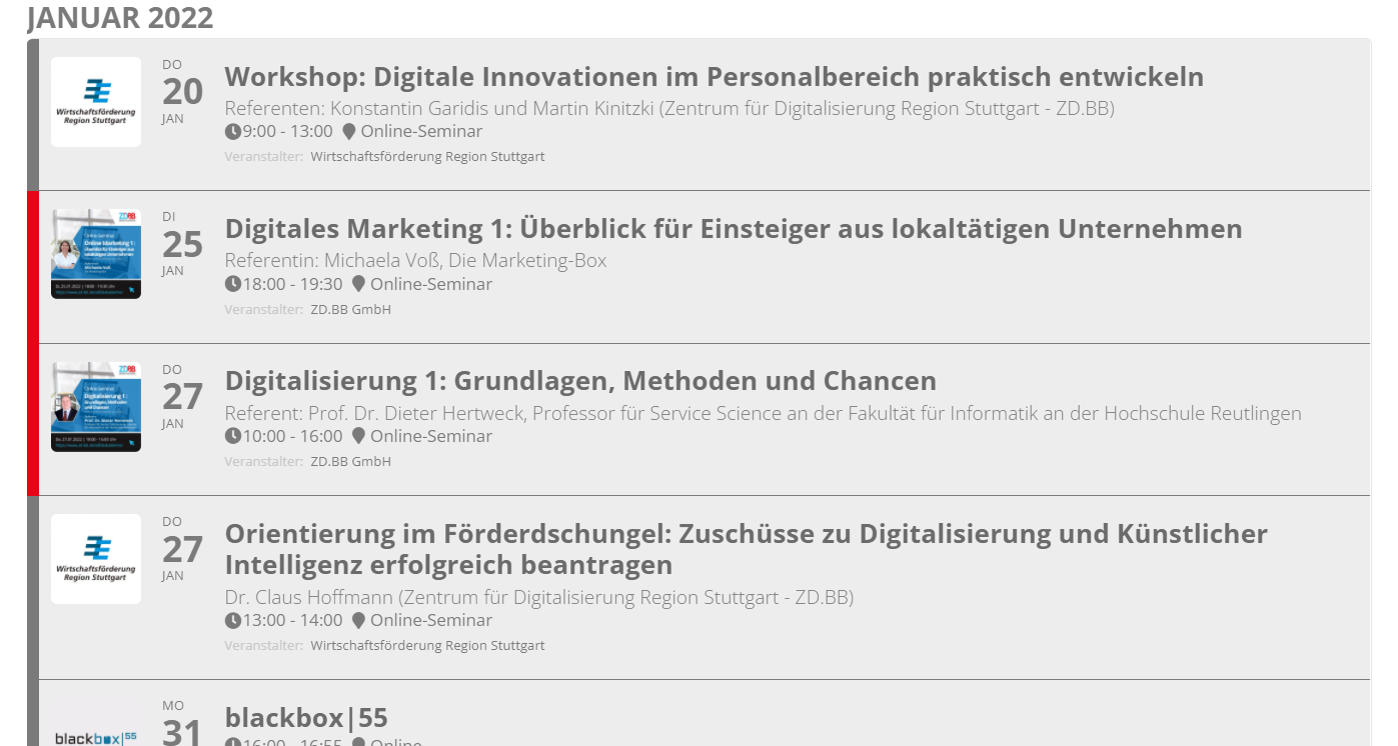
Please find attached a screenshot of the ‘old’ calendar. This is the layout that I’d like to get back.