Yes you can for a minute
Archives: Replies
Replies for tickets on suppota
Reply to: tickets(264113)
Please send us wp-admin access to your site as a private message for us to further assist your situation.
Reply to: tickets(263924)
there are loads of errors on the page and loads of warnings to do with facebook pixel
many .js issues which could cause the pop up not to work
are we allowed to temporarily deactivate plugins? (we will turn them off- test things and then turn them back on within a minute or so)
Reply to: tickets(263924)
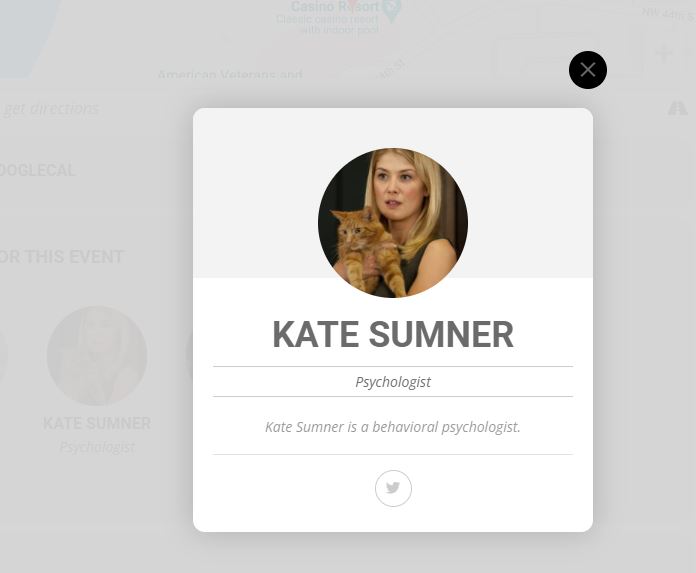
Yes I checked those issues and those are not due to eventon. I fixed some of those but I like you to check why the eventon bio is not working. Nothing comes when we click on the speaker image like in your demo. Screenshot attached
Reply to: tickets(263926)
This worked now. Thanks
Reply to: tickets(264130)
Cancel the post about “Use smart quotes and dashes”. It works in document editing software, but Google Chrome (on Mac) still inserts the straight apostrophe which is not read correctly by EventOn. I’m not sure if this a Chrome or WordPress issue.
-Ray
Reply to: tickets(264113)
Hi and thank you for the quick response.
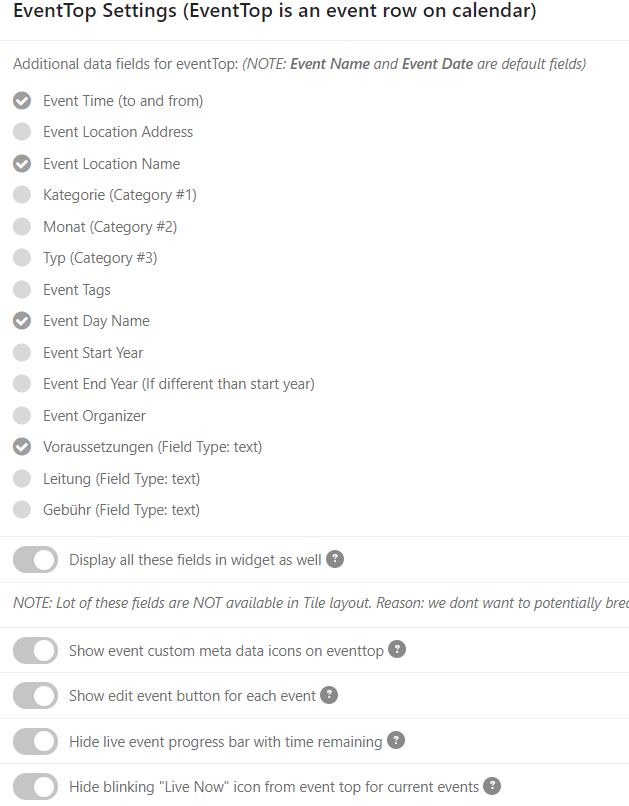
Ok, now the fields “Voraussetzungen” and “Day” appear, but why is “Location Name” and “Time” not visible?
Reply to: tickets(263975)
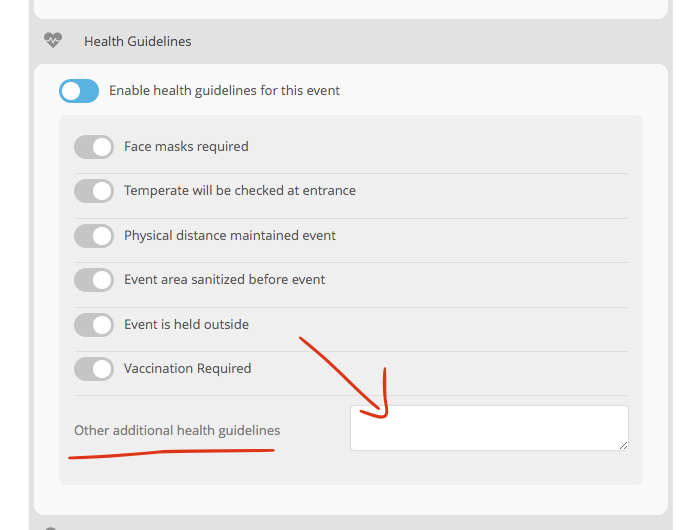
Absolutely, we will add these in the next update. In the mean time kindly use the additional health guidelines to include other information.
Reply to: tickets(264130)
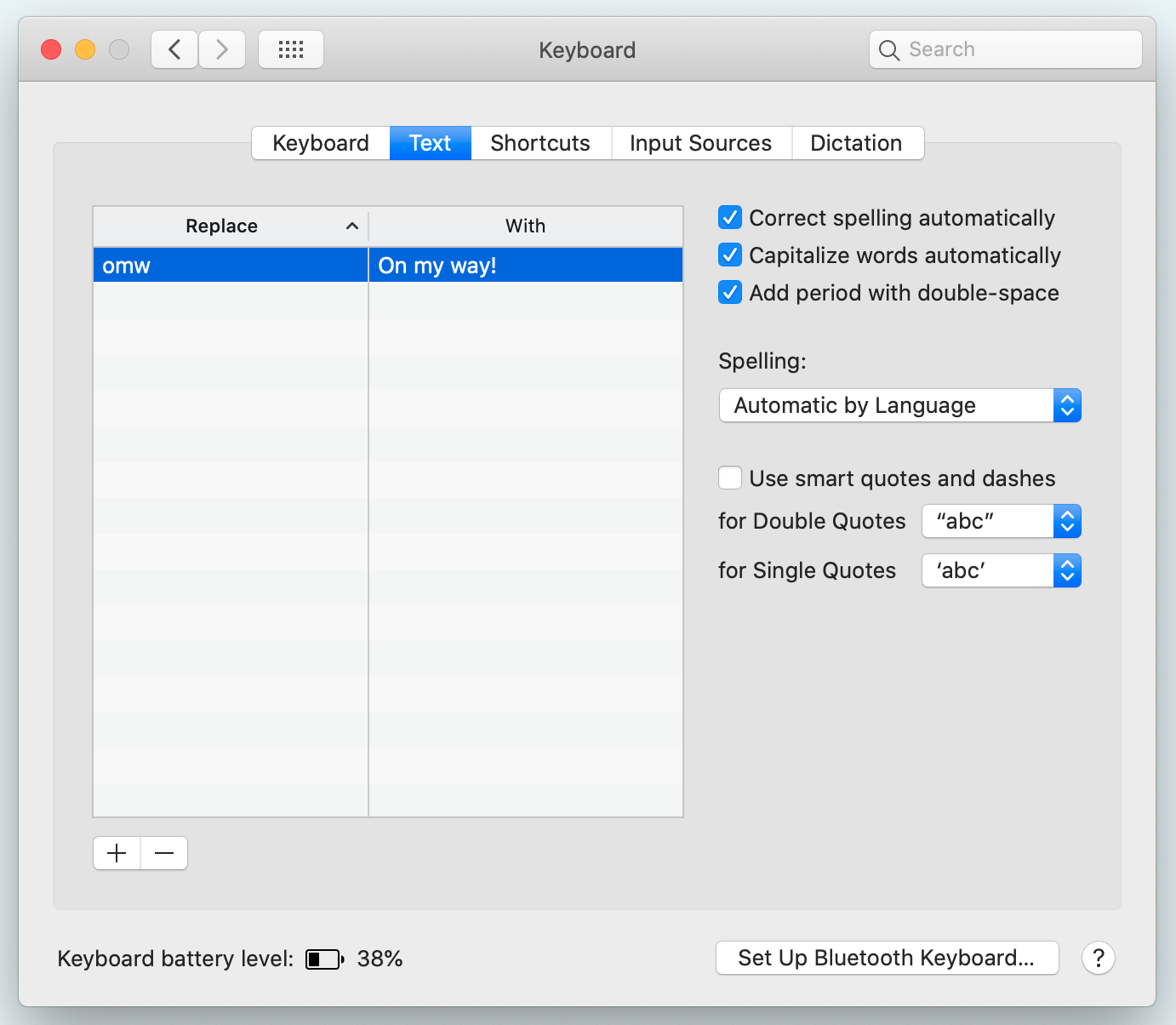
Digging further, seems that there is an option to turn this behavior on/off in Mac System Preferences.
Go to Keyboard>Text tab and make sure that “Use smart quotes and dashes” is not checked.
-Ray
Reply to: tickets(263926)
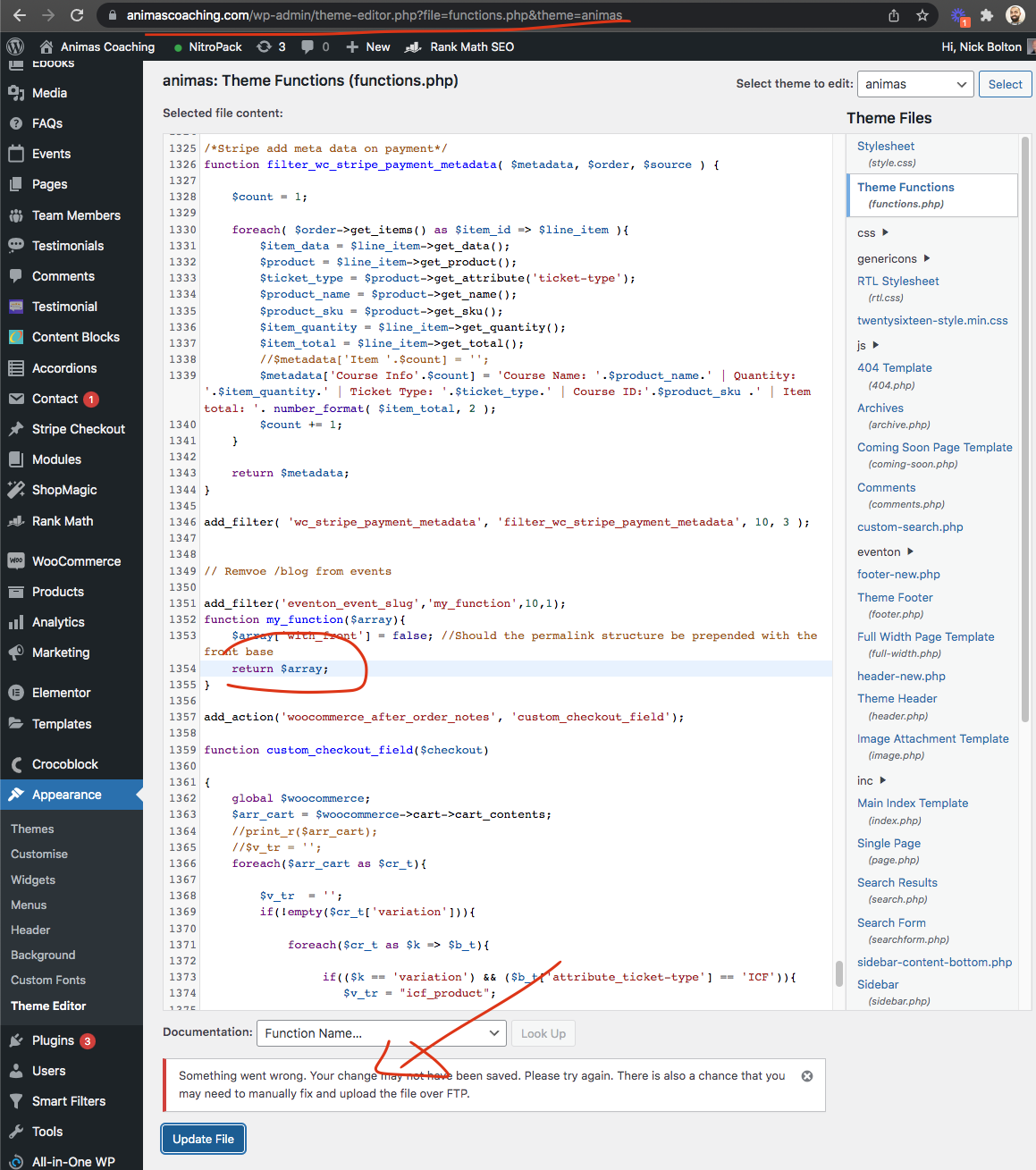
something seems to be causing me to not save edit code. please add return $array; in the code.